
Answered
InDesign resizes jpeg when exporting larger dpi than 72
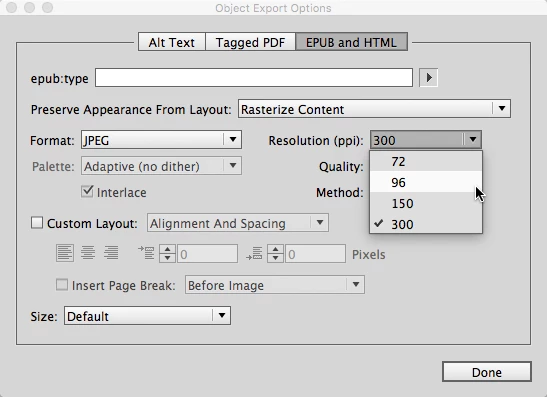
When I export an image as a jpeg in InDesign and select anything above 72 dpi, I end up with a larger jpeg. This seems to correlate with the dpi, so my original 1612 x 640 would end up as 2149 x 853 with 96 dpi, 8463 x 3360 with 150 dpi and so on. I can easily resize in Photoshop, but if there is a way to skip the middle man, that would be awesome and save me time. Is there any way to fix this problem within InDesign?


 AdChoices