Participant
November 3, 2020
解決済み

InDesign Review isn't showing highlights or pins

  • November 3, 2020
  • 返信数 12.
  • 3345 ビュー

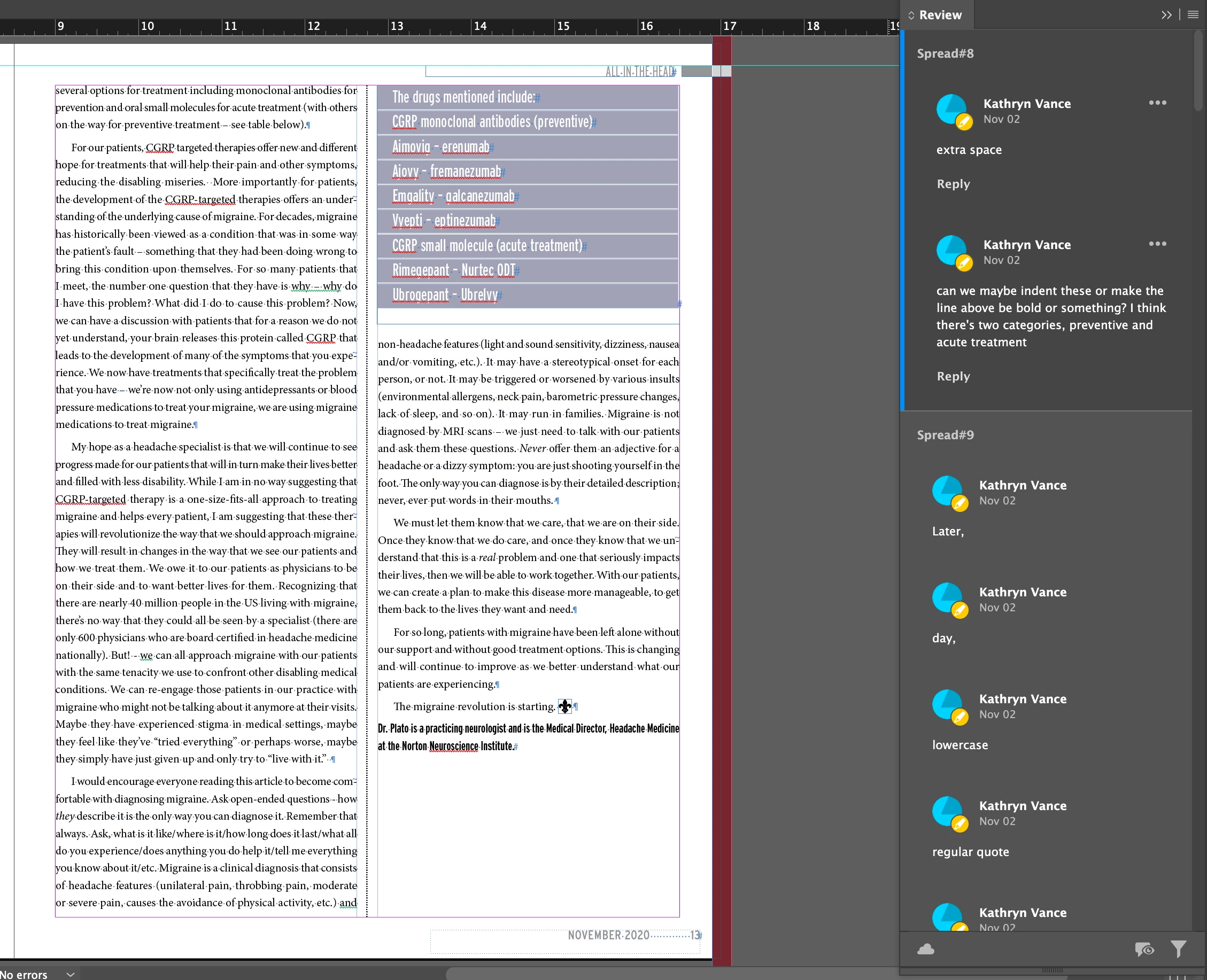
My team has reviewed the document and the comments are showing in review but none of their highlights or pins are showing. I've signed in and out, restarted my computer, etc and it has made no difference. It isn't showing on their end either when they open the review link. It's like they disappeared. Below is a screenshot. 


解決に役立った回答 Abhishek Rao

Hi everyone,


Thank you for your patience, and apologies for the delay in providing an update.

I wanted to let you know that I have been able to reproduce this issue internally on the latest InDesign 21.4.1 release as well. Based on the investigation so far, the behavior appears to be related to how Share for Review comment markers/pins are mapped back into the InDesign document in certain scenarios like when there is a grouping involved in the document. 

I've logged a bug with the product team and shared the reproduction steps, test files, and recordings. The team is currently investigating the issue.

I'll share further updates here as soon as I have more information. Thank you all for reporting this and for providing the detailed examples that helped with the investigation.


Thanks,
Abhishek


<Marking as correct for better visibility on the thread>

返信数 12

Participant
January 20, 2022

Same issue here. I have used Chrome and Microsoft Edge to make comments however the pins or highlights or drawing tools are not showing.

Anshul_Saini
Community Manager
Community Manager
January 22, 2022

Hi @Amanda22739664y9kj,


Sorry for the trouble. We have tried to address this issue. Please check and let us know if it is working for you and your co-workers now or not. Also, try clearing the cookies, different browsers, Incognito mode, or different Internet connections. Also, make sure you are not using VPN, Proxy Adblock, or any third-party extension which may interfere. Additionally, try updating your browser and let us know how it goes.


Kindly update the discussion if you still need assistance with it. We'd be happy to help.


Thanks & Regards,

Anshul Saini

Participant
July 23, 2022

Hi there, 

I am having the same issue when using in InDesign and on Safari. I would really appreciate help – this is going to be super embarrassing if I have to go back to the client and say that I've lost all their work! 

Thanks,

Tessa


Federico_pr
Participant
December 14, 2020

I have the same issue.  Was it fixed?