Inspiring
June 15, 2023
Answered

Indesign scaling not displaying the true scale

  • June 15, 2023
  • 2 replies
  • 1695 views

Hi all, 

I am experiencing a problem of inaccurate scale in the indesign app: when my illustrator is set to 100% scaling, it matches real time dimensions, which I suppose is what the scaling is intended for. However, this does not seem to work in the indesign app, and as I'm checking, the scale seems to be somewhat 48% of the true scale (meaning when I set the scaling to 48% the screen displays real dimensions), is there a easy way to fix this?


Best,

Zunyi

This topic has been closed for replies.
Correct answer Zunyi Wang

while at the tab the scale displays as 100%, the bottom is 80%.


Hi @Zunyi Wang , I don‘t think the Title bar and the info in the lower left corner should be showing different magnifications. Have you tried clearing your Caches folder, and if that doesn’t work resetting your preferences?


InDesign’s 100% view on the main monitor should represent the print output at 100%—if you measure rulers at 100% magnification with a physical ruler, 1" should measure as 1". For InDesign to display the correct magnification it has to get the monitor’s info and scaling info from the OS, and it looks like that doesn’t always work. See this thread:


https://community.adobe.com/t5/indesign-discussions/indesign-scale-incorrect/td-p/13441812/page/2


InDesign has a hidden preference for setting a custom display resolution, which can only be accessed via scripting. The script I posted in the above link displays what the system is reporting as the display resolution and lets you set any custom res. The script is here:


https://assets.adobe.com/public/51f617ff-7859-4527-72bc-77da4c408840
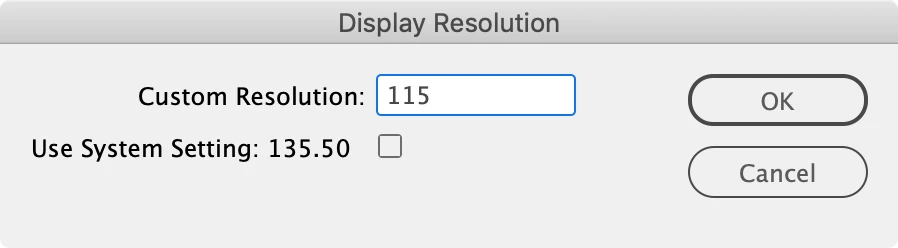


Thank you, Rob

The scripting is working and my app ended up using 102 as the custom resolution. For the different view percentage problem, I tried resetting the preferences (by removing the "indesign defaults" file from the en_US folder) but to no avail, the bottom and the tab still are showing different numbers, and they change as I change my ui scaling in the system. However I've found that the top number is the true number since it sets to 100% when I choose "actual size" option in the view tab.


2 replies

Eric Dumas
Community Expert
Community Expert
June 15, 2023

Hi, can you share a screenshot of your InDesign page and sktech on it what you have and what you expect?

It could be a pixel size convertion, in a way that if your illustrator designed in Inches/Millimeters scales as expected at X dpi, your InDesign document imports it and scales it at Ydpi, it could measure differently.

Can you check your settings and confirm?

I know illustrator and InDesign work with vectors not pixels. But the setting/presets you start with (page size and type) can impact the result. 

Inspiring
June 15, 2023

The first image is the page setting, I created the page by using the a5 file preset, then changing the sizes to my custom size. The second image shows extactly how big it should be when set to 100%, which comparing the size on screen is clearly out of scale. Please see if this helps, or if you need more information.

Peter Spier
Community Expert
Community Expert
June 15, 2023

Version? OS?

Inspiring
June 15, 2023

This is windows indesign 18.3 (whichever the newest version), I am using an external screen connected to my computer with HDMI, and as I am testing it seems like the scale is changing with my ui scaling in the system, but it's still not the same scale since i am only scaling my ui to 125% and the real scale in indesign settles as an odd number (and my illustrator still perfectly works despite my external screen and ui scaling)

Peter Spier
Community Expert
Community Expert
June 15, 2023

I'm on Windows 10 and I have the same situation.

UI is scaled in windows to 100%, InDesign's UI scaling is set to small, and neither the laptop screen nor the 30-inch external monitor bear any resemblance to the real world dimensions. I think this is just the way it is with Windows. (@rob day has said many times that UI scaling was fixed a few versions back so that 100% is supposed to be 100%, and that may in fact be true on Mac, but in twenty years I've never seen it on PC.)