
Participating Frequently
July 27, 2022
Answered

Indesign Script: Change the center border of two rows of selected cells

  • July 27, 2022
  • 1 reply
  • 358 views

Hi,
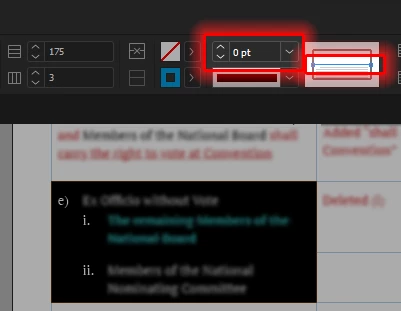
I'm working on a document that contains countless pages of continuous tables. Some of these cell extend beyond one page. As far as I know, Indesign doesn't manage multi page cells very well. So, I am creating separate rows for each paragraph, selecting those two rows, and changing the center border to '0'.
I would like to know the ExtendScript code to apply these properies to the selected cells. Thanks in advance.
 

This topic has been closed for replies.
Correct answer Manan Joshi

Try this one

var cc = app.selection[0]
if( cc.cells.length < 2){
	alert("Please select atleast 2 cells")
	exit()
}
for(var i = 0; i < cc.cells.length; i++){
	if(i == 0)
		cc.cells[i].bottomEdgeStrokeWeight = 0
	else if(i == cc.cells.length - 1)
		cc.cells[i].topEdgeStrokeWeight = 0
	else{
		cc.cells[i].bottomEdgeStrokeWeight = 0
		cc.cells[i].topEdgeStrokeWeight = 0
	}
}

-Manan

1 reply

Community Expert
July 28, 2022

Hi @Metallizr,

Try the following code

var cc = app.selection[0]
if(cc.cells.length != 2){
	alert("Please select 2 cells only")
	exit()
}

cc.cells[0].bottomEdgeStrokeWeight = cc.cells[1].topEdgeStrokeWeight  = 0

-Manan

-Manan
MetallizrAuthor
Participating Frequently
July 28, 2022

Thank you so much. This worked like a charm.