Participating Frequently
January 26, 2024
Answered

InDesign script no longer works

  • January 26, 2024
  • 3 replies
  • 949 views

Hi All,

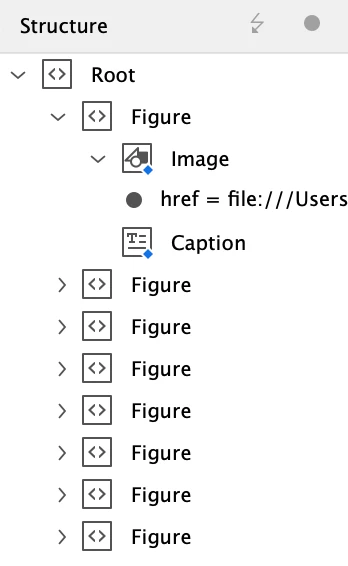
I'm hoping someone might be able to help me? I have a script from 2018 which I haven't had to use for a very long time. I recently dusted it off but it now errors when run in my current version of InDesign (19.1). The script should add a Page Number as an attribute 'pageNo' to the XML Element 'Figure' in the XML Structure. This is the structure:
 ...but I now get an JavaScript error:
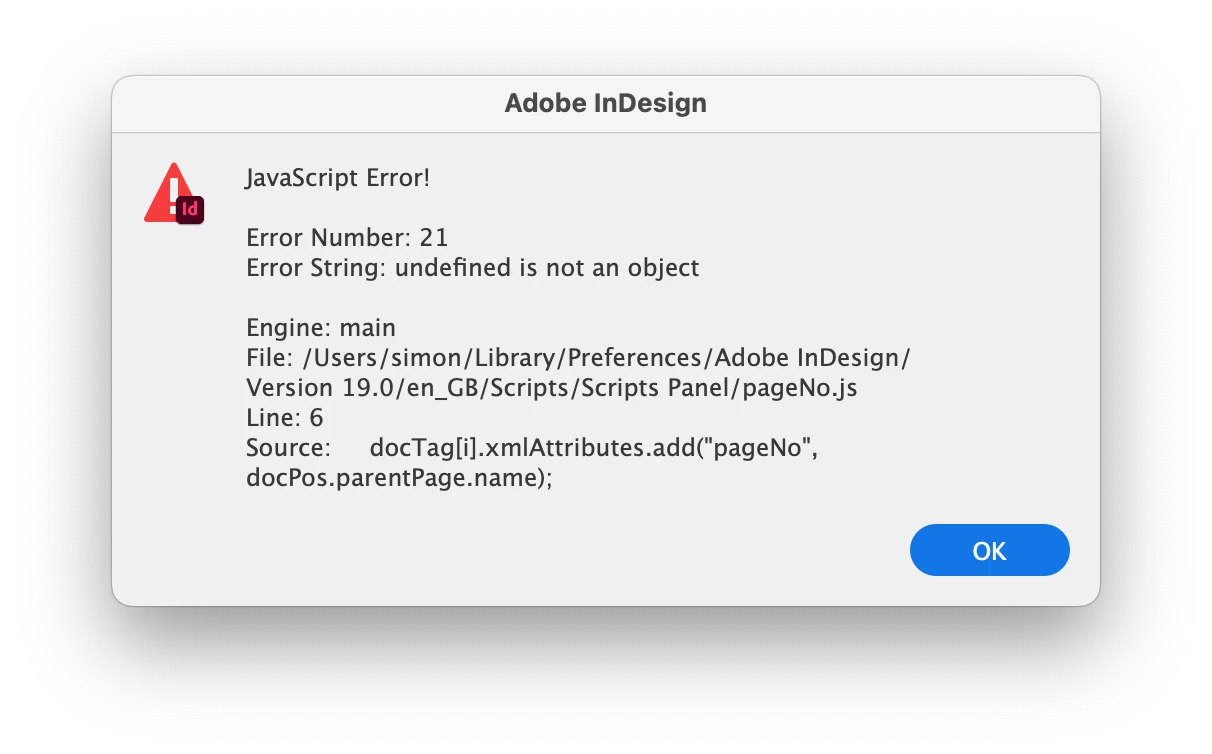
The javascript is:

var myDoc=app.activeDocument;  
var root = myDoc.xmlElements[0];
var docTag = root.evaluateXPathExpression('//Figure');
for(i=0; i<docTag.length; i++) {
    var docPos = docTag[i].xmlContent.insertionPoints[0].parentTextFrames[0];
    docTag[i].xmlAttributes.add("pageNo", docPos.parentPage.name);
}

I've tried adding a semicolon (;) to the start of the first line to see if that might help, but unfortunately it's still erroring. Does anyone have any suggestions? I'm struggling to see what's upsetting InDesign with this!


Many thanks, Simon
This topic has been closed for replies.
Correct answer rob day

Also, just to add, I also tried exporting this file as an IDML and ran the scripts, with the same results as before.


Maybe this works?


var myDoc=app.activeDocument;  
var root = myDoc.xmlElements[0];
var docTag = root.evaluateXPathExpression('//Caption');
var docPos, r;
for(i=0; i<docTag.length; i++) {
    r = docTag[i].parent;
    docPos = docTag[i].xmlContent.insertionPoints[0].parentTextFrames[0];
    try {
        r.xmlAttributes.add("pageNo", docPos.parentPage.name);
    }catch(e) {}  
}


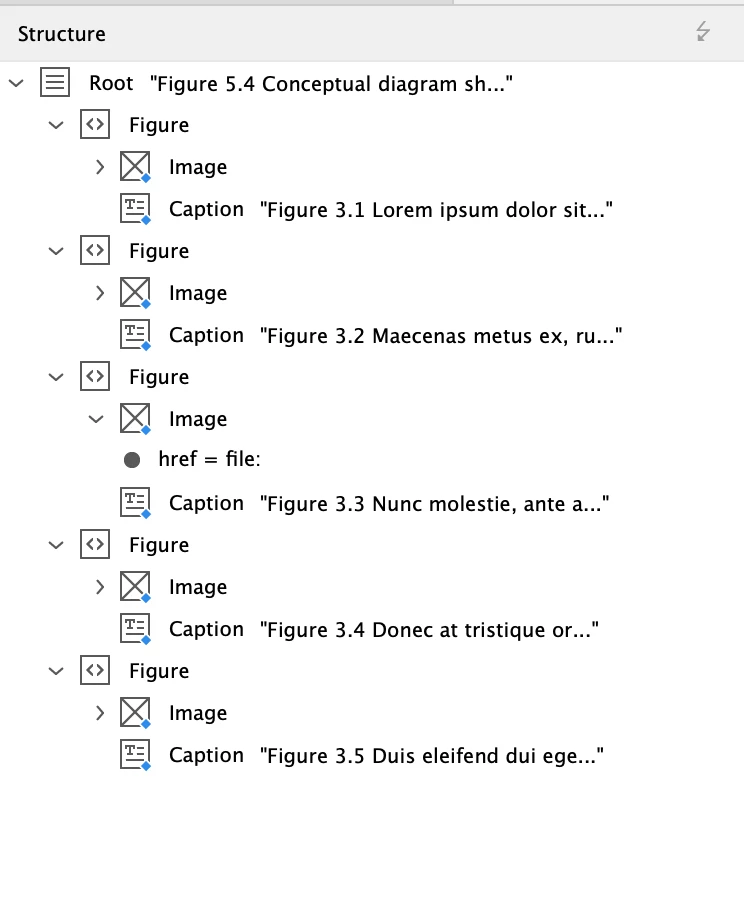
Before:


After:


3 replies

rob day
Community Expert
Community Expert
January 26, 2024

@brian_p_dts , Is probably right, you could try this:

var myDoc=app.activeDocument;  
var root = myDoc.xmlElements[0];
var docTag = root.evaluateXPathExpression('//PLANT');
for(i=0; i<docTag.length; i++) {
    var docPos = docTag[i].xmlContent.insertionPoints[0].parentTextFrames[0];
    try {
        docTag[i].xmlAttributes.add("pageNo", docPos.parentPage.name);
    }catch(e) {
        docTag[i].xmlAttributes.add("pageNo", "No Page")
    }  
}
SimonDWAuthor
Participating Frequently
January 27, 2024

Thanks for the suggestions @rob day @brian_p_dts @Robert at ID-Tasker! I can't see anything on the pasteboard, or overset cells etc. I tried you adjusted script Rob and it doesn't error, but unfortunately no attributes get added to the Figure elements. I'm unable to attach the exact file, but have attached a file with placeholder text and images in magenta boxes. I ran the script on this doc and get exactly the same responses out of the original script I posted. I don't think anything particularly special is happening with this file, there are some nested GREPs (to style heading numbers etc.), but that's about it.

SimonDWAuthor
Participating Frequently
January 27, 2024

Also, just to add, I also tried exporting this file as an IDML and ran the scripts, with the same results as before.

brian_p_dts
Community Expert
Community Expert
January 26, 2024

Is it possible that the text frame with the insertion you are trying to get is in the pasteboard? 

SimonDWAuthor
Participating Frequently
January 26, 2024

Thanks Brian — Have checked and everything's sitting on the page, nothing extend out to the pasteboard.

rob day
Community Expert
Community Expert
January 26, 2024

Thanks Brian — Have checked and everything's sitting on the page,


Can you share the document?

rob day
Community Expert
Community Expert
January 26, 2024

Hi @SimonDW , Without your document it’s difficult to test. You could wrap the line that’s throwing the error in a try statement, which would skip the  docTag(s) that are causing the error:

var myDoc=app.activeDocument;  
var root = myDoc.xmlElements[0];
var docTag = root.evaluateXPathExpression('//Figure');
for(i=0; i<docTag.length; i++) {
    var docPos = docTag[i].xmlContent.insertionPoints[0].parentTextFrames[0];
    try {
        docTag[i].xmlAttributes.add("pageNo", docPos.parentPage.name);
    }catch(e) {}  
    
}
SimonDWAuthor
Participating Frequently
January 26, 2024

Thanks Rob, it's definitely that line that's erroring, I ran it with a try statement and no error, I think I need to throw some time at it... I'm not much of a scripter, so it's going to take some trial and error I think!