
InDesign Server 18 doesn't connect with either ESTK or VSCode Extendscript extension
Hi,
I have been trying to connect the InDesign Server to ExtendScript Tool Kit CC and Extendscript VS Code extension. But once I try to connect Extendscript Toolkit or VSCode Extendsctipt plugin to Indesign server, It does not connect and give me errors saying that Server is not running.
I did not run VSCode plugin and ESTK simultaneously (since they use same bridgetalk message queue)
Also I have no particular reason to use both tools, for my testing. Just need to connect IDS to either one of them; however I prefer VS Code since ESTK is somewhat discontinuing
Steps I followed are stated here
I started IDServer from these commands (Both of these commands worked for me and started the server)
- indesignserver -port 8470
- InDesignServer.com -port 8470
Then I tested the server by using "sampleclient" and a script file that I created; used following command.
sampleclient -host localhost:8470 C:\Users\<myusername>\Downloads\test.jsx
test.jsx content are
$.writeln("Hello")
Prompt from server:
Thu Nov 2 20:24:54 2023 INFO [javascript] Executing Script
Prompt from sampleclient:
Script result: Script reported no errors.
But when I try to connet ESTK or VSCode Extendscript plugin to InDesign server I recieve following errors
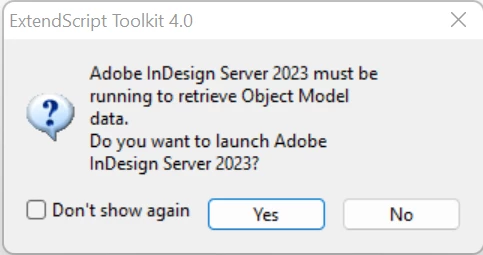
Error in ESTK
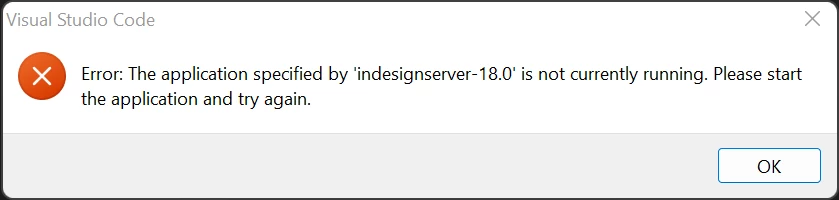
Error in VSCode Extendscript plugin


 AdChoices