Inspiring
September 13, 2017
Answered

Indesign Server 2017

  • September 13, 2017
  • 2 replies
  • 1851 views

Hi All,

I download In Design server 2017 trail version for testing but it not launch throw extended tool kit. Is there any configuration to run by extended tool kit
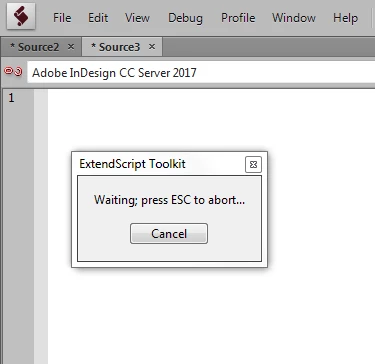
Thanks

SD

This topic has been closed for replies.
Correct answer Manan Joshi

I also face this many a times when trying to launch the application from Extendscript. If the trial activation is all done. I would suggest you to do the following

  • Open terminal(MAC) or command prompt(WIN)
  • cd to the directory where InDesign Server is installed
  • Run indesignserver application. The logs on the terminal/command prompt would let you know when its started or if there is any error
  • After that go into Extendscript and try to connect to it

Hope this resolves it for you

-Manan

2 replies

Manan JoshiCommunity ExpertCorrect answer
Community Expert
September 13, 2017

I also face this many a times when trying to launch the application from Extendscript. If the trial activation is all done. I would suggest you to do the following

  • Open terminal(MAC) or command prompt(WIN)
  • cd to the directory where InDesign Server is installed
  • Run indesignserver application. The logs on the terminal/command prompt would let you know when its started or if there is any error
  • After that go into Extendscript and try to connect to it

Hope this resolves it for you

-Manan

-Manan
INDD4Author
Inspiring
September 14, 2017

Manan,

Thanks now i able to run throw extended tool kit

Now i am try to process the file throw LBQ but it show below error

executing request http://localhost:12345/com.adobe.clover.application/api/idsqueue/EnqueueJob?jobName=process&queueName=Default&scriptName=F%3A%5CJob%5CQET%5CscriptQET%5C%5CExecuteInDesignScript.vbs&priority=.5&maximumRetryCount=3

org.apache.http.client.HttpResponseException: Internal Server Error

Before run i had executed clover.cmd and startup-indesign-server-CORBA-4instances

start ^"InDesign Server - Port 12345 - IOR1^" cmd /C InDesignServer.com -port 12345 -pluginpath server\corba -iorfile %IORFolder1%\ior1.txt

when i manually  copy past the url it open the page

I there some thing i missing in configuration

Thanks,

Subhendu Das

Participant
November 18, 2019

Did you ever find a solution to this issue? I am facing the same problem.

Loic.Aigon
Legend
September 13, 2017