theblackfox156
Participant
February 27, 2026
Question

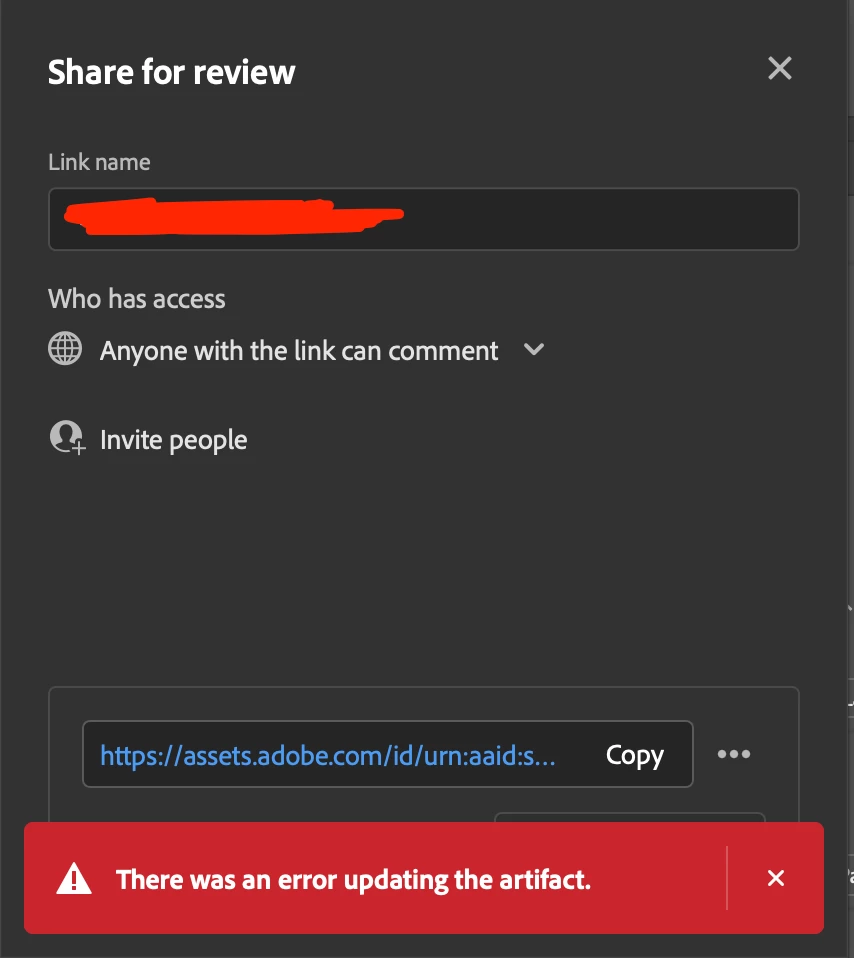
InDesign Share for Review 'Error Updating Artifact' Preventing Link Update

  • February 27, 2026
  • 2 replies
  • 27 views

Hi everyone,

I’m having trouble with the 'Share for Review' feature in InDesign yet again. I’ve already double-checked all my links, but I can't find a solution. This is the second time this has happened with this specific client, and for the sake of professionalism, I cannot generate a new link.

Does anyone have a 'magic trick' to fix this situation? I’m honestly feeling quite discouraged.

Thanks in advance for your help!

Sandrine


    2 replies

    leo.r
    Community Expert
    Community Expert
    February 27, 2026

    Do you have any pasted graphics in your document by any chance? As opposed to linked graphics (placed files)? I recall that a user reported recently that pasted graphics caused the ‘artifact’ issue. Once they linked them, the problem went away.

    Abhishek Rao
    Community Manager
    Community Manager
    February 27, 2026

    Hi ​@theblackfox156,


    Sorry to hear you’re running into this again. Could you please confirm the exact version of InDesign you’re using, along with your operating system details? 

    Also, is this happening only with this particular document, or does the ‘Error Updating Artifact’ appear with all files when trying to update Share for Review?

    In the meantime, please try the troubleshooting steps mentioned in this article and let me know how it goes: https://helpx.adobe.com/indesign/kb/resolve-share-for-review.html


    Once you’ve tried those steps, please share the outcome and I’ll be happy to take this further.

    Abhishek

    theblackfox156
    Participant
    February 27, 2026


    Hello!

    Thank you for your feedback and support.

    I am using Tahoe version 26.1 and InDesign version 21.2. This is the second time this has happened with a specific magazine project for this client, but it doesn't occur with my other InDesign files. I suspect there might be some corruption or perhaps something in my workflow is causing an issue. I created .png files for all the images received from the client and exported my illustrations as .eps instead of using Cmd+C / Cmd+V, as someone here had suggested.

    I followed the steps you proposed, but unfortunately, it’s still not working. However, I couldn't find the CEP folder. Is that normal?

    I'm feeling really discouraged by this situation :(

    Thank you in advance.

    leo.r
    Community Expert
    Community Expert
    February 27, 2026

    @theblackfox156 and exported my illustrations as .eps


    This might not be related to the ‘artifact’ issue, but .eps by now is an obsolete format. Are you exporting EPS from Illustrator? You should just place native .ai files instead.