
Participant
January 6, 2022
Question

InDesign stuck on "Touch gestures" screen after opening

  • January 6, 2022
  • 3 replies
  • 1036 views

I just recently started trying to open InDesign after a while of not having any time for my project. But every time I open it, I get this screen:
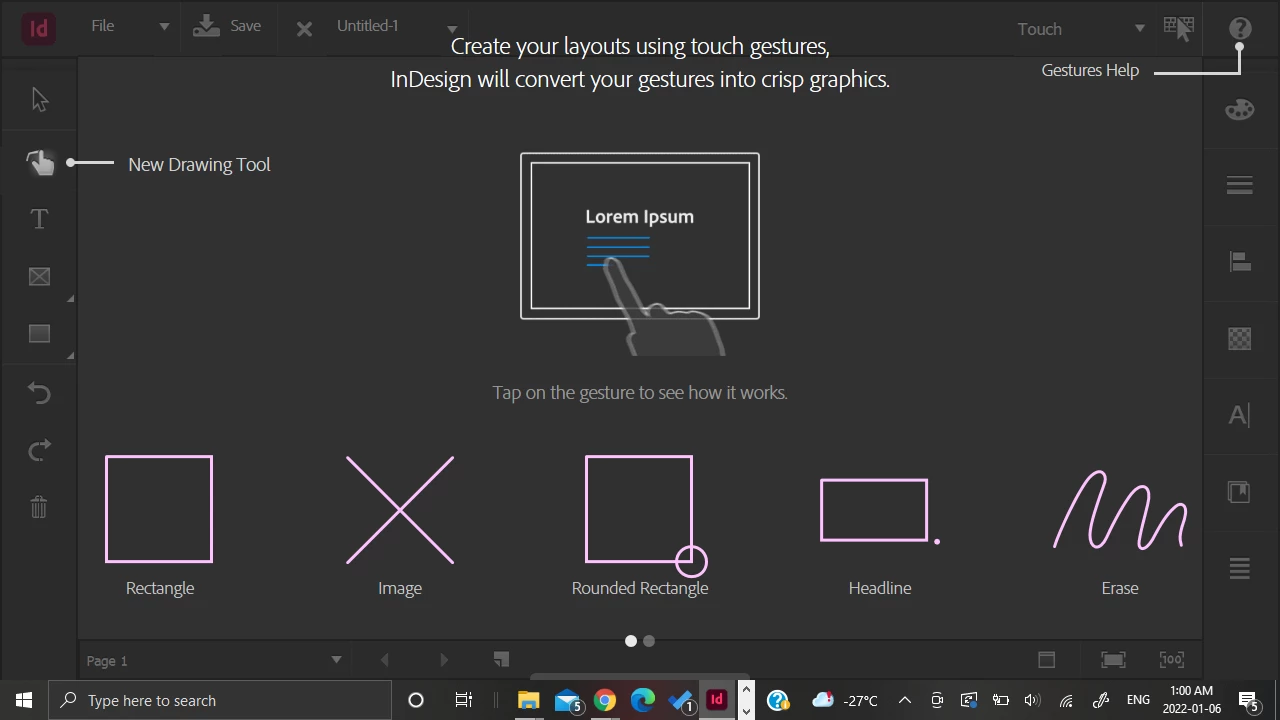


I remember this screen showing up before, but I always somehow managed to get through to the file. Sorry if this is dumb and the answer is obvious, but now, I simply can't find a way to exit out of this screen. When I open the program, my project shows up briefly, before this screen takes over. I've tried hitting various keys (esc, enter, home, etc), opening multiple files, opening the files directly vs just opening InDesign, even re-installing the program, but no matter what I always end up stuck here. There's no exit button, no option to go to the home screen. This has been extremely frustrating, and I would appreciate any help on figuring out what I'm missing here. Thanks!

This topic has been closed for replies.

3 replies

CyberPatrick
Participant
December 19, 2022

I now this exact problem, after a recent upgrde to Windows 11.


The touch screen makes the display it appears on totally unusable. Nothing i can do will inteact with InDesign. It just sticks in touch mode, but wont let me use any buttons etc. I have to use task manager to shut it down. I can see that the tool does start, and render the image it is opening, bu then crashes in Touch mode and stops working. Very annoying.

BobLevine
Community Expert
Community Expert
January 6, 2022

That does appear to be a touch enabled Windows device. Have you tried swiping the screen to get rid of it?

Community Expert
January 6, 2022

Can you change from the Touch Workspace?

In the top right of your screenshot it shows Touch with an arrow - can you change this?
Do this with no documents open.


https://helpx.adobe.com/indesign/how-to/touch-screen-layout.html


https://helpx.adobe.com/incopy/using/workspace-basics.html


---

If it's not working

Try resetting your preferences:
The easiest way to reset everything is to delete the InDesign preferences: as soon as InDesign starts to boot hold down Shift, Alt, Ctrl (and Apple/Cmd if working on a Macintosh). A dialog will appear asking to delete the InDesign Preferences, select 'Yes' on this dialog.
Further info and instructions here if needed:
https://helpx.adobe.com/in/indesign/kb/indesign-preferences-support-file-locations.html


--

Reinstalling rarely fixes everything - you can do a complete reinstall using the
Creative Cloud Cleaner Tool https://helpx.adobe.com/creative-cloud/kb/cc-cleaner-tool-installation-problems.html