
Participant
April 20, 2017
Answered

Indesign sub layer tools missing?
  • April 20, 2017
  • 3 replies
  • 4268 views

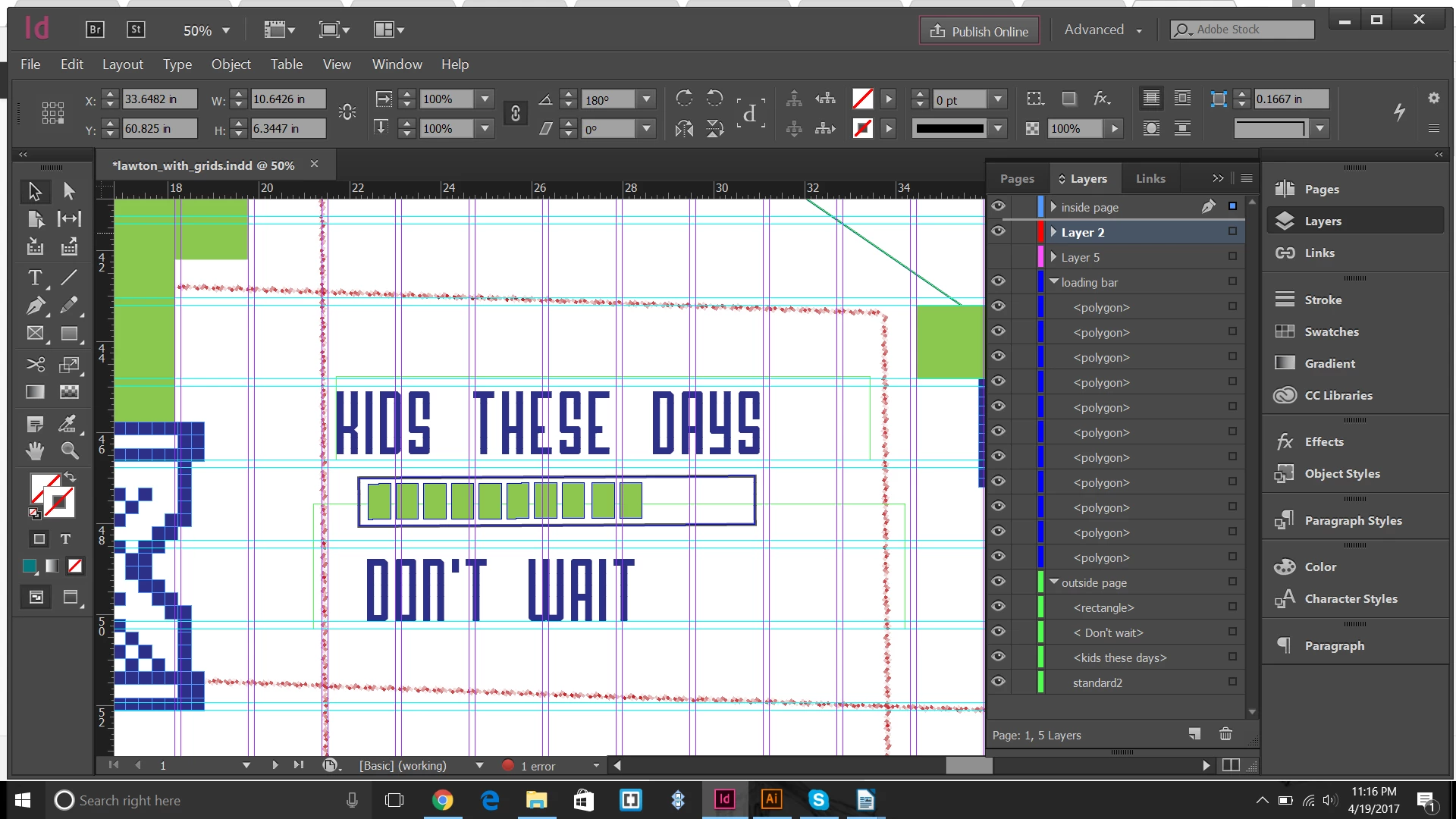
I am trying to create sublayers. For some reason the tool panel on my layer's panel for creating sublayers is missing. I'm able to create layers but not sublayers. When I drag a layer over another, they do not nest. It forces me to change the order instead. As you can see I only have the "new layer" and "delete layer" icons. Please help. !

[Moved from the Lounge (which is where you can "connect with your peers" from across all of Adobe's products for conversations that don't directly relate to help and support) to a product-specific support forum - moderator]

This topic has been closed for replies.
Correct answer BobLevine

What you see in the layers are just the objects on that layer. That's how InDesign works.

Perhaps you're confusing things with Illustrator.

3 replies

Participant
October 24, 2019

If the purpose is to easily see, select and move objects together, you can add them into groups. Just select the objects you want to group together, right-click then select Group. 🙂

wrensauer
Inspiring
April 27, 2017

Hi Rachel,

As Bob mentioned, InDesign doesn't have a sublayer option like Illustrator.

Here are a few articles that might help you out:

https://indesignsecrets.com/indesign-basics-working-with-layers.php

https://indesignsecrets.com/grouped-objects-layers.php

Let us know if you need any more assistance.

Best,

Wren

BobLevine
Community Expert
BobLevineCommunity ExpertCorrect answer
Community Expert
April 20, 2017

What you see in the layers are just the objects on that layer. That's how InDesign works.

Perhaps you're confusing things with Illustrator.