
Participant
October 27, 2025
Question

InDesign Table of Contents Incorrect Formatting

  • October 27, 2025
  • 2 replies
  • 124 views

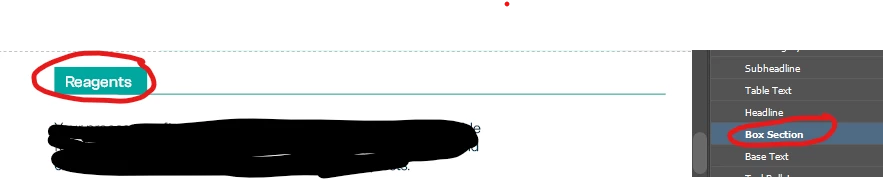
Box Section is the Paragraph Style assigned to Reagents
 

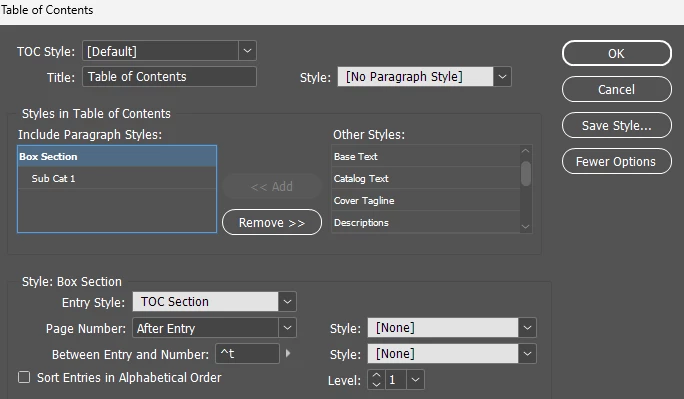
Below is the set up for the TOC
 

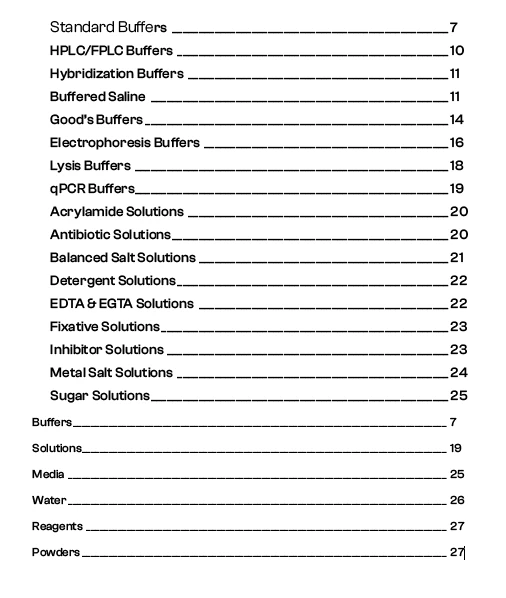
The first picture below is what it generates. What you cannot see is there are a bunch of categories in white font. I made the font blue in the second image below just so you could see what was missing.

IMAGE 1
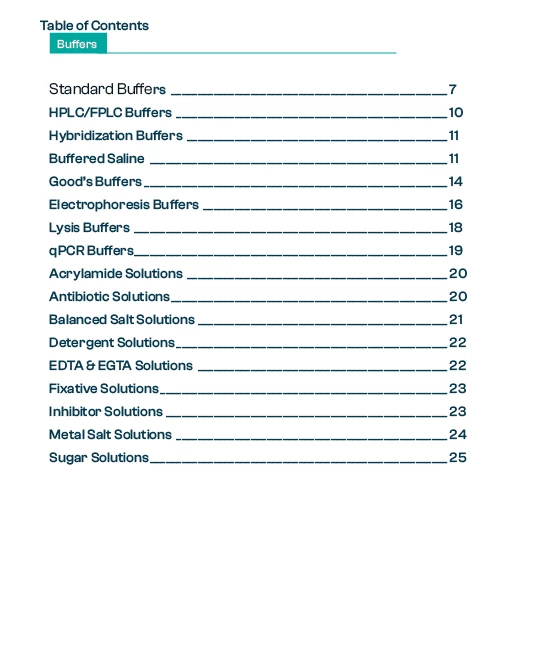
IMAGE 2
 

I know that ever first tier category has the correct paragraph style. The TOC Section style is a different size font and is blue for both character style and paragraph style. I do not understand why it keeps taking the white font. I have tried starting from scratch several times. I am fairly certain, that I know how to do a TOC. If I create a simple two page document and do the same thing, it works. I don't understand what is going wrong with this one. Any help is greatly appreciated. 


2 replies

Mike Witherell
Community Expert
Community Expert
October 27, 2025

Kim,

You probably know this, but the ToC dialog box uses styles in 3 ways:

It searches for text based on a style.

Once the text is assembled into a ToC, the text has to be styled with another different paragraph style. This is the 2nd use of a style in the ToC dialog box.

Third use of a style, is to save a ToC style by naming it. Really, this is a preset.

Mike Witherell
Mike Witherell
Community Expert
Community Expert
October 27, 2025

Hi Kim

When you make a Table of Contents, make sure to choose a paragraph style for the styling of the text (Box Section) that it collects. Your screenshot shows the styles set to None. There should be a ToCstyle chosen there.

Once a ToC is made to your satisfaction, be sure to name the ToC Style, suchs as KimsToC.


Bear in mind that any text in a textframe that doesn't look like you expected or designed it to look is probably being counter-argued because a character style is accidentally applied full time. When you look at the Character Style panel with nothing selected, it should be sitting on None. Also, when your Type tool is in the ToC text, probably only the paragraph style should be acting on it; not a character style.


Mike Witherell
Participant
October 27, 2025

Even when I set a style it keeps the style of what it is in the document (the input style). In this case I made them red in the document so that they would show up.