
Answered
InDesign text not clickable
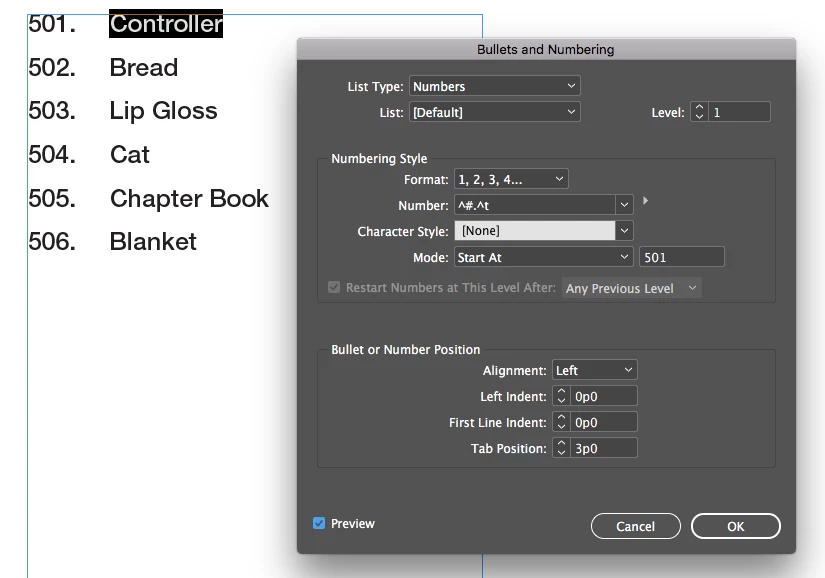
I took over a file from a another designer. I want to change the #501 in the document, but it is not clickable. I am able to highlight the text next to it and change it, but not the numbers.
I took over a file from a another designer. I want to change the #501 in the document, but it is not clickable. I am able to highlight the text next to it and change it, but not the numbers.
Thank you much! I took a look and she did use paragraph styles. Fortunately, I don't need to change the numbers right now but how did she start the numbering system at 501?
Change the numbering mode to Start at…, then select a starting number.
Unfortunately, if you include that as the style definition then every instance of that style will start at 501. There will never be a 502. Instead, leave the style definition at Continue from previous number. Instead, format the first instance to start at 501. From then on each paragraph will increase the number value until you do that again.
Already have an account? Login
Enter your E-mail address. We'll send you an e-mail with instructions to reset your password.
 AdChoices