
motivated_PenguinB832
Participant
September 25, 2018
Answered

Indesign - text when justified gets bunched together

  • September 25, 2018
  • 3 replies
  • 3512 views

I have a problem with InDesign. When I align the text (Jusifty with last line aligned left), the text gets all bunched together. Not in all lines but here and there.

Here is an example - bunched text is outlined:
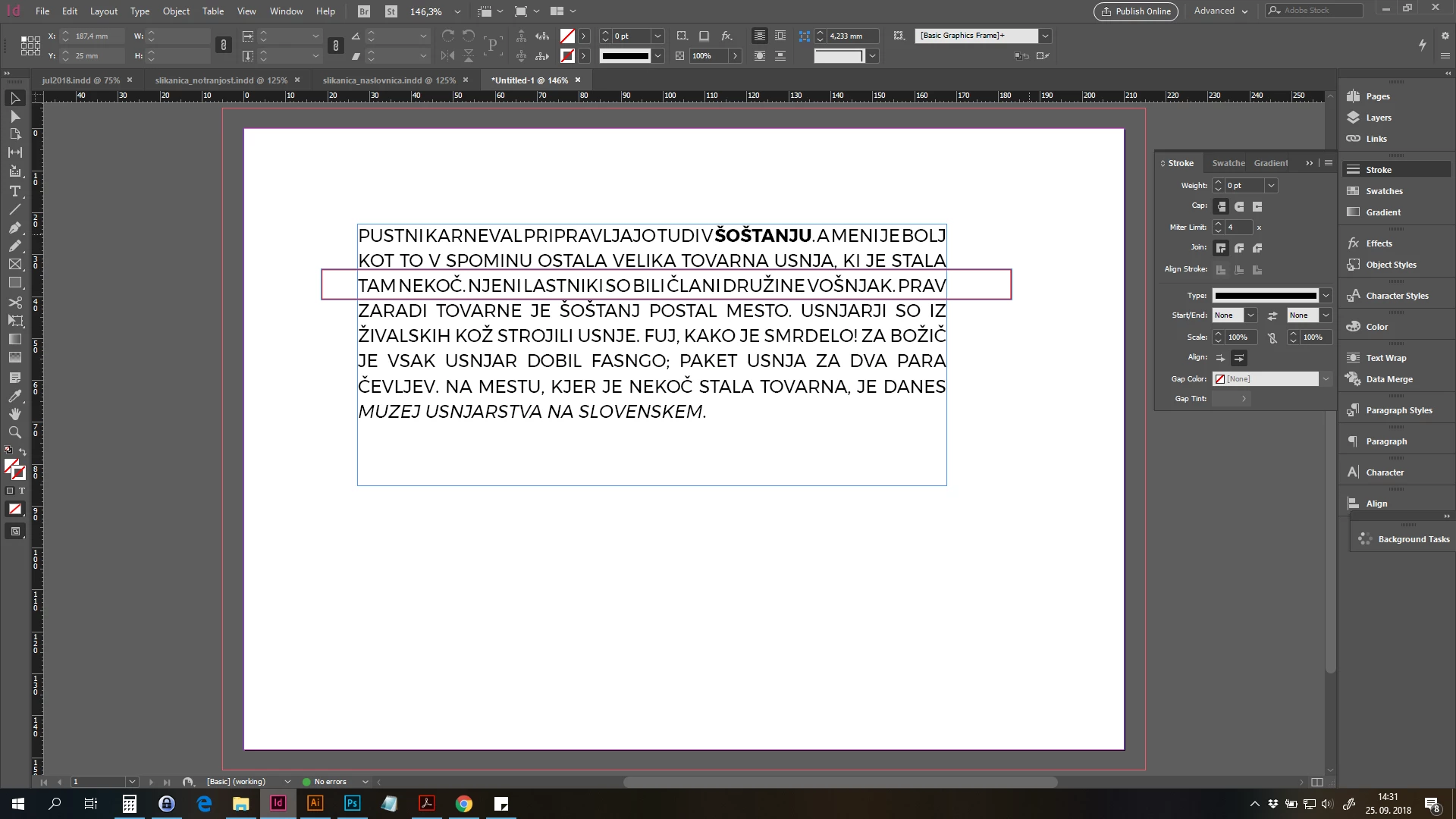
Now I'm making corrections in a way that I put in Enters and break the text.

Has someone already had these problems and have an idea how to solve the issue?

Thank you.

Correct answer Dave Creamer of IDEAS

Try increasing the minimum settings; if necessary, increase the desired settings over 100%. Also, be sure to try Jonathan's suggestions.

3 replies

Jongware
Community Expert
Community Expert
September 25, 2018

It really looks like you are justifying text but not allowing to hyphenate it. As you can see, that's a bad idea. That is why InDesign is struggling to get you what you ask for.

The reason that a higher minimal width works, is because InDesign will then no longer try to fit too much text on a line (as it would violate the minimum value) but ever so happily, it will now insert

w a y ,   w  a  a  a  a  y    t o o   w I d e  s p a c e s   i n   y o u r   t e x t .

S o  l e t  m e  r e m I n d  y o u :  y o u   s t i l l   g e t   w h a t   y o u   a s k e d   f o r . . .

Enabling hyphenation should make it space better, but in combination with your full caps, I'd advise left or center align instead.

JonathanArias
Legend
September 25, 2018

this happens to me and i find two things are fix for me, first, make a paragraph style from the line that has the correct spacing, than apply it holding option to clear things. check to make sure you clear the character styles to , also check on that font next try a different one, redefine and apply it again.

Dave Creamer of IDEAS
Community Expert
Community Expert
September 25, 2018

What are you justification settings?

David Creamer: Community Expert (ACI and ACE 1995-2023)
motivated_PenguinB832
Participant
September 25, 2018

Dave Creamer of IDEAS
Community Expert
Dave Creamer of IDEASCommunity ExpertCorrect answer
Community Expert
September 25, 2018

Try increasing the minimum settings; if necessary, increase the desired settings over 100%. Also, be sure to try Jonathan's suggestions.

David Creamer: Community Expert (ACI and ACE 1995-2023)