
josephs82471744
Participating Frequently
December 17, 2022
Answered

Indesign thin black

  • December 17, 2022
  • 3 replies
  • 639 views

I used adobe acrobat pro 32 bit to convert 67 jpegs to pdfs to use on Indesign for a booklet , 5 out of 67 images

have a thin light black line like a
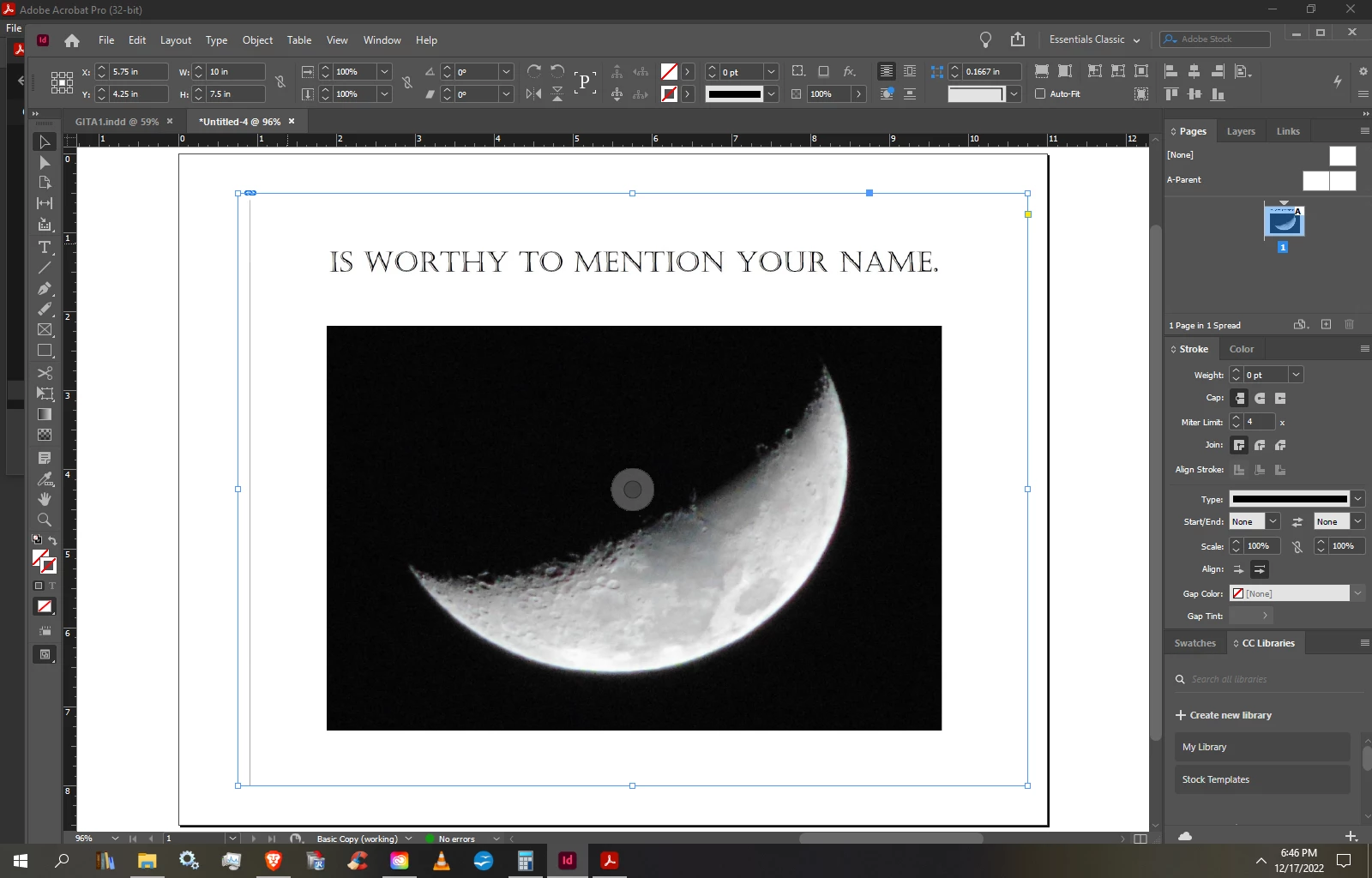
 

boarder near the edge.  but not seen on the original jpegs or the pdf s?

This topic has been closed for replies.
Correct answer Luke Jennings3

Use the jpegs in InDesign (as already mentioned), check your exported pdf for lines, you may need to close up the frame around the images to eliminate the lines. If you have access to the original files, where the type is vector (not an image), use those files instead of the jpegs, this will usually produce a better result and if the type is black, keep it black only, not rgb.

3 replies

Luke Jennings3
Community Expert
Luke Jennings3Community ExpertCorrect answer
Community Expert
December 19, 2022

Use the jpegs in InDesign (as already mentioned), check your exported pdf for lines, you may need to close up the frame around the images to eliminate the lines. If you have access to the original files, where the type is vector (not an image), use those files instead of the jpegs, this will usually produce a better result and if the type is black, keep it black only, not rgb.

josephs82471744
Participating Frequently
December 20, 2022
Thankyou for responding. I looked at the originals, they were made with MS paint. And their is the black line, but i didn't see it when i used indesign. do you know why

“Remember thy last end, and thou shall never sin.”

St. Thomas Aquinas

Sent with [Proton Mail](https://proton.me/) secure email.
Luke Jennings3
Community Expert
Community Expert
December 20, 2022

No, I don't know why you do not see the line in InDesign.

Mike Witherell
Community Expert
Community Expert
December 18, 2022

If the final pictures are going into InDesign, why not leave the jpg and just File > Place them into InDesign? Why convert them into PDF?

What is visible in the InDesign layout when you zoom in really close?

Is the line you are seeing the edge of the graphic? What happens when you click the center doughnut to select the graphic in the frame? Does the same line show up then? What happens when you pick up the white arrow Direct Selection tool to select the graphic in the frame? Does doing so reveal the light line you are describing?

Mike Witherell
josephs82471744
Participating Frequently
December 18, 2022

What happens when you click the center doughnut to select the graphic in the frame

the black line follows the image , I didnt know about using the jpeg as is, when i put the j peg in place there is no line

josephs82471744
Participating Frequently
December 17, 2022

I used adobe acrobat pro 32 bit to convert 67 jpegs to pdfs to use on Indesign for a booklet , 5 out of 67 images

have a thin light black line like a boarder near the edge.  but not seen on the original jpegs or the pdf s?