
InDesign thumbnails sometimes don't show up


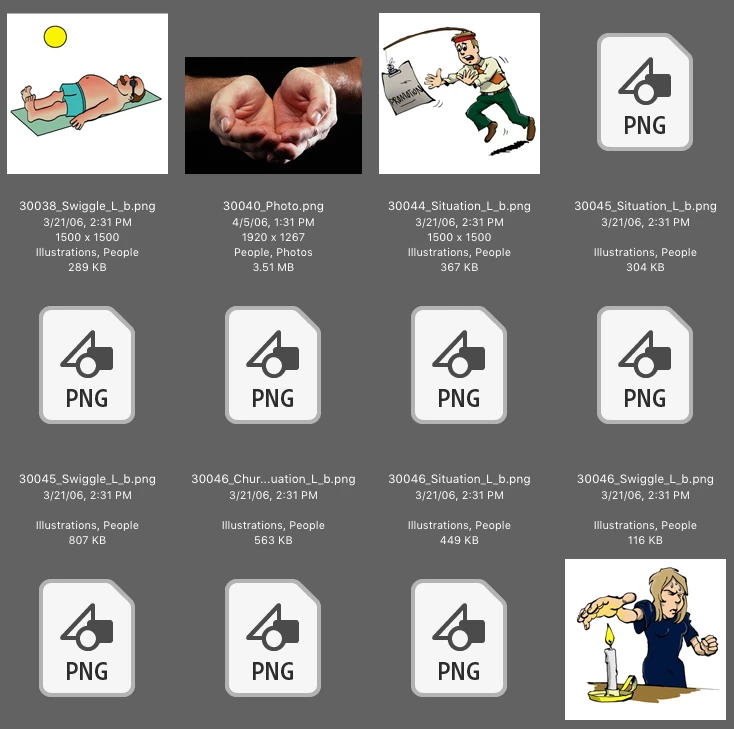
This has been going on for a few months (?). Instead of getting a thumbnail (preview) of the file, I'm getting the icon. Either on my desktop, or in Bridge. I've spoken with Chat support several times (most unhelpful - they don't read/understand what is being written).
*I've trashed my preferences.
*I've uninstalled and reinstalled Adobe apps (and I do mean UNinstall - I know all the places to look on my Mac, because the uninstallers don't uninstall everything).
*I've reset preferences.
*I've opened the file and resaved with a different name.
*I've done rebooting into safe mode, created a new admin, opened Bridge, nope.
Still, icon, no thumbnail. It's not consistent, as you can see from the Bridge screenshot of the PNGs.
Can anyone help me, please? I'm running the 10.12.6 of my Mac OS. I have the second to the last update of my Adobe apps. Yeah, yeah, I'll update them in a sec.
 AdChoices