

InDesign to epub to mobi footnotes problem
Hello everyone,
I've exported ebook from InDesign to reflowable epub 2.0.1. Then I converted it to mobi (both versions: old and new in one container) with Calibre so I have nice ebook with embedded fonts and all styles I want on Kindle Paperwhite 2. The problem lies in footnotes that display incorrectly.
Please look at the photos. Footnotes have indents I don't want to be there.
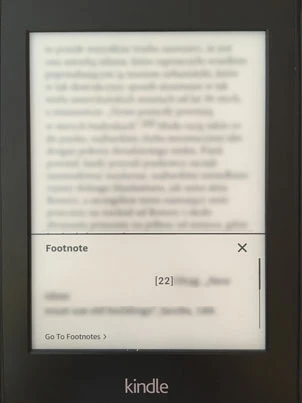
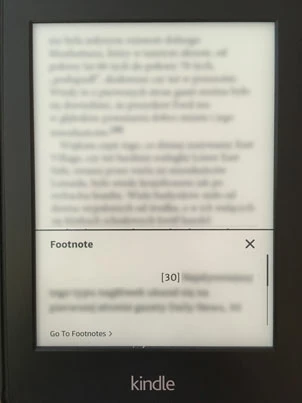
I tried many ways, for example "text-indent:0 !important" for footnote-text in css; exporting mobi with Kindlegen and Kindle Previewer, but nothing seems to be helpful.
When I do this:
- delete styles from footnotes in ID and export epub 2.0.1
- then delete the style "body {epub-hyphens: auto;}" in css in the epub
- create old version mobi in Calibre
footnotes display correctly in the middle of the screen but I have no embedded fonts and styles.
What should I do in InDesign file (or in css exported from InDesign with epub) to have all of my desired things: embedded fonts, styles and footnotes without indents?
What do you think: is it ID's problem or should I ask Amazon for help?
Thanks for any clue
Łukasz


 AdChoices