
Participant
October 15, 2018
Answered

InDesign to Photoshop

  • October 15, 2018
  • 2 replies
  • 268 views

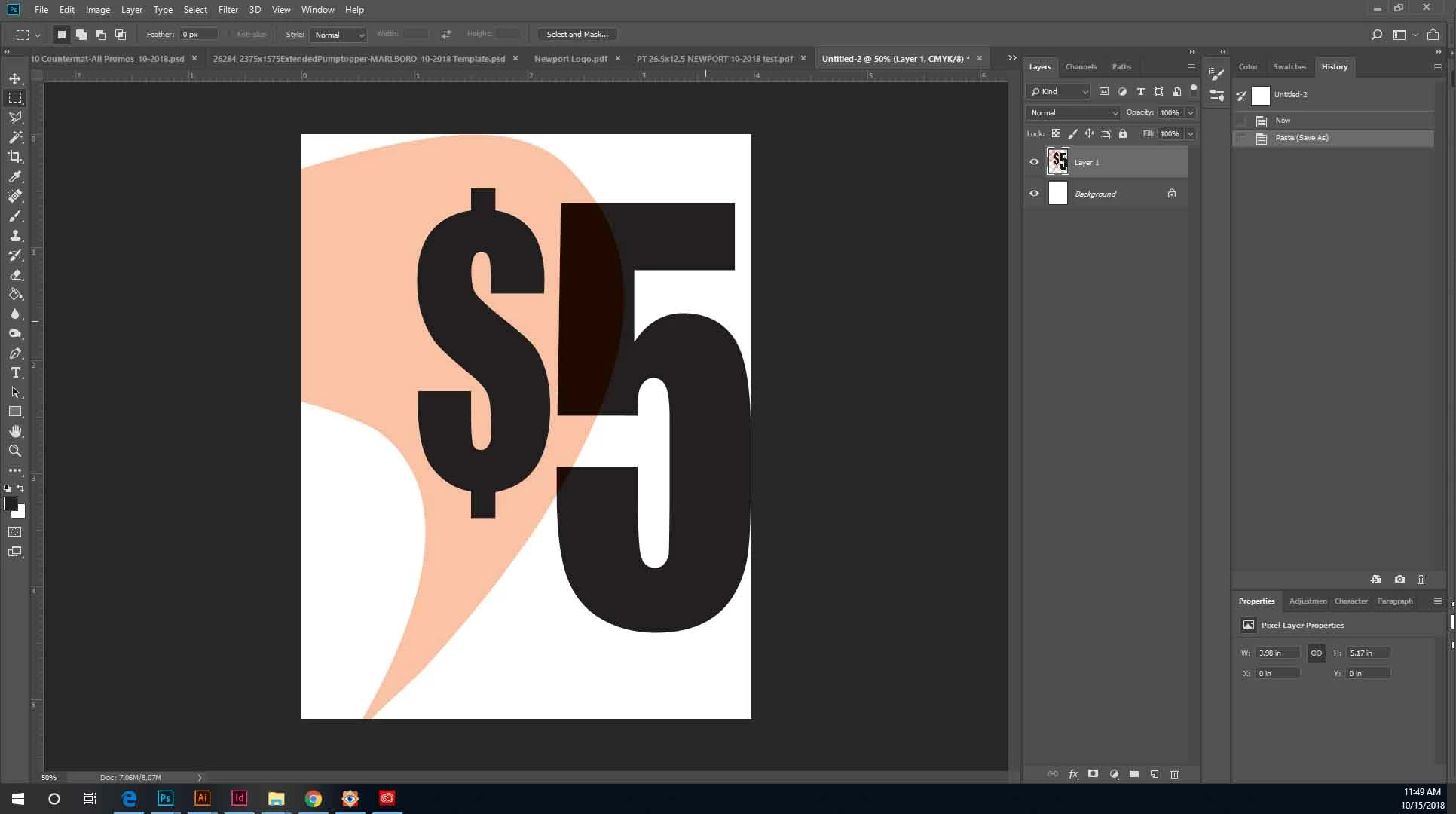
Having issues with InDesign after exporting to PDF. Photoshop is reading the image behind the text and setting it to be ahead of the text. I have the image sent to the back with the font sent to front. Any advice on how to stop this from happening when opening the PDF in Photoshop. It seems to be fine in every other program

Thanks,
   

This topic has been closed for replies.
Correct answer Srishti_Bali

Duplicate Thread: Exporting PDF from InDesign and opening in Photoshop Text Issues

Locking this one.

2 replies

Srishti_Bali
Srishti_BaliCorrect answer
Legend
October 15, 2018
rob day
Community Expert
Community Expert
October 15, 2018

Looks like you are using the default [Black] swatch for the text which overprints by default. Either set it to knockout in the Appearance of Black prefs or make a custom black swatch with CMY added—something like 60|50|50|100 CMYK