
Participant
December 9, 2022
Answered

InDesign TOC in the wrong order

  • December 9, 2022
  • 1 reply
  • 1449 views

Hi everyone,


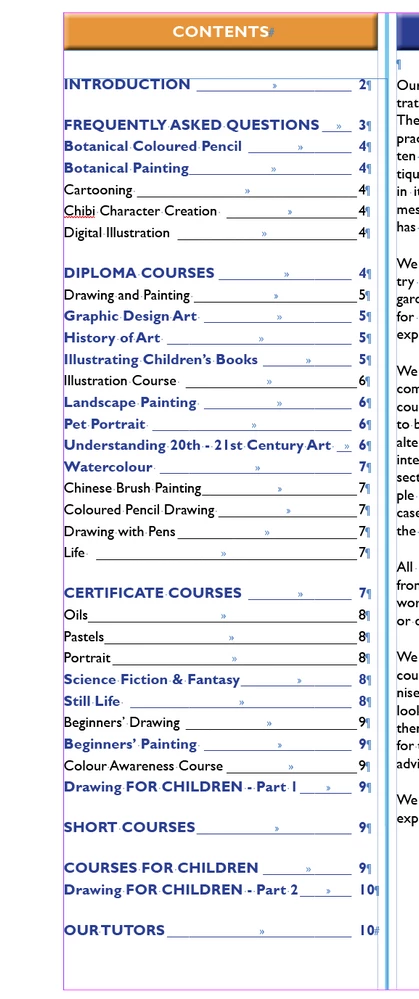
I am finding that the Table Of Contents (TOC) is listing items in a different order to the page.

As a secondary (not as important) you can see the formatting of some of the TOC varies. Any ideas, please? 

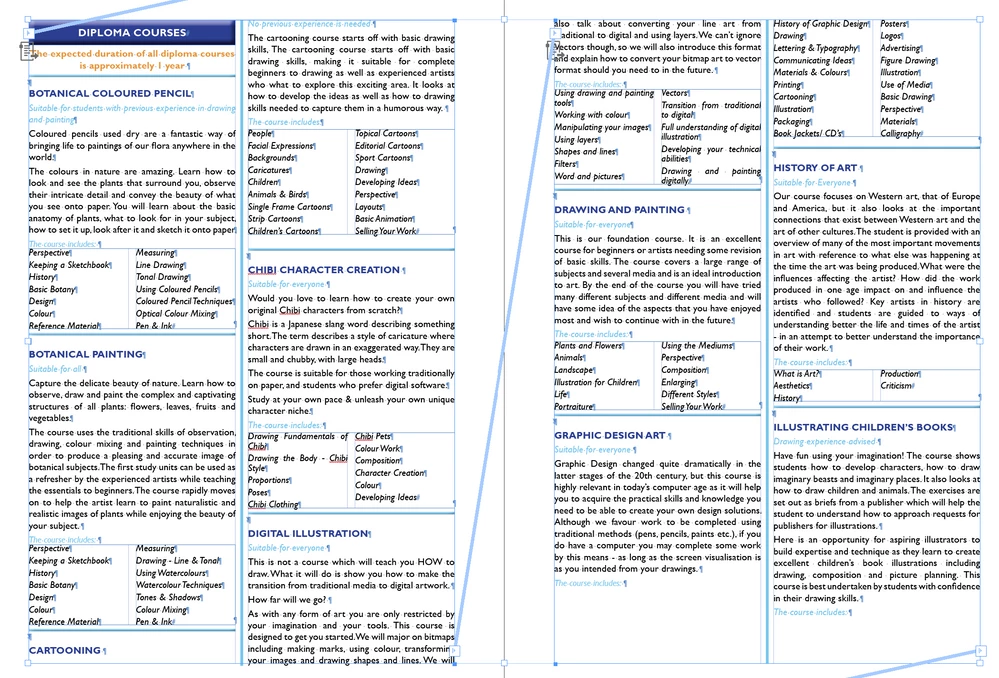
PS. All titles are in alphabetical in the document, so Botanical Coloured pencils (for exmple) comes under the DIPLOMA COURSE heading.


Correct answer RupertDJ

Peter, 

Thank you for responding. I have tried your suggestion, it looks messy, but works.

Hopefully Adobe might resolve this glych some time.

Many thanks. 


Rupert

1 reply

Peter Spier
Community Expert
Community Expert
December 9, 2022

TOC picks up headings starting in the upper left corner, then moving down before going to the right. The problem here is the indent on the Diploma Courses.


One way to deal with this is to add another, non-printing, frame aligned left withthe heading in it ( I make the type big and red so it's obvious). You'll also need to change the style picked up to one you use in the non-printing frame, which must not be the same as the real heading or you'll get double listings.

RupertDJAuthorCorrect answer
Participant
December 9, 2022

Peter, 

Thank you for responding. I have tried your suggestion, it looks messy, but works.

Hopefully Adobe might resolve this glych some time.

Many thanks. 


Rupert

Peter Spier
Community Expert
Community Expert
December 9, 2022

I just did a little experiment in Version 17 which happened to be convenient and I have to say I'm perplexed because with my two-paragraph text frame, first 'graph centered and second left aligned, the TOC picked up the first paragraph in the correct order. Same thing in CS6.


I thought maybe you had independent frames and the heading was a tad to the right, but even that didn't seem to be an issue in my tests.


Could you possibly share a few sample pages for examination?