art_enthusiast
Participant
April 24, 2026
Answered

InDesign Top Ribbon UX Design for Tables

  • April 24, 2026
  • 3 replies
  • 30 views

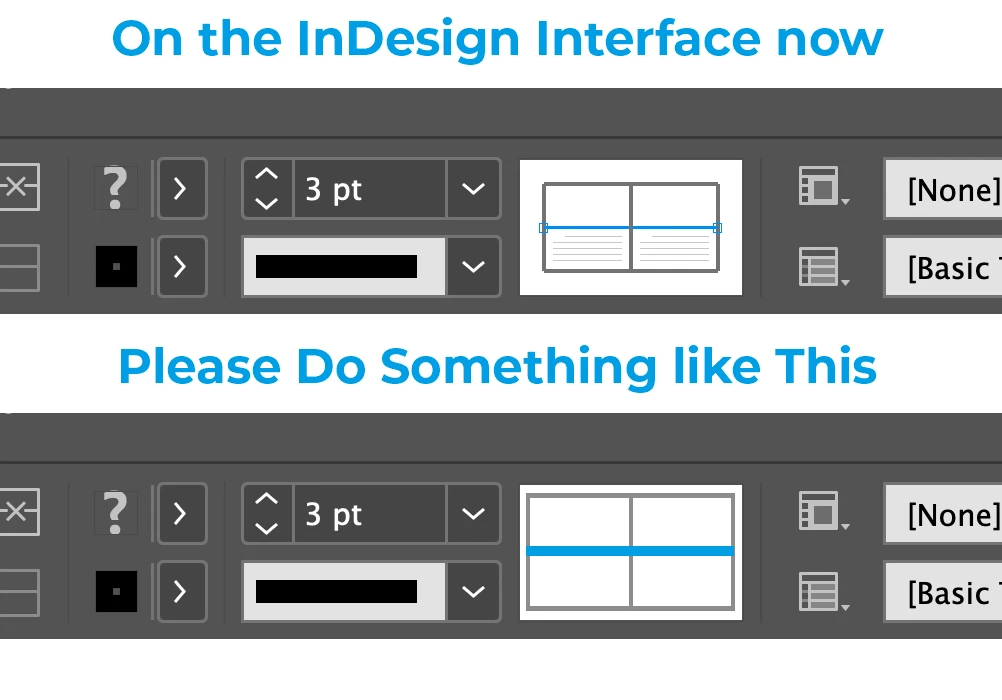
Is it possible to make the table-styling diagram easier to see?

The diagram is too small and  the selected and unselected lines in the diagram are indistinguishable.

Something like this:
Thanks

    Correct answer rob day

    Hi ​@art_enthusiast , You pobably want to post in feature requests:


    https://indesign.uservoice.com/forums/601021-adobe-indesign-feature-requests


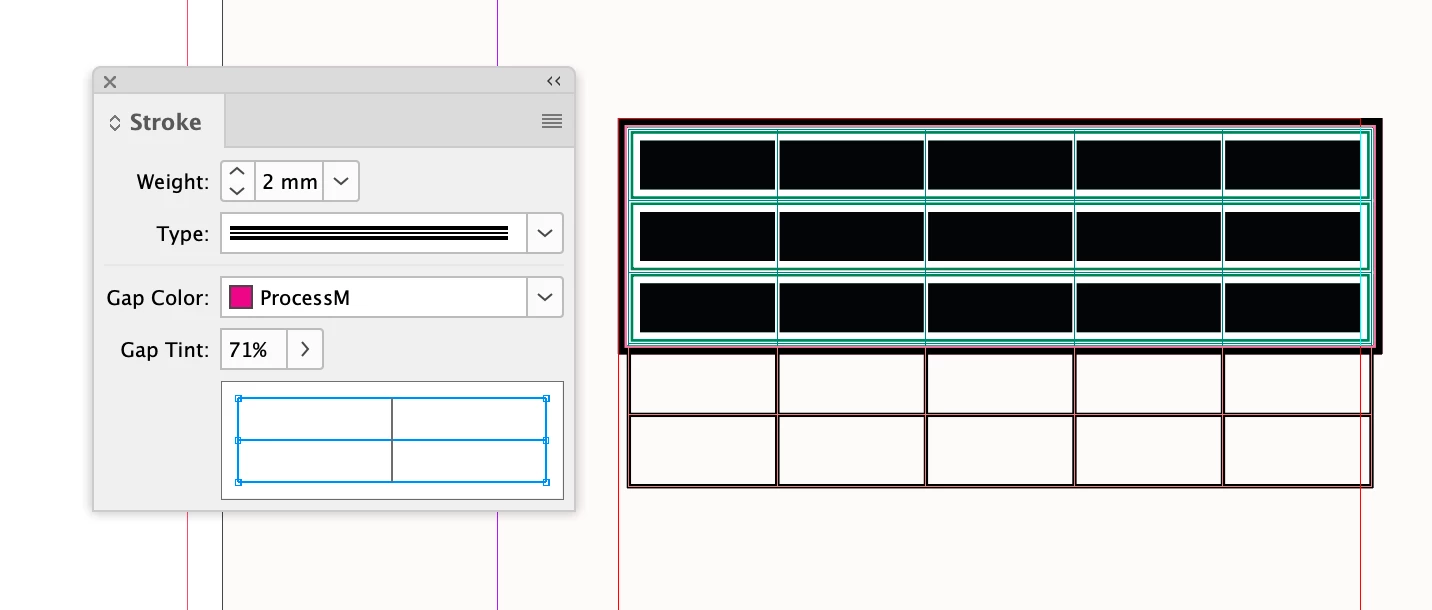
    Also, not sure if this helps but, when a table is selected there is also the Stroke panel which has a larger UI


    3 replies

    Abhishek Rao
    Community Manager
    Community Manager
    April 28, 2026

    Hi ​@art_enthusiast,


    I understand that this functionality is important to you, and I apologize for its unavailability at this time. At the moment, there isn’t an option to enlarge or improve the table styling diagram in the top ribbon.

    As suggested earlier by the expert, please create a UserVoice request here: https://indesign.uservoice.com/forums/601021-adobe-indesign-feature-requests and share the link in this thread so others can upvote it and help prioritize it.


    Feel free to reach out if you have any other questions, we’ll be happy to help.

    Abhishek 


    art_enthusiast
    Participant
    April 27, 2026

    I know about the tables panel, and I use it. But in my quest to minimize activating the numerous panels that obscure what I’m working on, and considering the feature is already built into the top ribbon and visible when a table is selected, I thought this graphical solution would be an easy fix. Thank you for your help.

    rob day
    Community Expert
    rob dayCommunity ExpertCorrect answer
    Community Expert
    April 24, 2026

    Hi ​@art_enthusiast , You pobably want to post in feature requests:


    https://indesign.uservoice.com/forums/601021-adobe-indesign-feature-requests


    Also, not sure if this helps but, when a table is selected there is also the Stroke panel which has a larger UI