That's a difficult one...
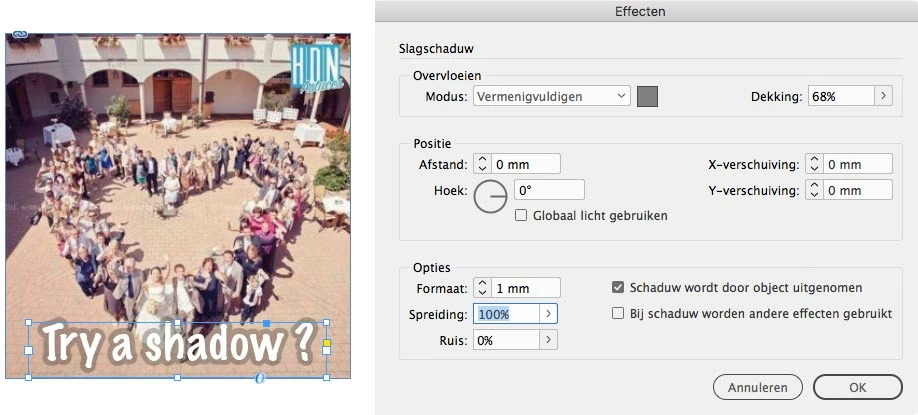
You could try using a drop shadow.
With the right settings (a mid-gray color swatch, just 1 mm Size, and a 100% Spread, and I forgot to set the blend mode to Overlay) you could be able to achieve a very close result ! I know, it's not ideal – the edge of the outline will be soft... But if you enlarge the whole text, that 1 mm might not be noticeable ?
Another construction would be using a cross-reference.
The idea is to get a text frame with a white opaque text on top of a copy. The text of the underlying copy has that extra line width, a grey color, and the whole text frame is set to be 68% transparant, with a blend mode and anything.
To keep the bottom text in sync with the text on top, you need to define and use them as a cross-reference.
For a proper original and instance of your cross-reference, you need to set some Paragraph Styles, and define a custom Cross-Reference Format without quotes or any extra text. It takes some puzzling to properly set the original and its double, and you'd have to hit the Sync button each time the original text changes, to let the outline follow.
All this can be cumbersome to prepare, but if it gets the job done...
Adobe Help: Insert and manage cross-references in InDesign
If you find this helpful but complex to create, I can create a working example for you.

 AdChoices