
InDesign updates links when links are not being changed
InDesign keeps updating links that are not being altered in any way.
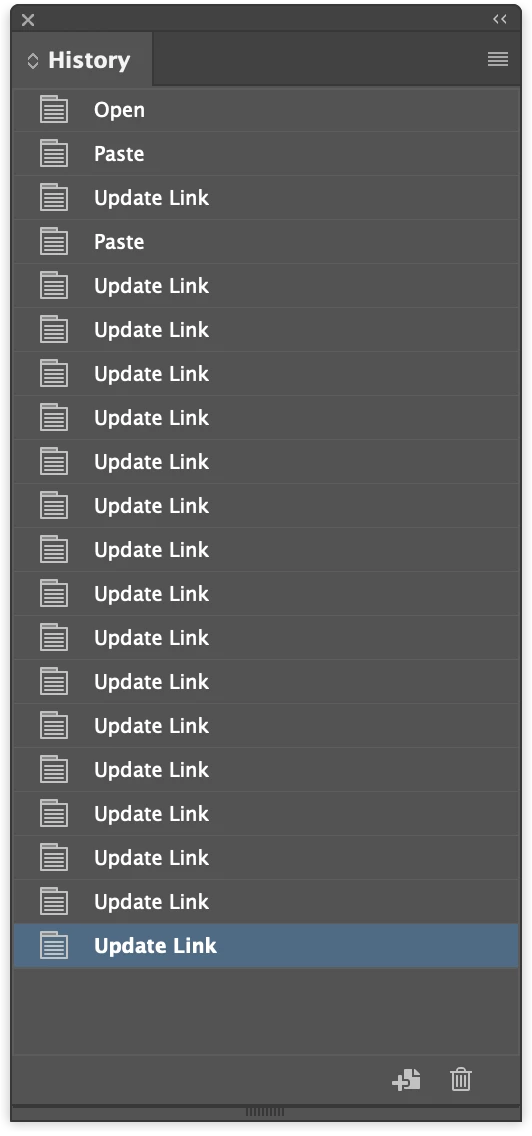
This is really a problem when I go to Edit > Undo to check a change I made and InDesign decides to update a link, then my history is cleared and I can't Redo. None of the linked files are open nor have they been edited in a long time. In the screenshot you can see my History Panel. The Update Links have happened just while I type this, except the first two after Paste.
EDIT TO ADD: The Update Link will consistently happen one time whenever I switch to another program and back to InDesign. I also tested on a new document with only one PNG linked. Perhaps this is a setting that I can't find in order to disable?
I have .ai .png .eps. and .psd files linked. 13 links in all. I'm on a Mac, files are on my computer.
 AdChoices