Participant
July 17, 2021
Answered

InDesign v16.3.2 crashing when exporting PDF

  • July 17, 2021
  • 1 reply
  • 1021 views

Everytime I go to export a file to PDF in InDesign v16.3.2 the whole program crashes. Is anyone else having this issue? It's just started happening in the last few days...but now I can't export a PDF at all.

This topic has been closed for replies.
Correct answer JoleneCampbell

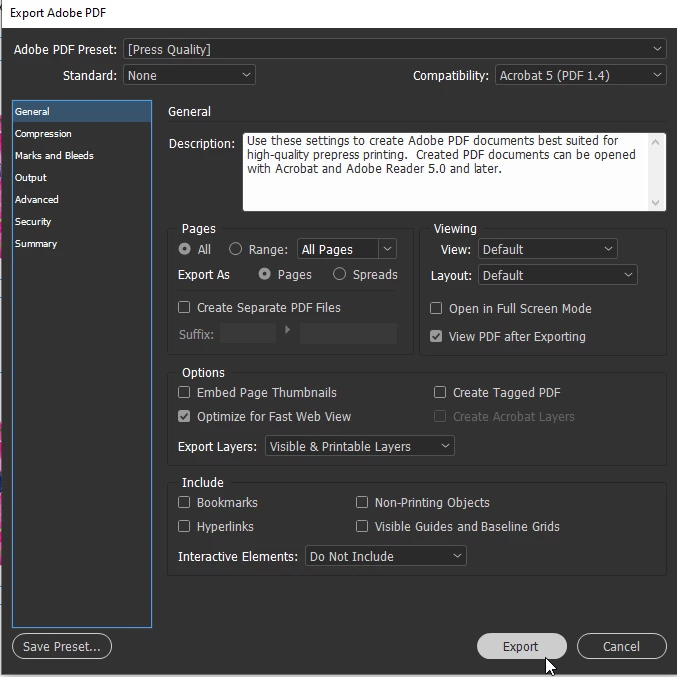
@JoleneCampbell Hi, this does sound as though it is the update that is causing you problems if you can revert to a previous version with no issues. I updated to 16.3 (Windows) a few days ago and just tested exporting. I'm able to export a variety of documents to PDF without any problems. I'm curious to know if you crash on exporting any type of PDF preset or only with some. Have you tested it with various presets i.e., High Quality Print, Smallest File Size, or any of your own custom specifications? Also, is the point of crashing immediately after you hit the Export button? Or does it try to generate a PDF, get hung up, and then crash? I'm assuming you've reinstalled ID already. What about a preference reset? If the previous version is otherwise working for you, maybe stay with that version until until it is determined if this is a bug with more people or if it's only with you.


Oh, bless you!! I had already reinstalled both ID and Acrobat, to no avail. So I just reset the preferences. BINGO! That appears to have done the trick. Thank you so much. I was really going nuts.

1 reply

Willi Adelberger
Community Expert
Community Expert
July 17, 2021
  1. What OS and version do you use?
  2. What processor does your computer have?
  3. Did you use Postscript in cour file (T1 fonts or EPS)? Avoid postscript.
  4. Does it happen if you export single files?
Participant
July 17, 2021

macOS Catalina version 10.15.7, Processor: 3.4 GHz Quad-Core Intel Core i5. I've been running tests with and without fonts and it crashes regardless. It's a single page file with nothing that should be causing any issues. I don't know if there was a recent update that has gotten everything out of wack. If I go one version backwards, no issues as all and I can create a PDF.

J E L
Community Expert
Community Expert
July 17, 2021

@JoleneCampbell Hi, this does sound as though it is the update that is causing you problems if you can revert to a previous version with no issues. I updated to 16.3 (Windows) a few days ago and just tested exporting. I'm able to export a variety of documents to PDF without any problems. I'm curious to know if you crash on exporting any type of PDF preset or only with some. Have you tested it with various presets i.e., High Quality Print, Smallest File Size, or any of your own custom specifications? Also, is the point of crashing immediately after you hit the Export button? Or does it try to generate a PDF, get hung up, and then crash? I'm assuming you've reinstalled ID already. What about a preference reset? If the previous version is otherwise working for you, maybe stay with that version until until it is determined if this is a bug with more people or if it's only with you.