
Participant
September 14, 2022
Answered

Indesign version issue in 17.4

  • September 14, 2022
  • 1 reply
  • 1894 views

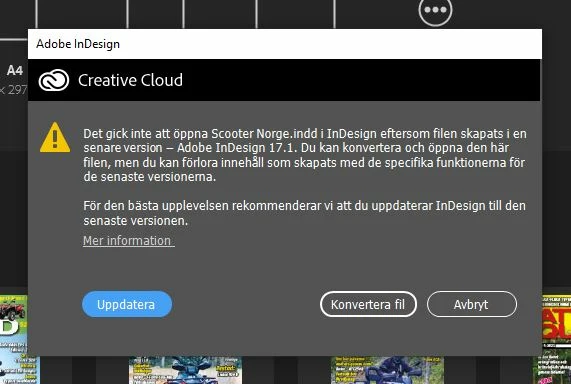
Updated my Indesign to version 17.4 recently. When I was going to open an older document that was made in version 17.1 I get an error that my Indesign is old and I need to update it to correspond to the Indesign document I want to open. Since Im running Indesign 17.4 it isnt any newer indesign version. So Im stuck in a loop where the document is version 17.1 and Indesign is 17.4 but the program says my Indesign software is to old and need an update to work with my document. Sorry the picture is in Swedish.
 

This topic has been closed for replies.
Correct answer parl25349865

OK, saw the problem now. The guy that has used this computer before has 2 versions installed of Indesign. One with 16.X and the newest one 17.4. When I double clicked the Indesign file it opened the 16.x version instead of the newst one. Sorry for bothering you.

1 reply

Community Expert
September 14, 2022

Hi @parl25349865,

Can you share the translation of this message in English? Also, can you share a screenshot of your About>InDesign dialog

-Manan

-Manan
Participant
September 14, 2022

It says the thing I wrote above. That my document I tried to open is in a newer version than my Indesign software and that it wants me to upgrade the software.  Software is version 17.4 and docuemtn is 17.1.


parl25349865AuthorCorrect answer
Participant
September 14, 2022

OK, saw the problem now. The guy that has used this computer before has 2 versions installed of Indesign. One with 16.X and the newest one 17.4. When I double clicked the Indesign file it opened the 16.x version instead of the newst one. Sorry for bothering you.