
Known Participant
December 27, 2020
Answered

InDesign Very Wide File/Package Dialog

  • December 27, 2020
  • 3 replies
  • 809 views

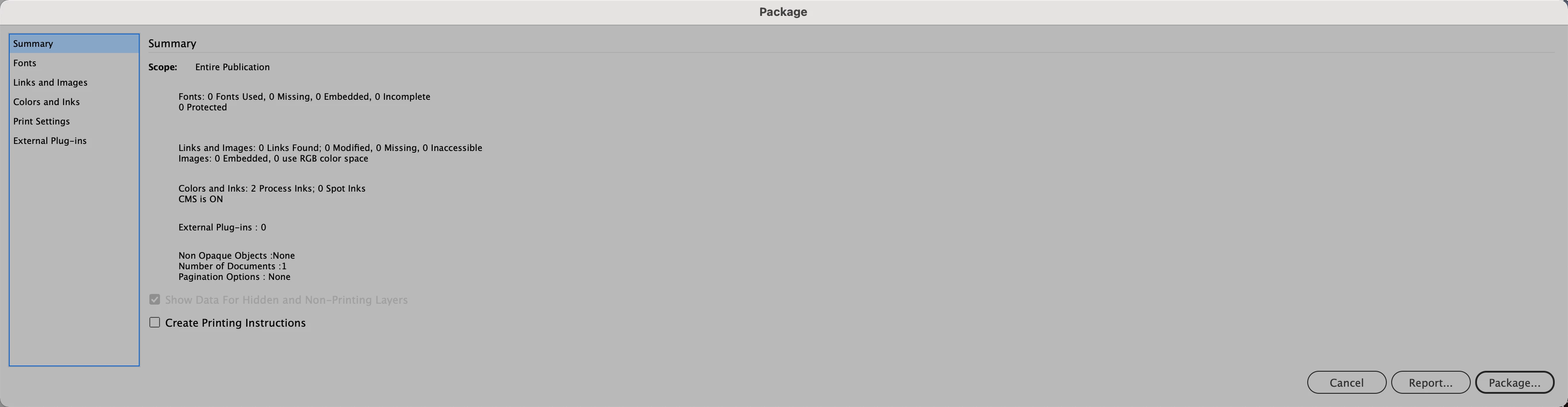
My Package dialog has increased in width size to over 14" wide while all parameter appear on the left side of the dialog. Appreciate any suggestions as to the cause and possible solution to have dialog return to a normal dimension.

Correct answer vladan saveljic

Using a keyboard shortcut:
- (Windows) Start InDesign, and then immediately press Shift+Ctrl+Alt. Click Yes when asked if you want to delete preference files. ...
- (Mac OS) Start InDesign, and then immediately press Shift+Option+Command+Control. Click Yes when asked if you want to delete preference files.

3 replies

vladan saveljic
Inspiring
December 27, 2020

the causes are usually due to corrupt preferences
eliminating these preferences, Indesign recreates the new one with factory defaults.
In this case, you lose the customizations you have set before.

vladan saveljic
vladan saveljicCorrect answer
Inspiring
December 27, 2020

Using a keyboard shortcut:
- (Windows) Start InDesign, and then immediately press Shift+Ctrl+Alt. Click Yes when asked if you want to delete preference files. ...
- (Mac OS) Start InDesign, and then immediately press Shift+Option+Command+Control. Click Yes when asked if you want to delete preference files.

Known Participant
December 27, 2020

Worked perfectly. Thank you. Any idea of the cause, to avoid a recurrence.

vladan saveljic
Inspiring
December 27, 2020

You could try to delete the indesign preferences