

InDesign won't display transparent PNG image with white pixels - it only displays in the paste board
Hello,
I have a design where half of the spread in covered in a gray box. On top of that box I have a client's signature scanned, converted to transparent PNG and have used the black (ink) version and the inverted or white (ink) version for several years without issue. Today however, when the client requested to have the white version instead of the black, InDesign would load the image but it will not display. What's odd is that if I drag the image frame on to the past board, I can see it fine. Also, while on the paste board if I create a colored box underneath the PNG, it disappears again. I have tried saving the PNG file as a TIFF or PSD and I still have this problem. Please help I'm under deadline.
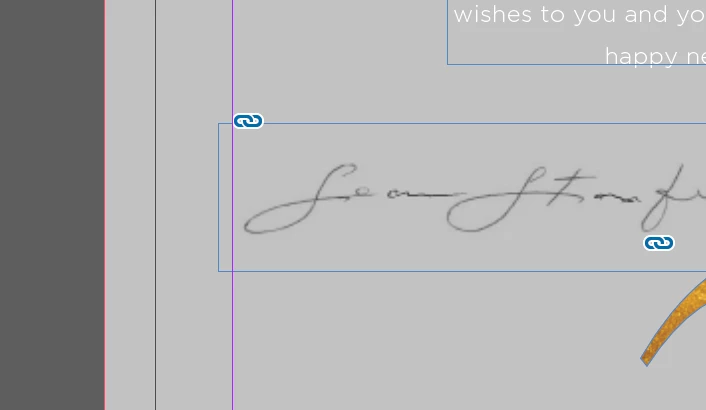
Black version works fine.

White version dropped in and it won't display.
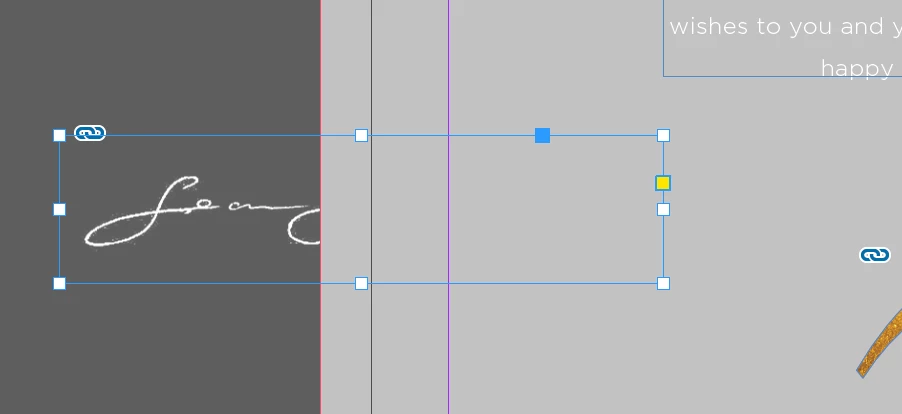
White version dragged over to the paste board. Please note, the frame is on the top layer in highest order, it should display over the gray box.
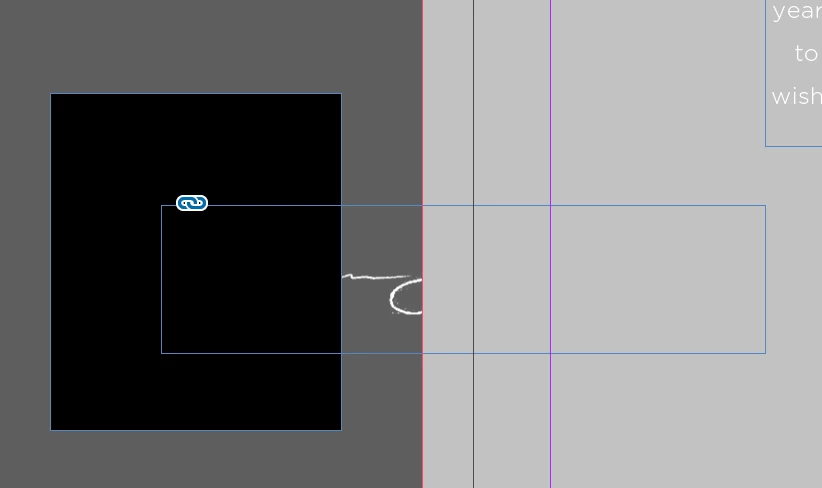
Black box added at the back of the order below the PNG in the paste board and it cover the white.



 AdChoices