neonmamacita
Inspiring
September 29, 2021
Question

InDesign Won't Save or Package My File

  • September 29, 2021
  • 2 replies
  • 314 views

InDesign won't save or package my file.


1. When I go to Save As, no dialog box pops up.


2. When I try to package, it gives me the below dialog box but then does not give me an option to save the package anywhere. 
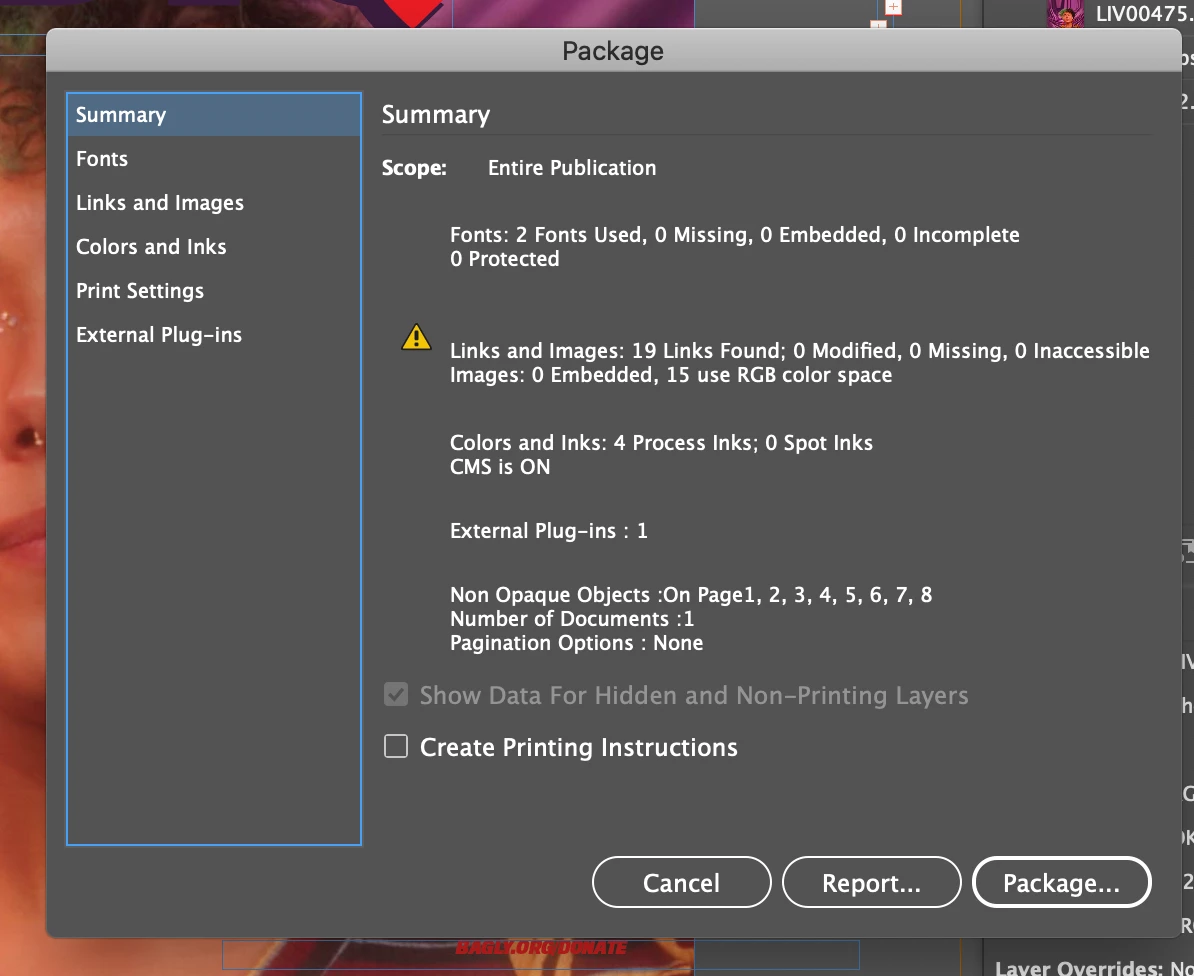
 

Any ideas? 


InDesign is up to date. On a Mac 10.15.7 operating system. 

This topic has been closed for replies.

2 replies

Ashutosh_Mishra
Inspiring
October 4, 2021

Hi there,


Sorry to hear about your experience. in addition to the helpful suggestions given above, you may also try the troubleshooting steps on this community post. Hope they help.


Looking forward to your response.


Regards,

Ashutosh

Jumpenjax
Community Expert
Community Expert
September 29, 2021

Do you have the file saved at all?

If you do not have it saved at all, leave your original file open and save the file in IDML format, then open the IDML file. Still leaving your original open.


Then save the IDML formatted file as an InDesign file per usual.  See it it clears the glitch.


Lee- Graphic Designer, Print Specialist, Photographer
Joel Cherney
Community Expert
Community Expert
September 29, 2021

You're completely right, but if the Save As dialog isn't popping up, then the OP couldn't Save As an IDML... but they may still be able to File -> Export instead. 

Jumpenjax
Community Expert
Community Expert
September 29, 2021

Joel, good one, completely correct too. Hopefully one of these ways will help.
Neonmamacita, I would suggest if you get your file saved. Close program and reboot computer, see if the problem continues. 😊

Lee- Graphic Designer, Print Specialist, Photographer