
Participant
February 22, 2012
Answered

Indesign won't show guides and background is black

  • February 22, 2012
  • 6 replies
  • 70390 views

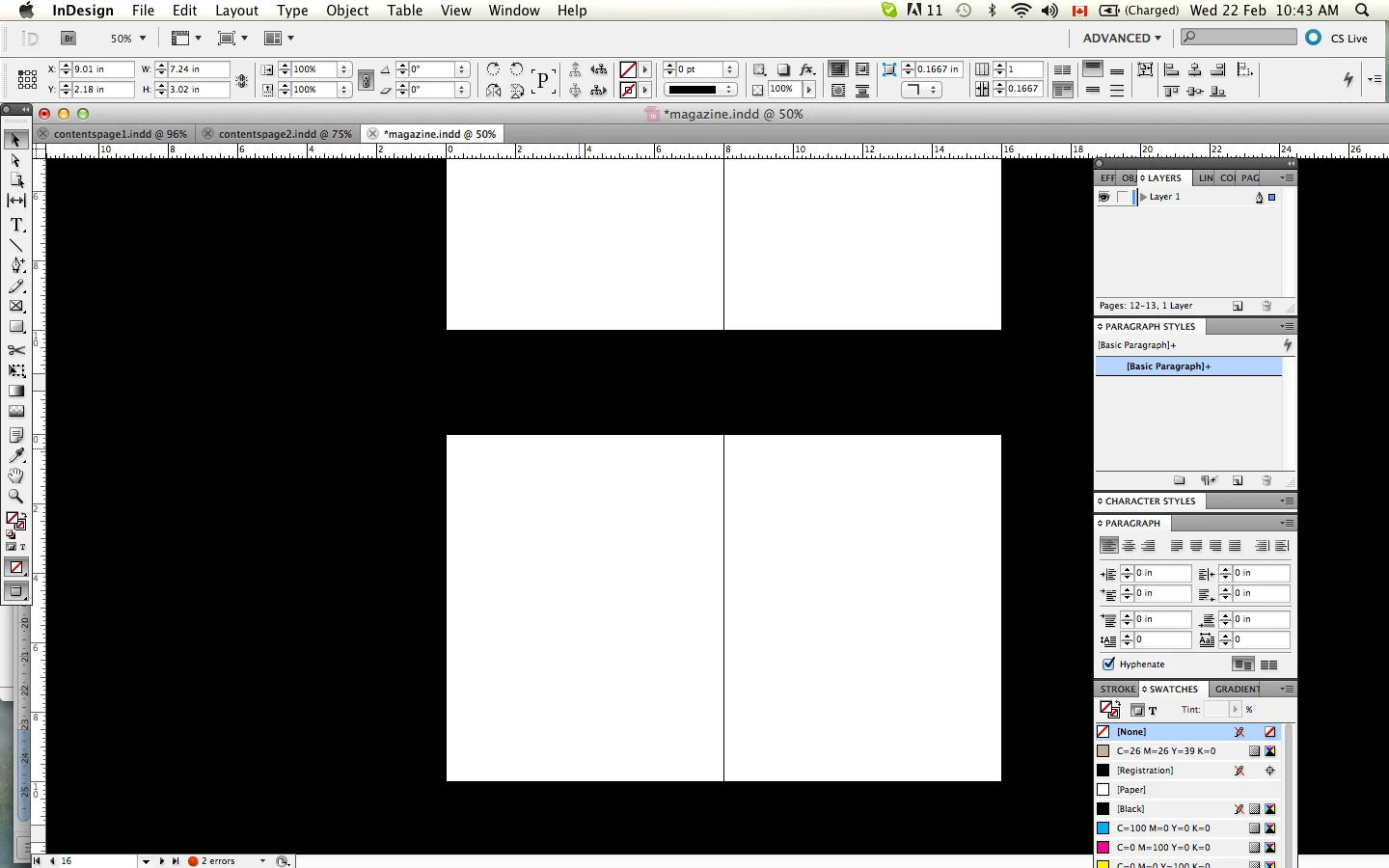
As I was working on a project, the background suddenly when black and my guides wont show even though it says they are not hidden. its almost like it is in preview mode but I can still move my images and all the options are there. can anyone tell me how to fix it?
This topic has been closed for replies.
Correct answer SJRiegel

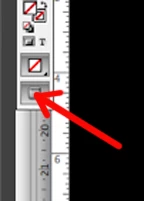
It's set to preview mode-- click here to change to normal

6 replies

Participant
January 7, 2021

Thanks for the Heads Up!

Participant
September 20, 2016

my icons on my tools are black and so is my top ruler.  How do I fix this?

Participant
March 6, 2015

Preferences > Guides & Pasteboard > Preview Background > Light Grey

K_shericeAuthor
Participant
February 22, 2012

yah its view- i can edit anything and what not, but I just can't see my margin, guides, bleed and obviously the background is black.i've tried exiting the program and restarting and this file continues to do this even though i didn't change anything. do the guides looks correctly set up on this? i'm a new indesign user in school and my teacher doesn't know waht to do either lol.

SJRiegelCorrect answer
Legend
February 22, 2012

It's set to preview mode-- click here to change to normal

K_shericeAuthor
Participant
February 22, 2012

thanks! your a life saver!

Peter Spier
Community Expert
Community Expert
February 22, 2012

Looks to me like you are in Preview mode (that's what the icon in the toolbox says) and you've change the background color from Gray to Black. You can edit that inthe prefs under Guids and Pasteboard. Preview mode does not disable anyu editing capabilities, it just hides the pasteboard, and all non-printing objects, including guides.

BobLevine
Community Expert
Community Expert
February 22, 2012

Ah…I didn’t look at the screen shot and just went from the black background which is the default for presentation moded.

Bob

BobLevine
Community Expert
Community Expert
February 22, 2012

You’re in presentation mode. Hit escape.

Bob

Peter Spier
Community Expert
Community Expert
February 22, 2012

Bob Levine wrote:

You’re in presentation mode

I don't think so... Not with rulers and panels showing.