Thu Ra
Participating Frequently
November 17, 2023
Question

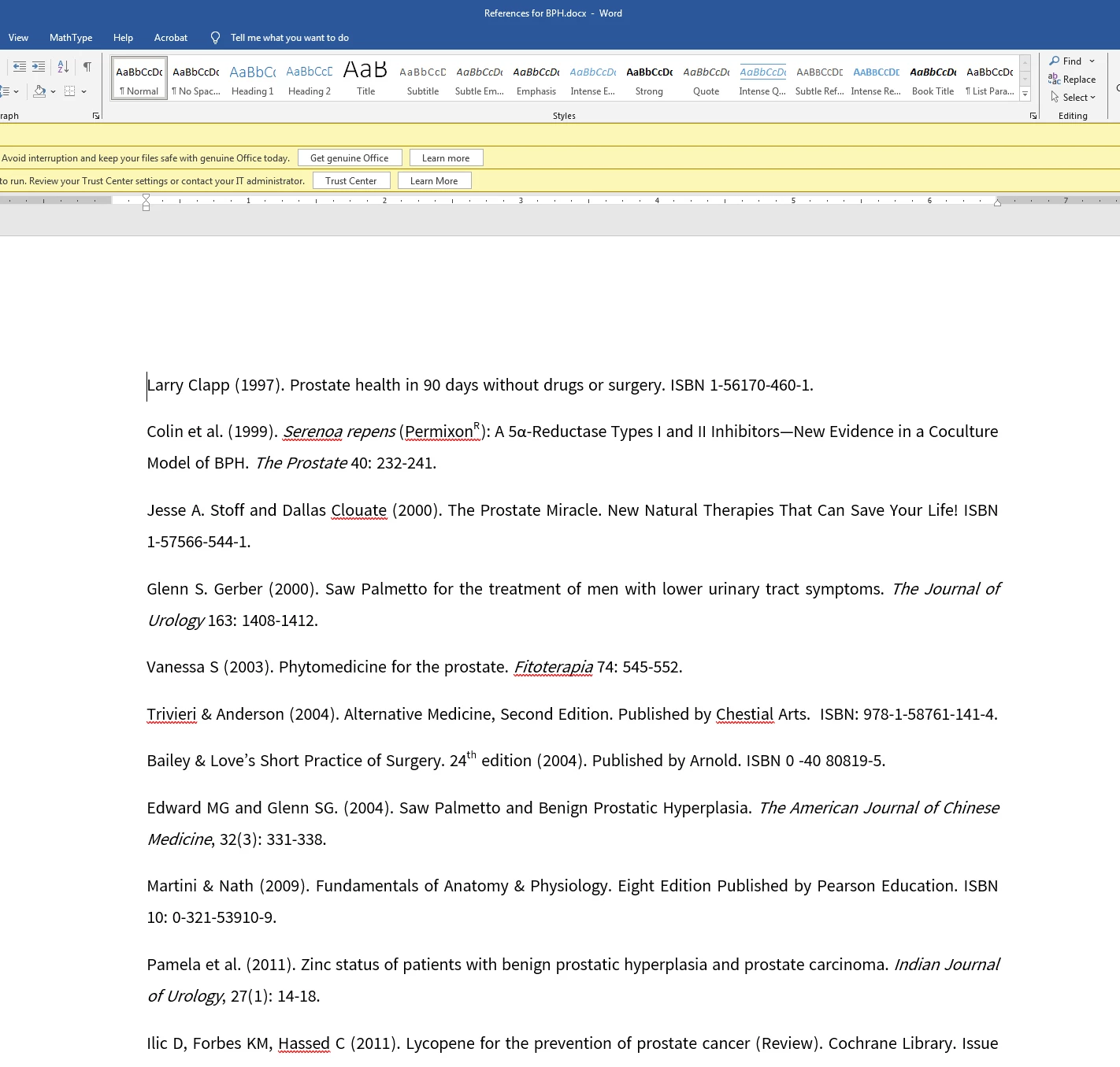
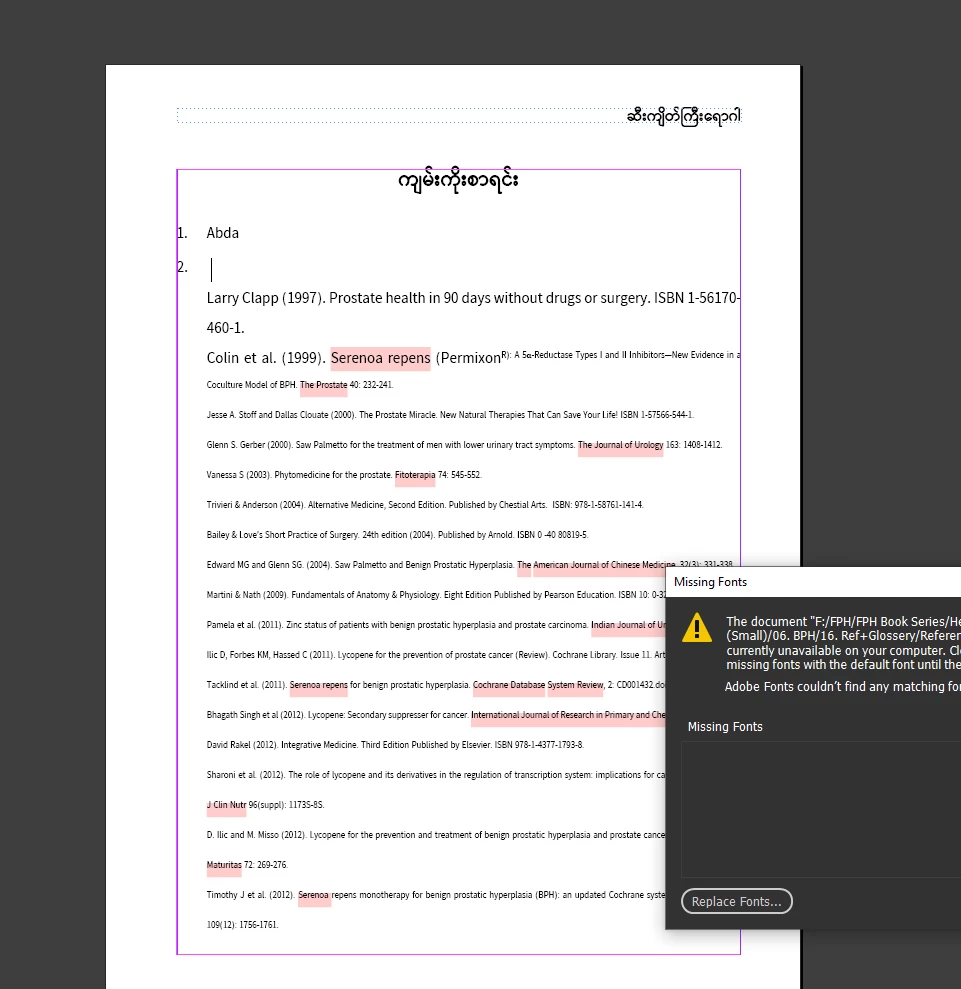
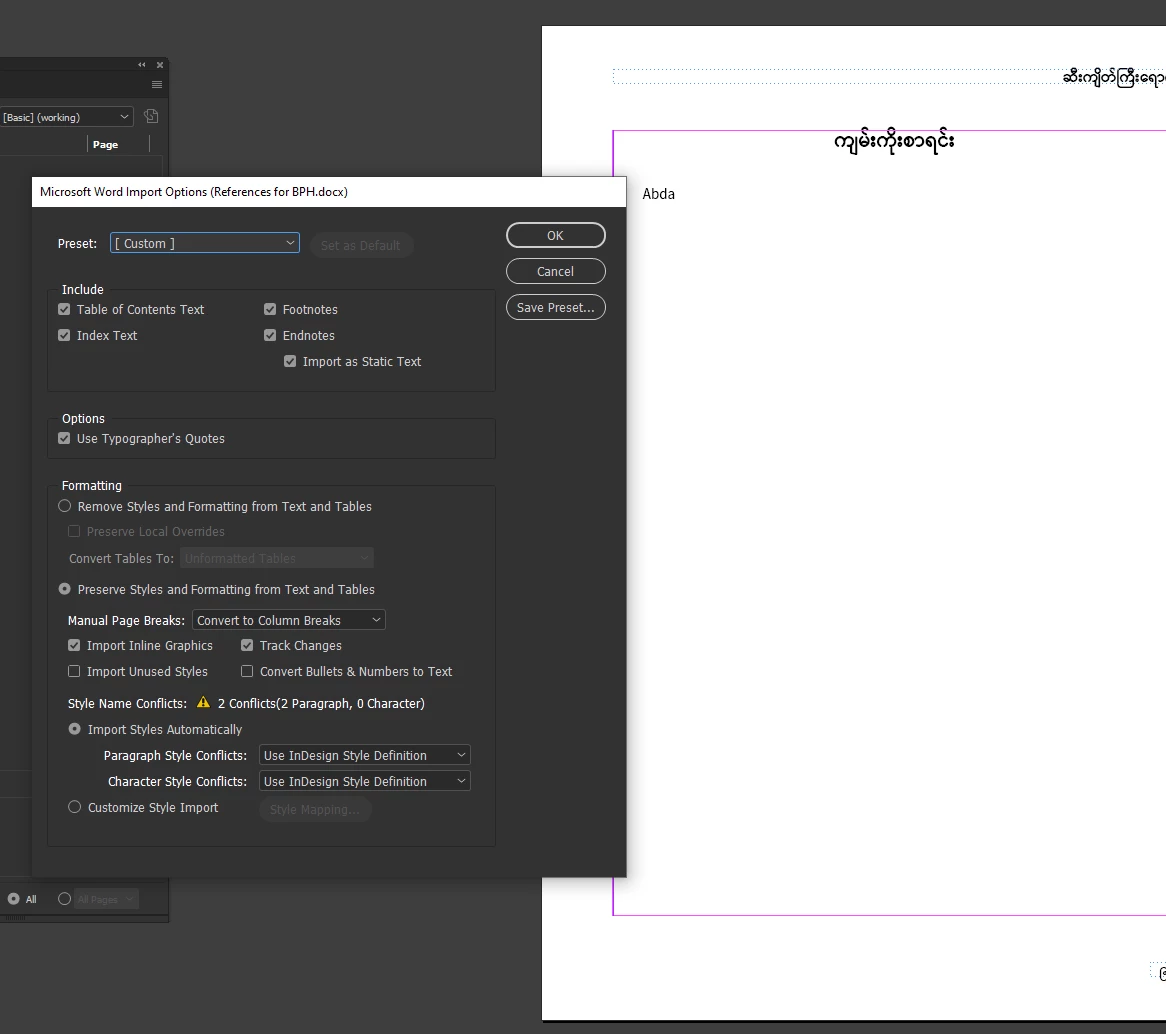
Indesin Import Word Problem with Paragraphs
  • November 17, 2023
  • 2 replies
  • 194 views


Hello!

When importing a Microsoft Word file to InDesign, all words become superscript text.

This topic has been closed for replies.

2 replies

Bevi Chagnon - PubCom.com
Legend
November 17, 2023

Could also be caused by having a manual override or character style for superscript set as the default, and as the text comes into InDesign, the override gets applied to everything.


When you select any part of the text, does a + sign appear next to the paragraph style in the Paragraph Styles panel? The + indicates that a manual override was applied. 


Also, you can locate overrides by turning on the Style Highlighter, which will highlight overrides in a blue/green color.

See https://helpx.adobe.com/indesign/using/paragraph-character-styles.html (Manual Overrides toward the bottom of the webpage).


|    Bevi Chagnon   |  Designer, Trainer, & Technologist for Accessible Documents ||    PubCom |    Classes & Books for Accessible InDesign, PDFs & MS Office |
Willi Adelberger
Community Expert
Community Expert
November 17, 2023
  1. How did you define the paragraph styles. 

  2. You use fonts which are not available for InDesign. Those are probably MS fonts as MS installs a bunch of fonts inside their Program Folders, so that other programs cannot find them. But you can move them out to common places, where all other applications are able to use them.