
Legend
May 18, 2017
Answered

.indexOf is not a function :(

  • May 18, 2017
  • 6 replies
  • 29992 views

Hi there,

im struggeling with this simple task:

var myAlphas = image.clippingPath.alphaChannelPathNames;

var AlphaIndex = myAlphas.indexOf("our_default");

…because even this example doesnt work:

var fruits = ["Banana", "Orange", "Apple", "Mango"];

var a = fruits.indexOf("Apple");

alert(a);

from JavaScript Array indexOf() Method

All I get is
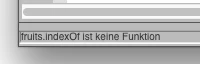
and since Im more of a designer than a scripter, i cant solve that by myslef. Someone to the rescue?

This topic has been closed for replies.
Correct answer Jongware

It's not entirely DBLJan's mistake Look here: indexOf Method (Array) (JavaScript) | Microsoft Docs  -- it is supported in JavaScript!

But the problem is that InDesign's JavaScript engine is out of date (*). This particular construction did not exist at the time when Adobe implemented it, and nowadays your everyday updated browser properly supports it because they were updated.

(*) It's even so out of date that technically we should not be calling it "JavaScript" at all. The ESTK gets that part right: it's properly called "ExtendScript".

6 replies

bagonterman
Inspiring
April 25, 2022

Adding this class worked for me.


templatemaker-nl
Inspiring
January 11, 2018

Others have pointed out that array.indexOf might not have been implemented in Illustrator's ExtendScript. If you want to use this function, you will have to provide it. I'd like to share a good resource for these scripts: MDN, Mozilla's Developer Network.

Mozilla's Developer Network provide polyfills for functions that are not implemented in every browser. This is handy, because it allows us to use the newest JS functions even if they don't exist in ExtendScript. And it's easier then subscribing to yet another forum.

The array.indexOf function has a polyfill as well on: Array.prototype.indexOf() - JavaScript | MDN

Remember to include it at the START of your script, or (more neat) to include it at the top:

Let me paste the code for this Polyfill.

if (!Array.prototype.indexOf) {
  Array.prototype.indexOf = function indexOf(member, startFrom) {
   /*
  In non-strict mode, if the `this` variable is null or undefined, then it is
  set to the window object. Otherwise, `this` is automatically converted to an
  object. In strict mode, if the `this` variable is null or undefined, a
  `TypeError` is thrown.
  */

   if (this == null) {
   throw new TypeError("Array.prototype.indexOf() - can't convert `" + this + "` to object");
   }

   var
  index = isFinite(startFrom) ? Math.floor(startFrom) : 0,
  that = this instanceof Object ? this : new Object(this),
  length = isFinite(that.length) ? Math.floor(that.length) : 0;

   if (index >= length) {
   return -1;
   }

   if (index < 0) {
  index = Math.max(length + index, 0);
   }

   if (member === undefined) {
   /*
  Since `member` is undefined, keys that don't exist will have the same
  value as `member`, and thus do need to be checked.
  */

   do {
   if (index in that && that[index] === undefined) {
   return index;
   }
   } while (++index < length);
   } else {
   do {
   if (that[index] === member) {
   return index;
   }
   } while (++index < length);
   }

   return -1;
  };
}

tpk1982
Legend
May 19, 2017

This will work..

var fruits = ["Banana", "Orange", "Apple", "Mango"];

var a = fruits.toString().indexOf("Apple");

alert(a);

Jongware
Community Expert
Community Expert
May 19, 2017

Not really. It will give the index in the string, not the index in the array.

Besides,

var fruits = ["orange", "pineapple", "apple", "mango"];

var a = fruits.toString().indexOf("apple");

alert(a);

will also give the wrong index for other reasons! I thought it could be circumvented by adding the quotes themselves, but these disappear in the 'toString' string. Sure, you could add word breaks and use a GREP match, but it still could return the wrong item, depending on the content.

The proposed functions don't have any of these problems.

DBLjanAuthor
Legend
May 19, 2017

It boils down for me to use .indexOf to find the index of a value in an array, so ill include the code snippet upon use:

  1. var fruits = ["orange", "pineapple", "apple", "mango"]; 
  2. var a = fruits.toString().indexOf("apple"); 
  3. alert(a); 

If you forget to switch the ESTK to InDesign and use "ExtendScript Toolkit CC" it will work fine. I assume the current JavaScript-Libary is used.

But if you execute in InDesign it wont "know" of .indexOf and throw an error:

But if you paste the prototype-function mentioned above, its working with InDesign and ESTK CC.

Participant
May 19, 2017

Just include prototype definitions:

German site, source commends English, download requires registration and login

JavaScriptClassEnhancements for JavaScript Array Class

Loic.Aigon
Legend
May 18, 2017

My bad indeed

DBLjanAuthor
Legend
May 19, 2017

Phew, i was going mad, why this shouldnt work, …since it was an example direct from the w3school.
Also, as i mentioned, im no trained coder, but I get better at code-snippet-tetris by every script

As I should have done before I posted this, I haved used the searchforum feature to find this post, suggesting adding this snippet to my code:

Array.prototype.indexOf = function ( item ) {

          var index = 0, length = this.length;

          for ( ; index < length; index++ ) {

                    if ( this[index] === item )

                              return index;

          }

          return -1;

          };

And guess what – it works perfectly. Because after all I only was looking for a way to find something in my array of (…and here I often dont know what im getting, I do best working with strings) values.

But thank you Loic.Aigon for the deep insights!

schroef
Inspiring
July 20, 2022

@DBLjan 

Thanks, this solution works for me and saves me quite some hustle

Loic.Aigon
Legend
May 18, 2017

Hi,

You have to understand that javascript objects have specific properties and methods. Most of the time you can't call a method of some object A to object B is they don't share this same method (dramatically shortening things here).

In your case, indexOf is a method of a String object while myAlphas is an array. An array object doesn't have a indexOf method, hence your error message.

In short, you are talking wrong to the buddy.

Something like this should work (not tested).

var myAlphas = image.clippingPath.alphaChannelPathNames;

var reg = new RegEx ( "("+["Banana", "Orange", "Apple", "Mango"].join("|")+")$", "");

var n = myAlphas.length;

while ( n-- ) {

  if ( reg.test ( myAlphas ) ) {

  alert( "Gotcha" );

  break;

  }

}

Jongware
Community Expert
JongwareCommunity ExpertCorrect answer
Community Expert
May 18, 2017

It's not entirely DBLJan's mistake Look here: indexOf Method (Array) (JavaScript) | Microsoft Docs  -- it is supported in JavaScript!

But the problem is that InDesign's JavaScript engine is out of date (*). This particular construction did not exist at the time when Adobe implemented it, and nowadays your everyday updated browser properly supports it because they were updated.

(*) It's even so out of date that technically we should not be calling it "JavaScript" at all. The ESTK gets that part right: it's properly called "ExtendScript".