
Answered
Ink overprint
Hi everyone,
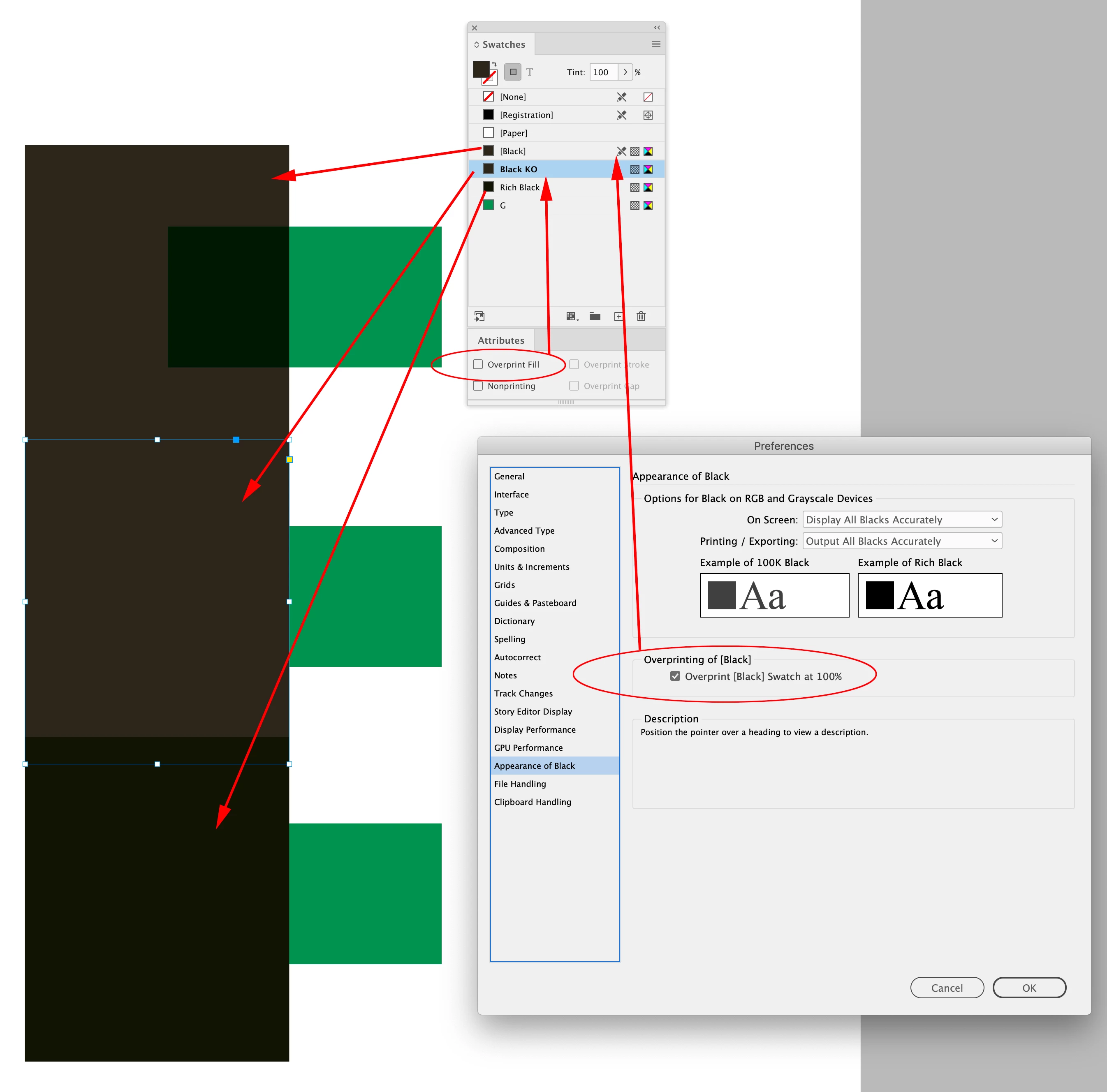
I've just had my document professionally printed (first draft tester) and in some areas the ink has overprinted, so for example I have a black box overlapping a larger green box but I can kind of see the green box underneath?
If I go on View> Overprint preview a box pops up saying 'The transparancy blending space is set to RGB. Overprint preview will only preview overprinting that involves spot colours.' It also doesn't show the issue with this preview.
I'm not sure why RGB is involved here since it's always been headed for the printers. So I think I've cocked up somewhere. Thanks
 AdChoices