
keithconover
Inspiring
Jun 26, 2025 2:30 AM UTC
Answered

"Insert Pages"?????

OK, I insert two pages into one of my chapter drafts all the time to have a bit more room for a section ("story"). I just inserted two pages after the selected page. What's wrong with this picture?
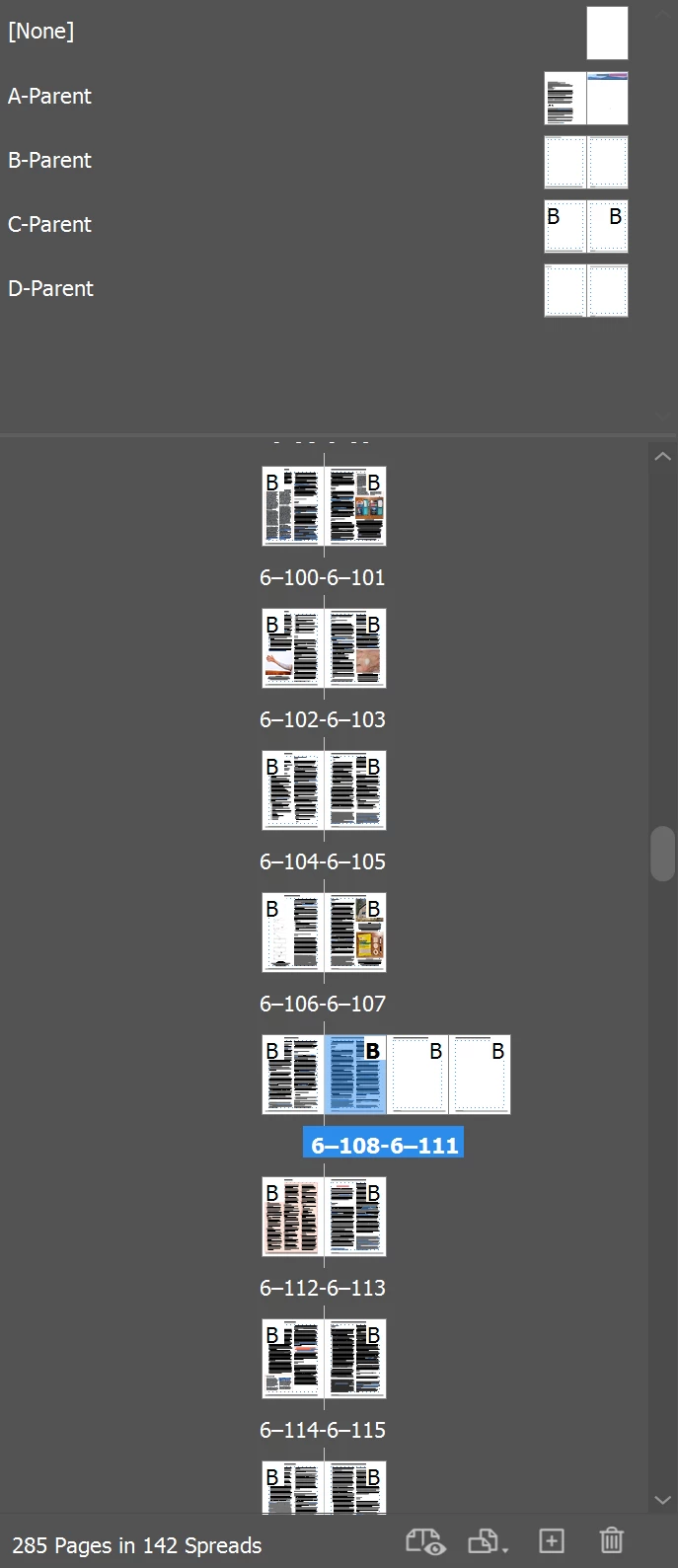
If I just hit the + button/icon ("buttcon") at the bottom twice, everything works normally. But I have been using the menu to insert two pages at a time for years. I haven't updated InDesign recently, so what changed? I just installed the latest slipstream update (20.4.1) and this still happens. A minor inconvenience with an easy workaround, but really? I guess a semicolon got left out or somethings.

 

Willi Adelberger
Willi AdelbergerCorrect answer
Community Expert
Jun 26, 2025 3:51 AM UTC

Select the thumbs. In the panel menu allow to shuffle pages. 
Easier to organize chapters is to create for each chapter a separate INDD and bundle them in an INDB book file. 

4 replies

Barb Binder
Community Expert
Community Expert
Jun 26, 2025 2:40 PM UTC

Hi Keith:


I'll mark @Willi Adelberger's answer as correct for you, and in case you are interested, here's a bit more info on the feature: https://www.rockymountaintraining.com/adobe-indesign-allow-document-pages-or-selected-spread-to-shuffle/


~Barb

Translate
~Barb at Rocky Mountain Training
Willi Adelberger
Community Expert
Willi AdelbergerCommunity ExpertCorrect answer
Community Expert
Jun 26, 2025 3:51 AM UTC

Select the thumbs. In the panel menu allow to shuffle pages. 
Easier to organize chapters is to create for each chapter a separate INDD and bundle them in an INDB book file. 

Translate
keithconover
Inspiring
Jun 26, 2025 2:35 PM UTC

Thanks! I hadn't changed that option. Didn't even know it existed. Somehow an InDesign update must have changed it without me knowing.


And yes, my chapters are all separate InDesign files organized with INDB book files; four of them, one for each volume.


Thanks again!

Translate
rob day
Community Expert
Community Expert
Jun 26, 2025 7:25 PM UTC

Hi @keithconover , Also, it’s subtle, but in case you have not noticed, the drag icon changes depending on where you position your cursor in the Pages panel.


This will add the pages to the spread creating a gatefold even with Allow Document Pages to Shuffle unchecked:


And this will add a new spread below when Allow Document Pages to Shuffle is unchecked::


Translate