
Known Participant
February 6, 2020
Question

Inspectable Web Contents not working. Shows empty page

  • February 6, 2020
  • 5 replies
  • 6859 views

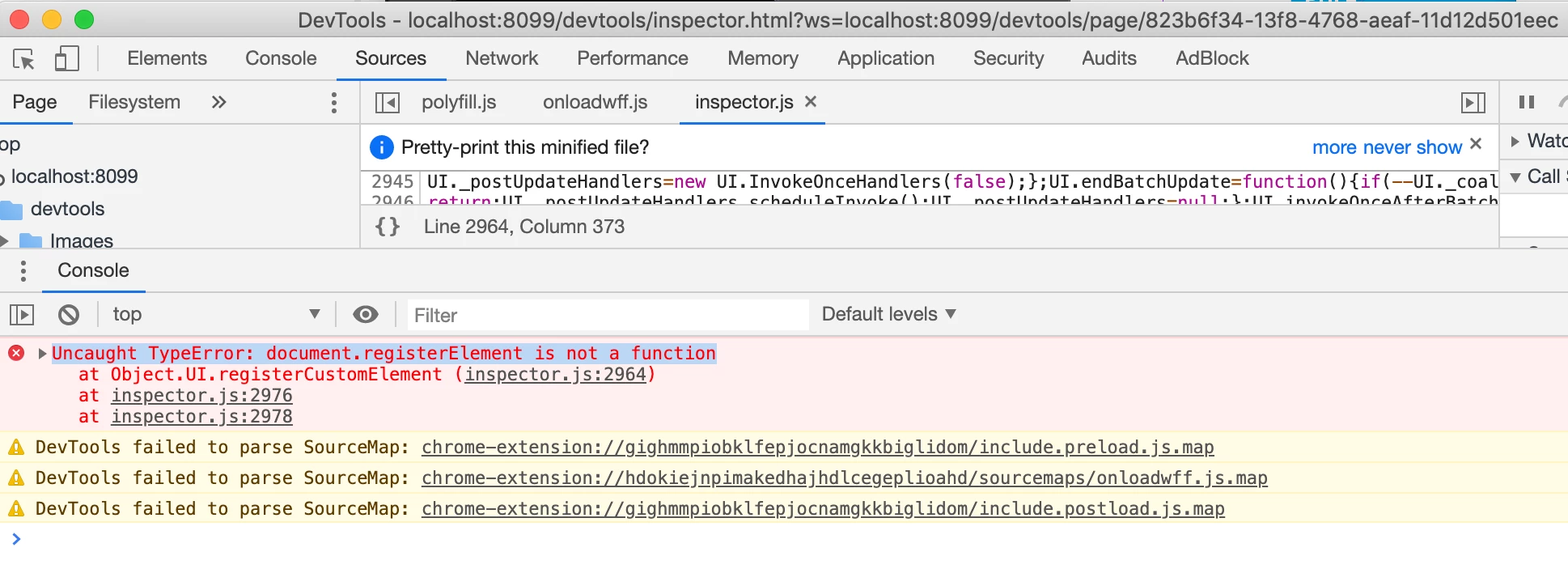
I am seeing an error when I open the chrome debugger:

inspector.js:2964 Uncaught TypeError: document.registerElement is not a function


And the following warnings:

DevTools failed to parse SourceMap: chrome-extension://gighmmpiobklfepjocnamgkkbiglidom/include.preload.js.map
DevTools failed to parse SourceMap: chrome-extension://gighmmpiobklfepjocnamgkkbiglidom/include.postload.js.map


This was working fine yesterday. I have the feeling that Chrome updated automatically and something changed. Any ideas?
 

This topic has been closed for replies.

5 replies

Participant
April 28, 2020

Hi, I was having the same problem, the solution with Chromium 79 works, BUT the sourcemaps doesn't. You should try this alternative solution which worked pretty well for me : devTools + sourcemaps are back !

https://community.adobe.com/t5/get-started/adobe-extension-debuger-problem/m-p/10923268?page=1#M454407

Participant
March 8, 2020

remove any ad blockers and then do a hard reload

had the same issue, worked for me after disabling ad blocker (chrome extension)

Hope this helps !!!

Participant
February 24, 2020

I got teh same last week due to the (auto)update to chrome v80+ which broke this.  Installing chromium at v79.xxx as described is a good solution.


Although it looks as if chromium v80 is starting to be the default install for many package managers (linux) so I have setup a virtual box VM (using a vagrant cloud box) with ubuntu 14.04 and chrome v65 or v79 etc. with updates turned off.  Now I can debug older platforms without compromising my own installed browsers.  Hope this helps (and hope even more that Google reintroduce support)

Known Participant
February 7, 2020

I was able to get around this problem by installing a previous version of Chromium (it runs as a separate app). I am not sure this is the best solution but it works.


In my case I am using a mac and got Version 79.0.3945.0 from here:

https://commondatastorage.googleapis.com/chromium-browser-snapshots/index.html?prefix=Mac/706915/


I believe you can find other versions here:

https://commondatastorage.googleapis.com/chromium-browser-snapshots/index.html


This page explains how to find a version:

https://techjourney.net/how-to-download-install-previous-old-version-of-google-chrome/


Participant
February 17, 2020

Thanks, the same problem here

borislavz49951755
Participant
February 6, 2020

Having the same issue right now. GatsbyJS.