
Participant
March 16, 2020
Answered

Interactive Contents Page in PDF

  • March 16, 2020
  • 4 replies
  • 796 views

Hi,


When exporting to pdf, how do I ensure that the page titles / page numbers in the pdf take you to the relevant page in the pdf?


I haven't created the contents page as a table of contents but used tables / text boxes in the design.
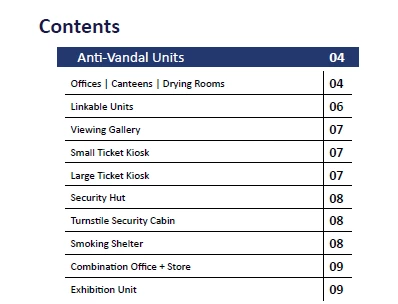


Many thanks!

    This topic has been closed for replies.
    Correct answer Derek Cross

    I would also suggest you have the word Contents (or a button shape with the word Contents on it) at the bottom of each page, hyperlinked back to the Contents page, so that users can easily return to the Contents page – they'll find that a useful facility.

    4 replies

    Participant
    March 17, 2020

    Many thanks for the great suggestions. 

    Derek Cross
    Community Expert
    Derek CrossCommunity ExpertCorrect answer
    Community Expert
    March 16, 2020

    I would also suggest you have the word Contents (or a button shape with the word Contents on it) at the bottom of each page, hyperlinked back to the Contents page, so that users can easily return to the Contents page – they'll find that a useful facility.

    Community Expert
    March 16, 2020
    Eric Dumas
    Community Expert
    Community Expert
    March 16, 2020

    Hi,

    It would be automatic if you used teh Table of Content feature,

    You can :

    - in InDesign create hyperlinks using the Windows menu > Interactive >Hyperlinks to make the selected text 'jump' to the correct page

    - in Acrobat create 'buttons' that create roughly the same result