
Inspiring
June 28, 2018
Answered

Interactive pdf from InDesign with Rollovers and Links

  • June 28, 2018
  • 3 replies
  • 1036 views

Hi,

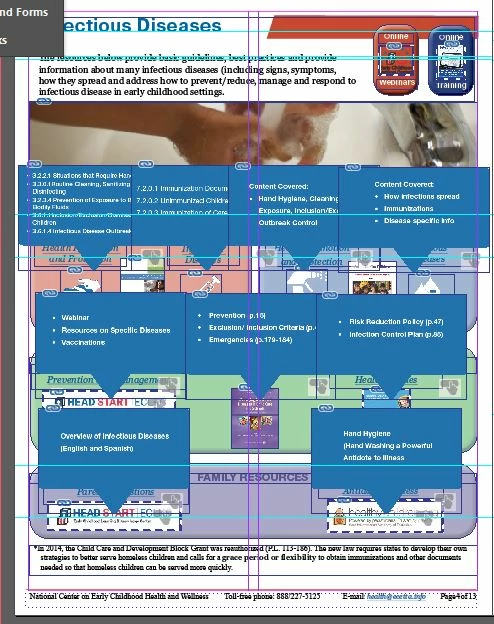
I am trying to create a document with rollovers/pop-ups over icons/logos for a training module. The author also wants an external link on the icon/logo. I set it up in InDesign without a problem but when I export to a pdf I only get the rollover not the hyperlink to work. Am I not able to do both? And if not does anyone have any other ideas?

Thank you in advance.

Sandy L.
    This topic has been closed for replies.
    Correct answer sandral102360

    Sorry it resolved itself. I cannot have an image with a link for 508 Compliance anyway.

    I was trying to take a logo with a pop up and have a link to a website on the logo.

    Such as the head start logo at the bottom leading to a webpage but also having the

    pop-up/rollover as well. I think it's a bit overkill....

    3 replies

    happie_97
    Community Expert
    Community Expert
    June 28, 2018

    I agree with Bob we need more information to troubleshoot this.

    Also, the only workaround we found for our hyperlinks and bookmarks to work on our iPads was to open it through iBooks. Mobile is very limited and disappointing right now.

    BobLevine
    Community Expert
    Community Expert
    June 28, 2018

    We're not getting anywhere near enough info.

    How exactly are you setting this up? Show / hide buttons? How are the links set up? You should be using go to URL in the button actions. Hyperlinks won't work.

    Finally, if you're expecting this to work in all PDF readers on all devices you are going to be in for a major disappointment. Browsers and mobile devices are a crapshoot and anything other than Acrobat or Reader on a desktop can also be hit or miss.

    sandral102360AuthorCorrect answer
    Inspiring
    June 28, 2018

    Sorry it resolved itself. I cannot have an image with a link for 508 Compliance anyway.

    I was trying to take a logo with a pop up and have a link to a website on the logo.

    Such as the head start logo at the bottom leading to a webpage but also having the

    pop-up/rollover as well. I think it's a bit overkill....

    Derek Cross
    Community Expert
    Community Expert
    June 28, 2018

    Use simple hyperlinks only for your interactive PDF, or choose FXL ePub instead or maybe export to InDesign's Publish Online (though the user has to be online to use that format). Another option is in5 Export HTML5 from InDesign with in5 - Home