
ashimg23377171
Inspiring
May 12, 2020
Answered

interactive pdf with buttons

  • May 12, 2020
  • 2 replies
  • 2905 views

Hello

I am working on creating an interactive pdf with buttons.

I have an architecture image that i created in illustrator and then imported  it in InDesign. My intent is to click on the text in the features section, and have a larger screenprint superimposed on the architecture drawing (with the architecture drawing disappearing). I have created the different featues text in InDesign.
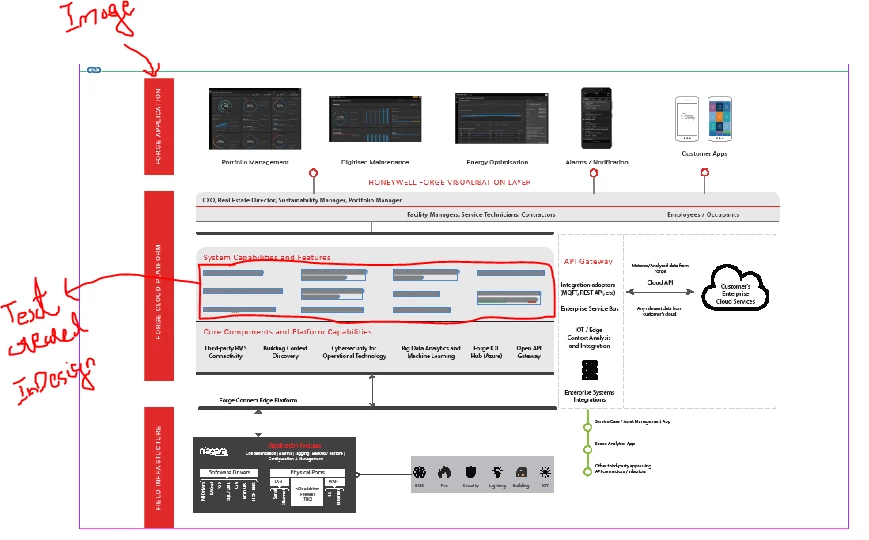
I have converted the architectur image and the different features text into buttons. so that i can toggle the display of the architecture image on and off. However, when i render the document into a pdf, i am unable to view all the different features text.
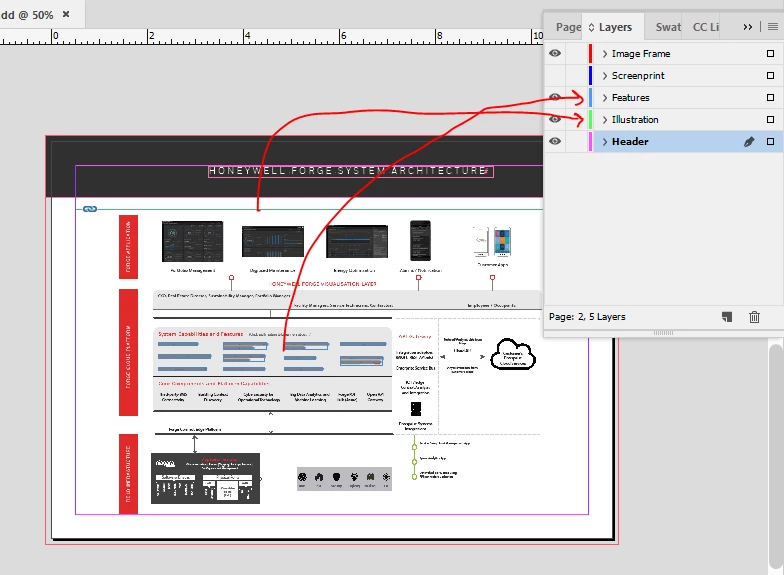
If i do not convert the architecture image into a button, then it works, and i am able to click the feature text and have a screenprint superimposed on the architecture. But then i am unable to turn the display on the architecture image off - which i do want when i show the screenprint.


Any guidance would be appreciated.


Thank you.


This topic has been closed for replies.
Correct answer BobLevine

All of those buttons being toggled on and off is not going to be reliable at all on Acrobat or Reader and it will likely fail completely on third party readers, browsers and mobile devices.

Sounds like something better suited to a web page.

2 replies

BobLevine
Community Expert
BobLevineCommunity ExpertCorrect answer
Community Expert
May 12, 2020

All of those buttons being toggled on and off is not going to be reliable at all on Acrobat or Reader and it will likely fail completely on third party readers, browsers and mobile devices.

Sounds like something better suited to a web page.

Derek Cross
Community Expert
Community Expert
May 12, 2020

Interactivitywith PDFs is limited nowadays, you may better using something like in5  https://ajarproductions.com/pages/products/in5/?ref=footer


ashimg23377171
Inspiring
May 12, 2020

Thanks for the suggestion Derek. But for now, i was looking at a native InDesign solution for this.

I have been working with buttons and basic interactivity in PDF for a bit, and it seems to work just fine. It is in this instance, that i am facing some problem.

Derek Cross
Community Expert
Community Expert
May 12, 2020

You may find that your PDF buttons won't work on some devices and on some readers.

A native InDesign solution would be Publish Onlne (HTML5).