Good Venture
Known Participant
June 19, 2023
Answered

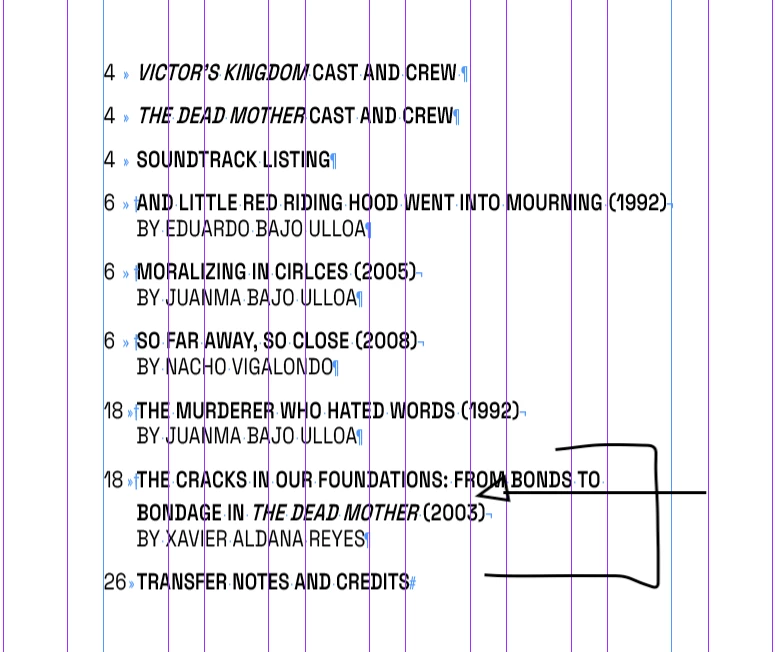
irregular line spacing

  • June 19, 2023
  • 2 replies
  • 1553 views

Hi everyone, 


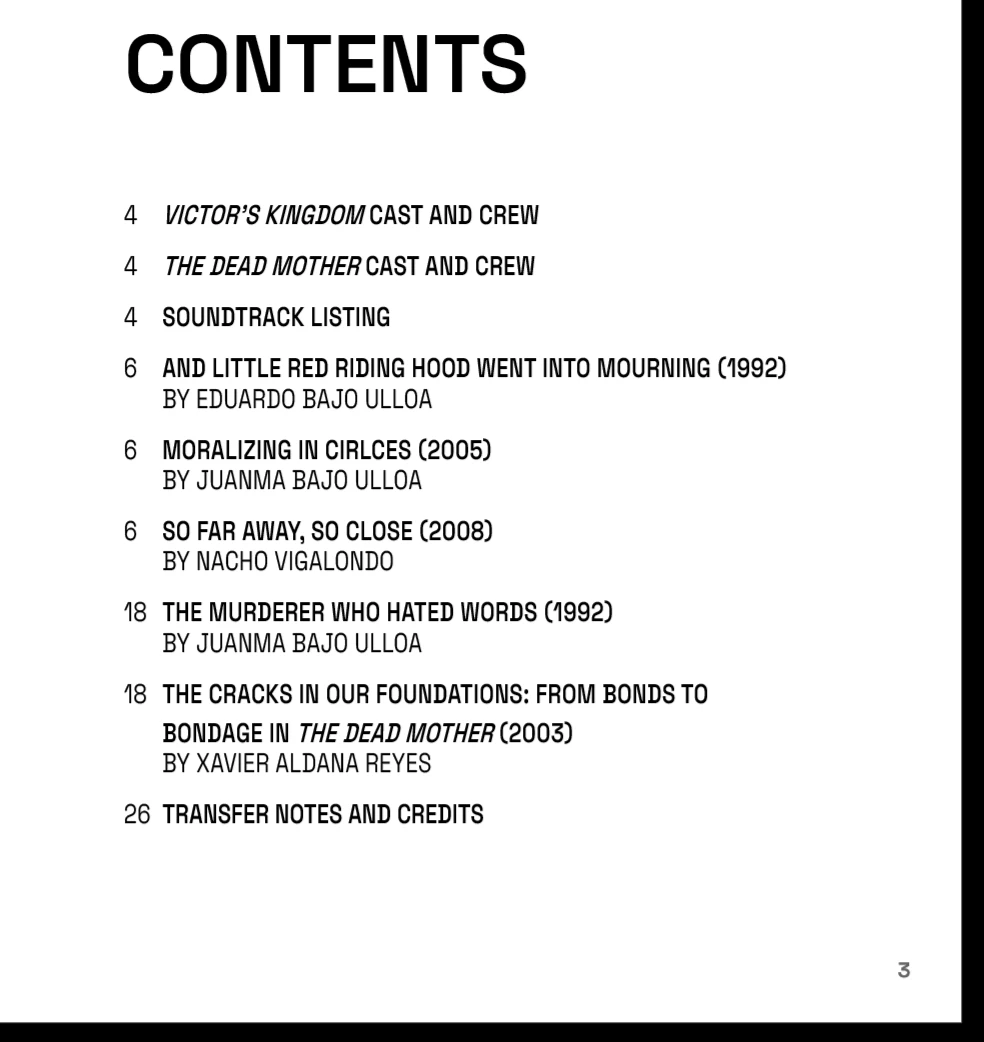
Can someone tell me why I am getting this irregularity in the line spacing and how to control and avoid this from the paragraph style? 
 

Thank you!



This topic has been closed for replies.
Correct answer Peter Spier

Since that's the only bold line that breaks it looks to me like the bold style has a larger leading than the regular text and setting it the same as the regular text would probably solve the problem (and I don't think adding a forced line break will help, but could easily break things more).

As far as creating new styles to use in the TOC, that's always best practice.

2 replies

Peter Spier
Community Expert
Peter SpierCommunity ExpertCorrect answer
Community Expert
June 19, 2023

Since that's the only bold line that breaks it looks to me like the bold style has a larger leading than the regular text and setting it the same as the regular text would probably solve the problem (and I don't think adding a forced line break will help, but could easily break things more).

As far as creating new styles to use in the TOC, that's always best practice.

Willi Adelberger
Community Expert
Community Expert
June 19, 2023

I suppose that some single characters have a different leading which is applied to the whole line. Check the leading of the italic caharacter or their character style.


Good Venture
Known Participant
June 19, 2023

It looks like it's not the Italic, it could be the bold text, but I if change that, the whole document will be affected, so I will have to make a new paragraph style specifically for the content index.


I'm working from a template that wasn't created by me in first place. 


Do you know how to set the fixed space on top of the paragraph box? (I've been looking for tutorials on how to do that but still can't find an aswer)


Bill Silbert
Community Expert
Community Expert
June 19, 2023

What happens if you insert a soft return after the word "TO"? Does that fix the spacing? 

Also make sure that "Apply Leading to Entire Paragraph" is checked in the Type section of your InDesign preferences.