dublove
Legend
August 6, 2026
Answered

Is it possible for the script to select multiple columns of the current text box, or multiple columns of the entire table (excluding the header and footer)?

  • August 6, 2026
  • 4 replies
  • 27 views

Hello everyone, this is practical and worth researching.

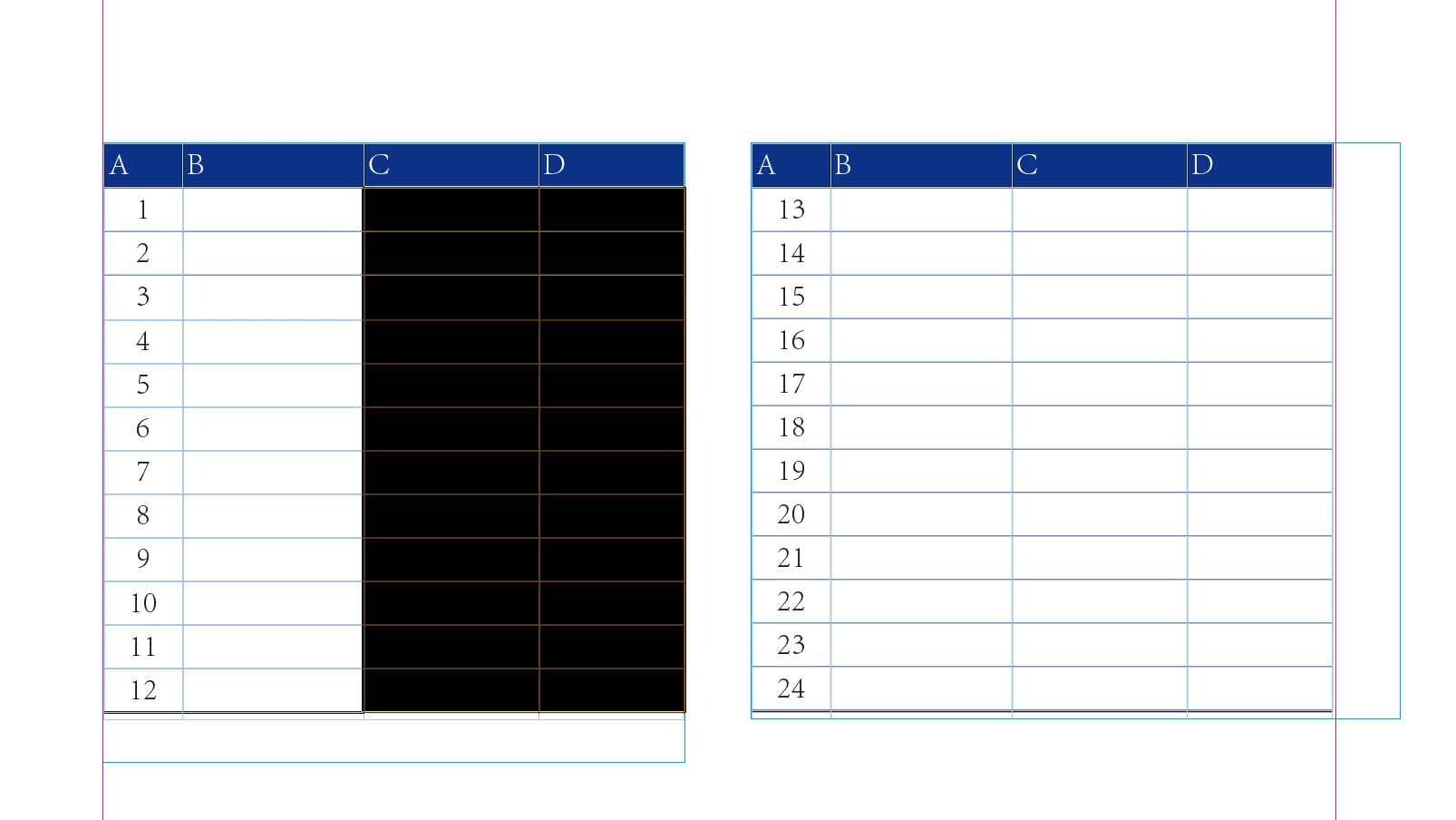
Prerequisite: I have already selected cells from multiple columns
Result: Select the corresponding column in the current text box. Or the corresponding column of the entire table (header and footer are not selected)


Manual drag and drop can be implemented, but scripts should be able to implement it. Perhaps you have a good idea.
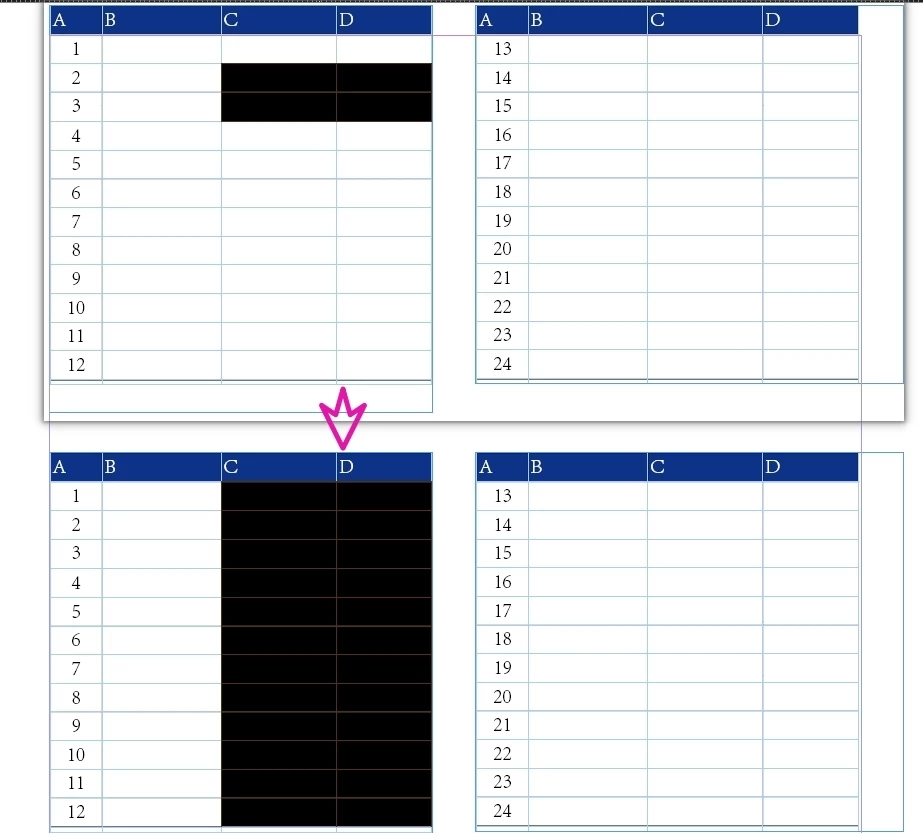


    Correct answer rob day

    Prerequisite: I have already selected cells from multiple columns


    Hi ​@dublove , This is another example of the problems you will run into when scripting selections. You have to test what the selection is, and there can be a lot of possible and unexpected variables—is it text, page item, image, table, cell, table inside of a cell, etc. etc.


    You could try something like this, which works on your sample:


    //this assumes selection[0] is [object Cell]
    var s = app.activeDocument.selection[0]
    var col = s.cells[0].parentColumn.cells

    for (var i = 1; i < col.length; i++){
    try {
    if (col[i].insertionPoints[0].horizontalOffset == col[0].insertionPoints[0].horizontalOffset) {
    col[i].select(SelectionOptions.ADD_TO)
    }
    }catch(e) {}
    };


    Result with your example:


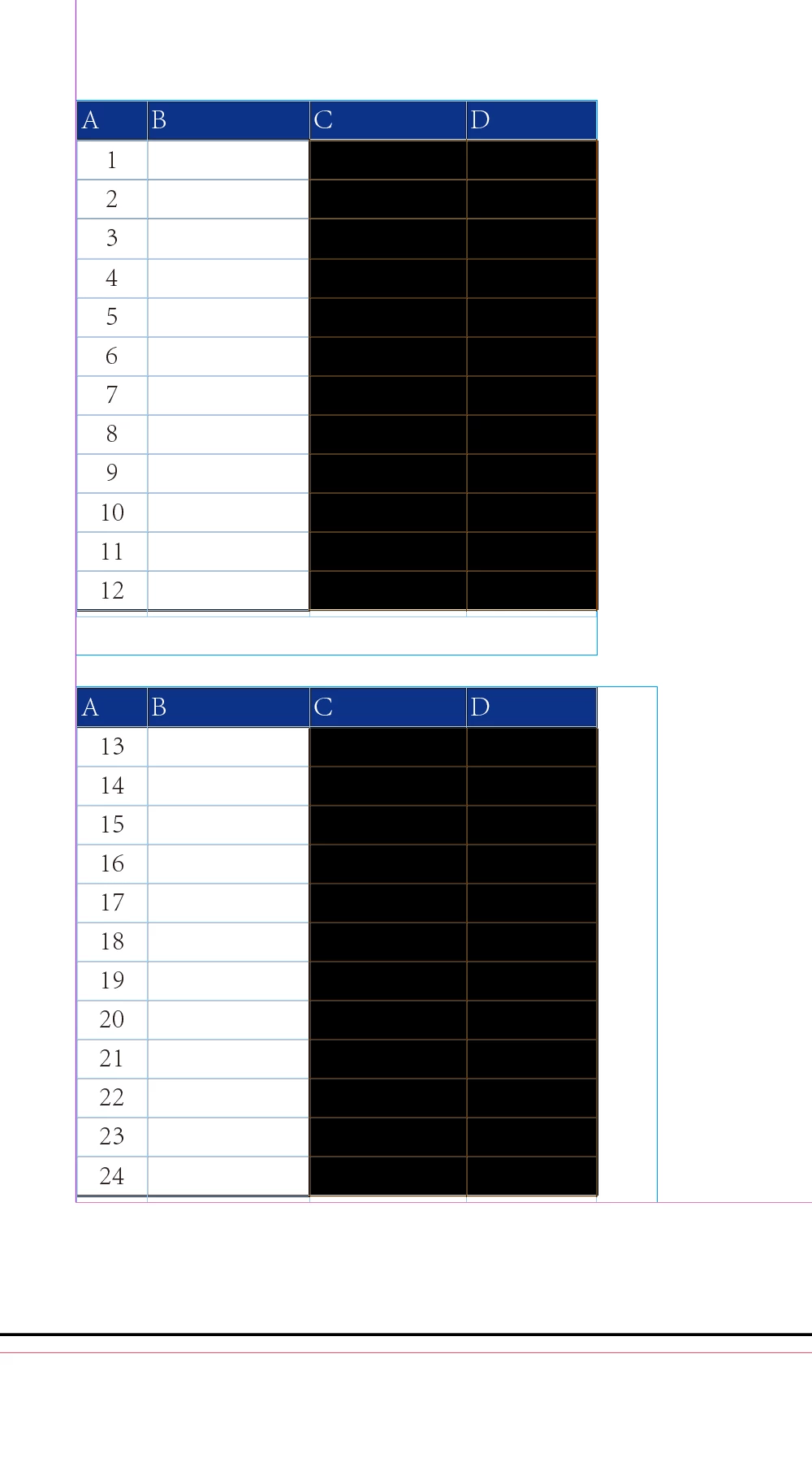
    But if I change the position of the text frames so they align vertically I get this:


    4 replies

    dublove
    dubloveAuthor
    Legend
    August 7, 2026

    The target I want to test can only be the selected multiple cells.
    It seems that if the contents of the cells are different, it won't work.


    rob day
    Community Expert
    Community Expert
    August 7, 2026

    Right that’s a good illustration of my point. The texts in the first column’s cells are centered and have different horizontal offsets.


    You might be able to write a conditional statement to handle different alignments, but then something else will come along and break it again. This would also break:


    rob day
    Community Expert
    rob dayCommunity ExpertCorrect answer
    Community Expert
    August 7, 2026

    Prerequisite: I have already selected cells from multiple columns


    Hi ​@dublove , This is another example of the problems you will run into when scripting selections. You have to test what the selection is, and there can be a lot of possible and unexpected variables—is it text, page item, image, table, cell, table inside of a cell, etc. etc.


    You could try something like this, which works on your sample:


    //this assumes selection[0] is [object Cell]
    var s = app.activeDocument.selection[0]
    var col = s.cells[0].parentColumn.cells

    for (var i = 1; i < col.length; i++){
    try {
    if (col[i].insertionPoints[0].horizontalOffset == col[0].insertionPoints[0].horizontalOffset) {
    col[i].select(SelectionOptions.ADD_TO)
    }
    }catch(e) {}
    };


    Result with your example:


    But if I change the position of the text frames so they align vertically I get this:


    dublove
    dubloveAuthor
    Legend
    August 7, 2026

    Hi rob day.

    Great, very little code with powerful features.
    The second situation you mentioned is unlikely to occur, so it can be ignored.
    The version that selected a single column seems quite complicated.

    Commenting out the conditions within try is another way of using it.


    Thank you very much.