
Known Participant
January 25, 2023
Answered

Is it possible to control where the story editor window opens on the screen?

  • January 25, 2023
  • 2 replies
  • 519 views

I use dual monitors with Indesign on the right and other programs on the left, which is my primary monitor. With Indesign, it seems whatever panel or window I'm using, if I close it and later reopen it, it will reopen at the on-screen location it was when it was last closed. Except for the Story Editor. The story editor always opens at the far-left top corner and I have to drag it back to my right monitor. Is there a way to specify or control where the story editor opens?
This topic has been closed for replies.
Correct answer rob day

Monitor and window bounds are tricky, but try this—edit the padding numbers at the top as needed :


var x = 50; //the window’s left padding 
var y = 25; //the window’s top padding
var bm = 100; //the window’s width
var w = 800; //the window’s bottom padding

setStoryWindow()

/**
* Set the bounds of the story editor window
* @ return void 
*/
function setStoryWindow(){
    if ($.screens.length < 2) {
        alert("There is only one display")
        return
    } 
    var sew;
    if (app.activeWindow.constructor.name  == "StoryWindow") {
        sew = app.activeWindow;
    } else {
        var se = app.menuActions.itemByID(119793)
        if(se.enabled){  
            se.invoke();  
            sew = app.activeWindow;
        }else {
            alert("Story Editor Not Available")
            return
        };
    }
    var wb = $.screens[1].top + bm;
    var wl = $.screens[1].left + x;
    var wt = $.screens[1].bottom - y;
    var wr = $.screens[1].left + x + w;
    sew.bounds = [wb, wl, wt, wr]
}


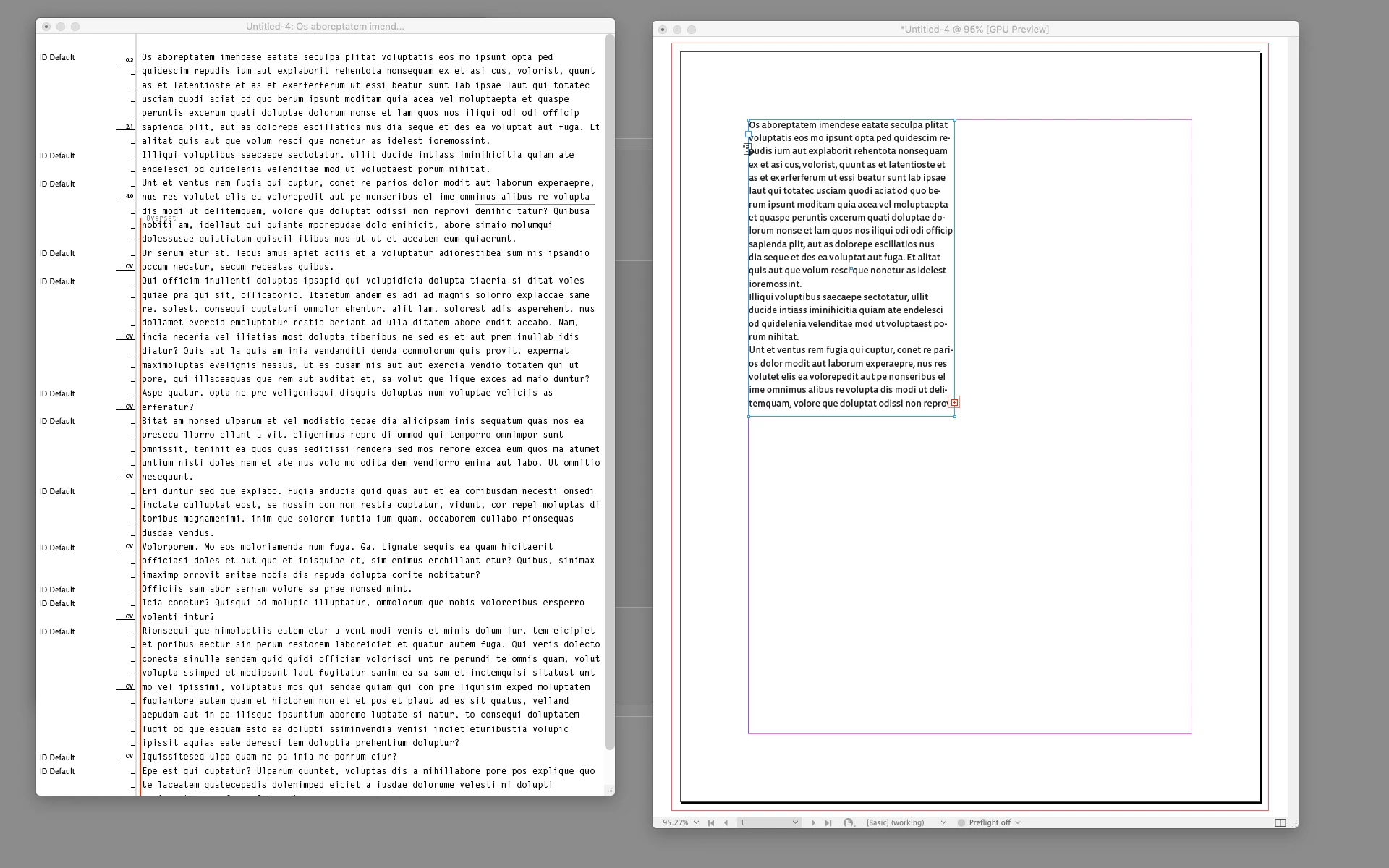
This is what I get on my 2nd display:


2 replies

Community Expert
January 26, 2023

I have dual monitor setup on my Mac - and it seems to be pot luck on what screen things show up on. I've given up trying to change it to default locations... 


I feel your pain!

rob day
Community Expert
Community Expert
January 25, 2023

Hi @defaultu0e43kqloi6n , The Story Editor window position could be scripted. If you want to try a scripted solution, I could post an example

Known Participant
January 25, 2023

Sure, that would be great thanks!

rob day
Community Expert
rob dayCommunity ExpertCorrect answer
Community Expert
January 26, 2023

Monitor and window bounds are tricky, but try this—edit the padding numbers at the top as needed :


var x = 50; //the window’s left padding 
var y = 25; //the window’s top padding
var bm = 100; //the window’s width
var w = 800; //the window’s bottom padding

setStoryWindow()

/**
* Set the bounds of the story editor window
* @ return void 
*/
function setStoryWindow(){
    if ($.screens.length < 2) {
        alert("There is only one display")
        return
    } 
    var sew;
    if (app.activeWindow.constructor.name  == "StoryWindow") {
        sew = app.activeWindow;
    } else {
        var se = app.menuActions.itemByID(119793)
        if(se.enabled){  
            se.invoke();  
            sew = app.activeWindow;
        }else {
            alert("Story Editor Not Available")
            return
        };
    }
    var wb = $.screens[1].top + bm;
    var wl = $.screens[1].left + x;
    var wt = $.screens[1].bottom - y;
    var wr = $.screens[1].left + x + w;
    sew.bounds = [wb, wl, wt, wr]
}


This is what I get on my 2nd display: