
Jacob USC
Participating Frequently
April 21, 2018
Answered

Is it possible to create captions that just have figure names?

  • April 21, 2018
  • 2 replies
  • 322 views

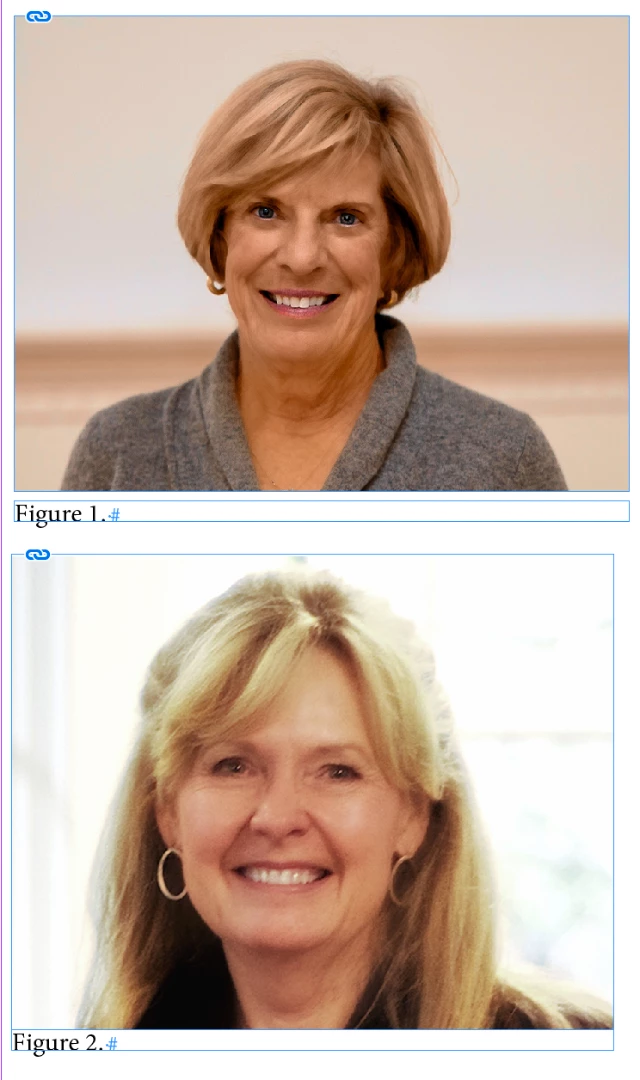
I am very new to InDesign, but I've figured out how to use paragraph styles to automatically generate "Figure 1, Figure 2, ..." for captioning images. What I can't figure out is how to create captions that just have the figure name without also adding the metadata. I suppose I could manually create text boxes for each image and then type the figure names in, but it seems like there must be a better solution. I just want my images to have a little box below them that says "Figure 1" etc.
    This topic has been closed for replies.
    Correct answer Barb Binder

    Hi Jacob:

    I just want my images to have a little box below them that says "Figure 1" etc.
    First I want to clarify the question... you are asking for figure numbers (i.e., Figure 1) to appear below the images and not the figure name (i.e. fox.psd)—is that correct?

    If so, yes you can do this with generated captions.

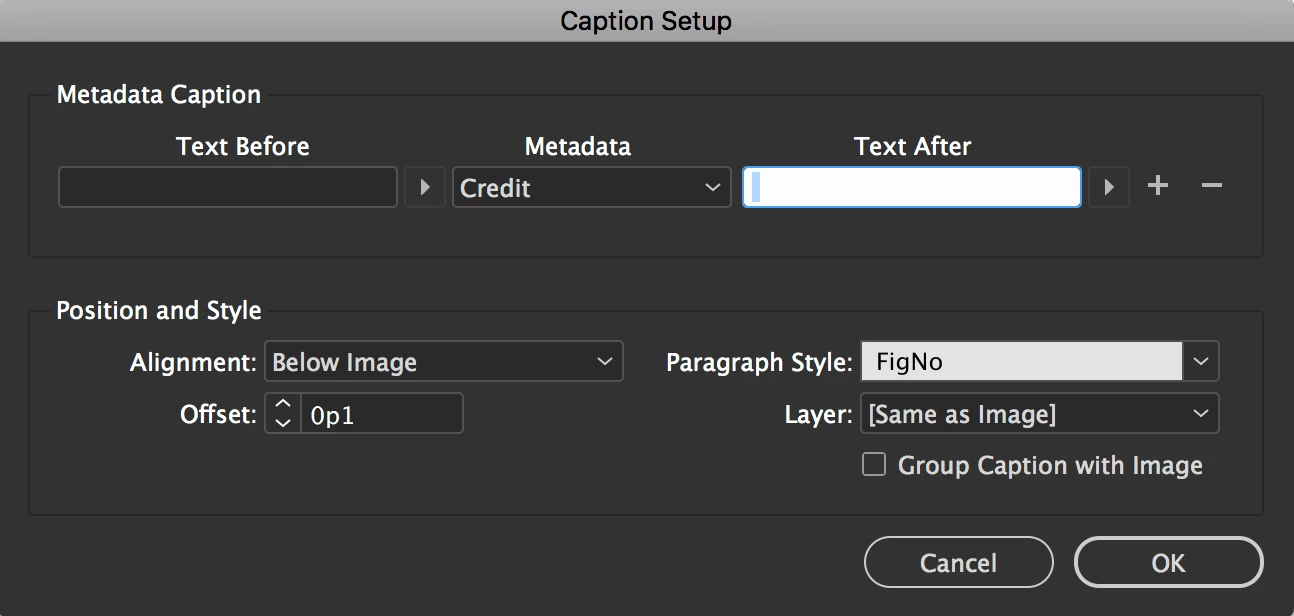
    1. The first trick is to understand a limitation of auto-numbering however. The numbers won't appear unless there is content on the line, even just a space. So to achieve this you will need to call in metadata without a value (i.e., Description or Credit as long as there is no metadata content) and add a space in the Text After field.

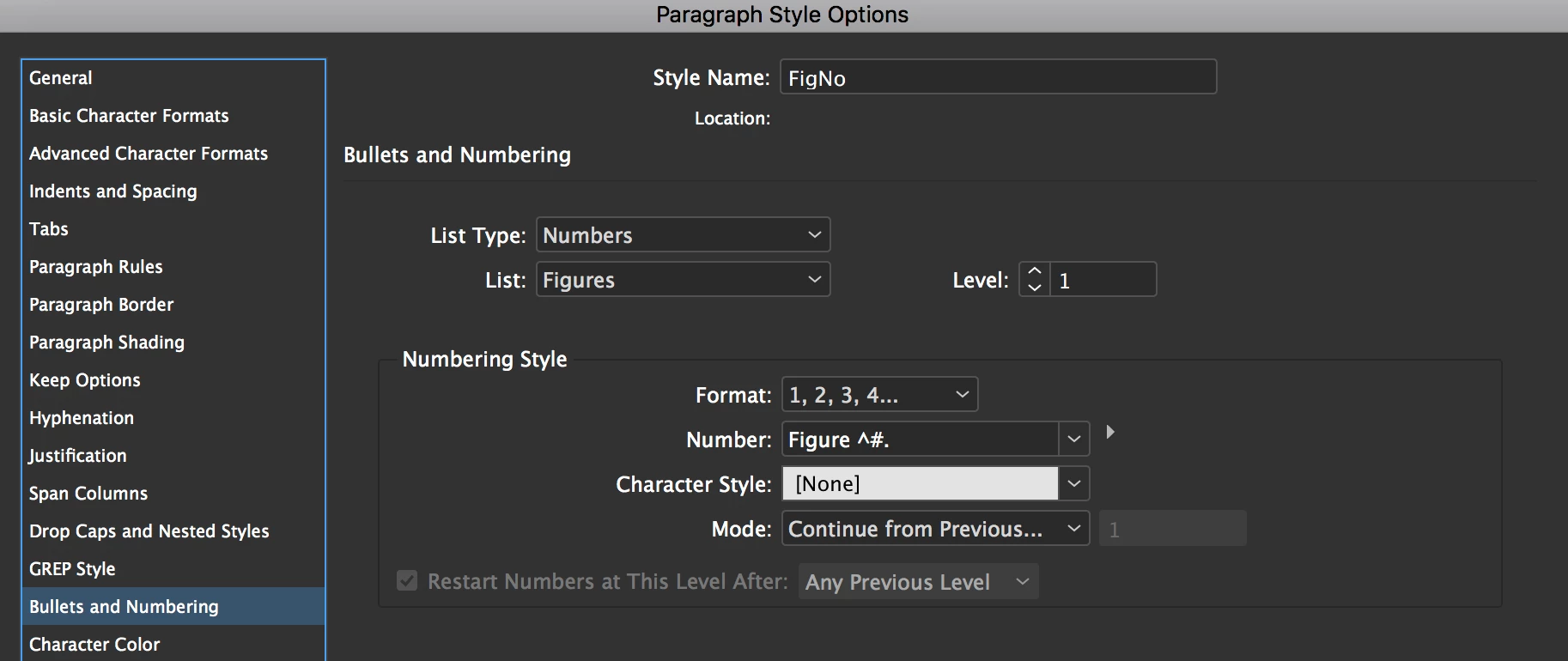
    2. When you set up your FigureNumber paragraph style, be sure to give it a List name (don't use Default) so that you can tell InDesign to increment the numbers across stories, because captions are generated in stand-alone (not threaded) frames.
    3. Finally, be sure to generate static captions—live captions will return an error when it finds the empty metadata field.

    ~Barb

    2 replies

    Barb Binder
    Community Expert
    Barb BinderCommunity ExpertCorrect answer
    Community Expert
    April 21, 2018

    Hi Jacob:

    I just want my images to have a little box below them that says "Figure 1" etc.

    First I want to clarify the question... you are asking for figure numbers (i.e., Figure 1) to appear below the images and not the figure name (i.e. fox.psd)—is that correct?

    If so, yes you can do this with generated captions.

    1. The first trick is to understand a limitation of auto-numbering however. The numbers won't appear unless there is content on the line, even just a space. So to achieve this you will need to call in metadata without a value (i.e., Description or Credit as long as there is no metadata content) and add a space in the Text After field.

    2. When you set up your FigureNumber paragraph style, be sure to give it a List name (don't use Default) so that you can tell InDesign to increment the numbers across stories, because captions are generated in stand-alone (not threaded) frames.
    3. Finally, be sure to generate static captions—live captions will return an error when it finds the empty metadata field.

    ~Barb

    ~Barb at Rocky Mountain Training
    amaarora
    Inspiring
    April 21, 2018

    Hi,

    Did you try and explore Captions in InDesign?Create captions in InDesign

    You can specify what data is present in a caption using the Caption Setup dialog box.

    -Aman