

dublove
Legend
March 22, 2025
Answered

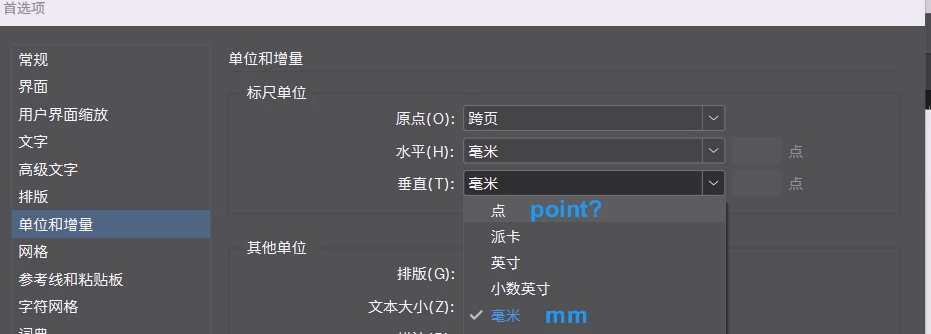
Is it possible to quickly switch between vertical point and millimeter units?

  • March 22, 2025
  • 1 reply
  • 190 views

I need to cut these two units often and frequently, is there a way to switch them quickly?

Because I'm used to using dots for line spacing, I have a need for dots for pre and post paragraph spacing, but I need to use millimeters elsewhere.

Just vertically.


It would be great to have two units to choose from in some places.
Correct answer Dave Creamer of IDEAS

Right click on the ruler. If you click where the two rulers meet, you'll change both units. If you click on just the vertical or horizontal ruler, you'll just change that unit. You can also override the unit by typing in the unit code such as PT for points and MM for millimeters.

1 reply

Dave Creamer of IDEAS
Community Expert
Dave Creamer of IDEASCommunity ExpertCorrect answer
Community Expert
March 22, 2025

Right click on the ruler. If you click where the two rulers meet, you'll change both units. If you click on just the vertical or horizontal ruler, you'll just change that unit. You can also override the unit by typing in the unit code such as PT for points and MM for millimeters.

David Creamer: Community Expert (ACI and ACE 1995-2023)
dublove
dubloveAuthor
Legend
March 22, 2025

Hi @Dave Creamer of IDEAS 

Thank you very much


All I know is right click on the horizontal scale ......
I'm stupidly dizzy.
Invincible.

. . . . . .