Inspiring
July 16, 2024
Answered

is .overflows property not working?

  • July 16, 2024
  • 4 replies
  • 1885 views

I am trying to determine if text frames or cells in a table have overset text using .overflows. I was under the impression that a table overflow could be determined using table.overflow, but it seems to give me unexpected results. Is it possible that this property is no longer reliable, or perhaps it is not capable of checking overflow in the celluar level? I am using UXP with the InDesign DOM.

This topic has been closed for replies.
Correct answer MahmoodTheDoom

I think I was under the impression that I could use textframe.overflows to determine if a table had overset text.


I can‘t help with UXP, but with JS, the cell itself can have an overflow, or it can contain a textframe with an overflow. Here‘s a JS example:


var c = app.documents[0].stories.everyItem().tables.everyItem().cells.everyItem().getElements()

var s = "Overflows:\r"
for (var i = 0; i < c.length; i++){
    //true if the cell itself has a text overflow
    if (c[i].overflows) {
        s+="Cell " + c[i].index + " has overflow text\r"
    } 
    //true if the cell contains a text frame
    if (c[i].textFrames.length) {
        //true if the text frame has an overflow
        if (c[i].textFrames[0].overflows) {
            s+="Cell " + c[i].index + " contains a text frame with overflow text\r"
        } 
    } 
};   
alert(s)


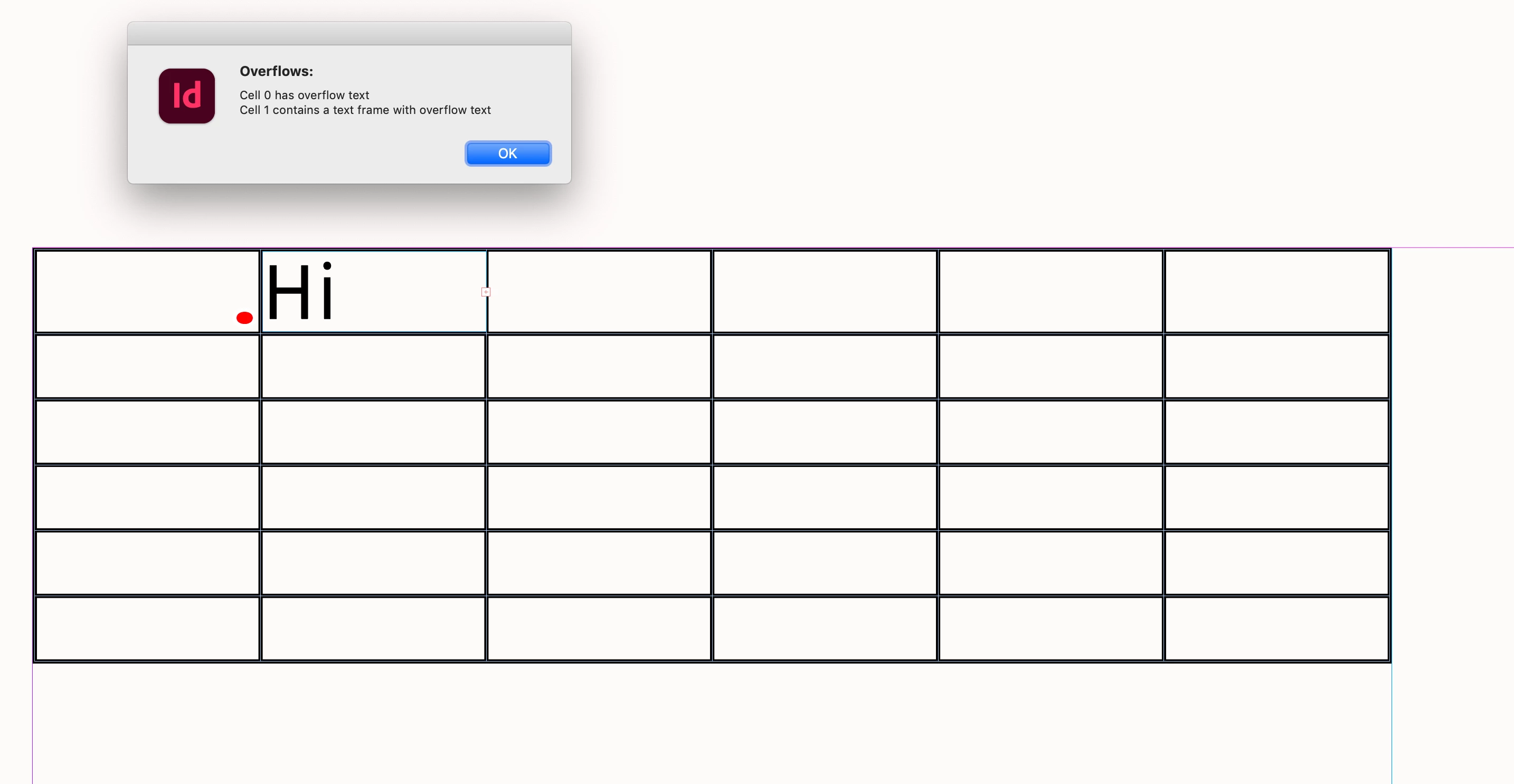
Here the first cell has an overflow, and the 2nd cell has a text frame with an overflow.

I have to check if there are text frames in the cells:

Gotcha, okay so it seems that there is no way to check if any cell on a table has overflow without checking each cell's overflow property. Otherwise, you are checking the overflow of the text frame, which is not quite the same scenario. Alright, that makes sense. Thank you for clarifying. 

4 replies

Community Expert
July 18, 2024

Hi @MahmoodTheDoom ,

be aware, that there is another kind of visual indicator that an "overflow" will very likely occur if you add contents with e.g. cell.contents = "String" to a table's text cell. The end of story marker is not showing when the cell is on fixed height and the point size of the first insertion point exceeds a certain value:


Regards,
Uwe Laubender
( Adobe Community Expert )


Inspiring
July 18, 2024

Very good point! We currently utilize these indications, but we wanted to create a script that could easily check all tables in case someone missed a text frame 🙂 

Robert at ID-Tasker
Legend
July 18, 2024
quote

Very good point! We currently utilize these indications, but we wanted to create a script that could easily check all tables in case someone missed a text frame 🙂 


By @MahmoodTheDoom


You can use Preflight for that:


2nd cell has a TF inside - 3rd has a text bigger than available height - but there is a red dot - to the contrary of what @Laubender suggested? 


rob day
Community Expert
Community Expert
July 17, 2024

Hi @MahmoodTheDoom , Are you sure there are no text frames nested in the cells? With JavaScript the first cell in this table returns .overflows as true, but the 2nd cell returns false because the overflow is in a textframe pasted into the cell, not the cell itself:


Inspiring
July 17, 2024

I think I was under the impression that I could use textframe.overflows to determine if a table had overset text. That does not seem to be the case after testing this property a bit. If I had a table with cells that could have overset text, the only way to determine that is to loop through each cell and check the cell.overflows property. Is that correct? 

I tried using the story, but that does not seem to work. 

rob day
Community Expert
Community Expert
July 17, 2024

I think I was under the impression that I could use textframe.overflows to determine if a table had overset text.


I can‘t help with UXP, but with JS, the cell itself can have an overflow, or it can contain a textframe with an overflow. Here‘s a JS example:


var c = app.documents[0].stories.everyItem().tables.everyItem().cells.everyItem().getElements()

var s = "Overflows:\r"
for (var i = 0; i < c.length; i++){
    //true if the cell itself has a text overflow
    if (c[i].overflows) {
        s+="Cell " + c[i].index + " has overflow text\r"
    } 
    //true if the cell contains a text frame
    if (c[i].textFrames.length) {
        //true if the text frame has an overflow
        if (c[i].textFrames[0].overflows) {
            s+="Cell " + c[i].index + " contains a text frame with overflow text\r"
        } 
    } 
};   
alert(s)


Here the first cell has an overflow, and the 2nd cell has a text frame with an overflow.

I have to check if there are text frames in the cells:

Inspiring
July 17, 2024

Sometimes it helps to check with “properties”, e.g.


Cell.properites.overflows


or using

Cell.recompose() 


Robert at ID-Tasker
Legend
July 16, 2024

What do you see in the InDesign

