


Is the "anchored position reference point" exposed to scripting?
I am lost in the weeds in my scripting project, and can't figure out how to handle anchored objects when I am mirror-reversing a document when working on a translation from English into a right-to-left language. I'm receiving these documents in which form fields are anchored to the text flow and are custom-positioned relative to the anchor marker. So, if I take my Arabic translation and reverse paragraph direction, then all I have to do to get the anchored objects to align correctly is to change the reference points, like so:
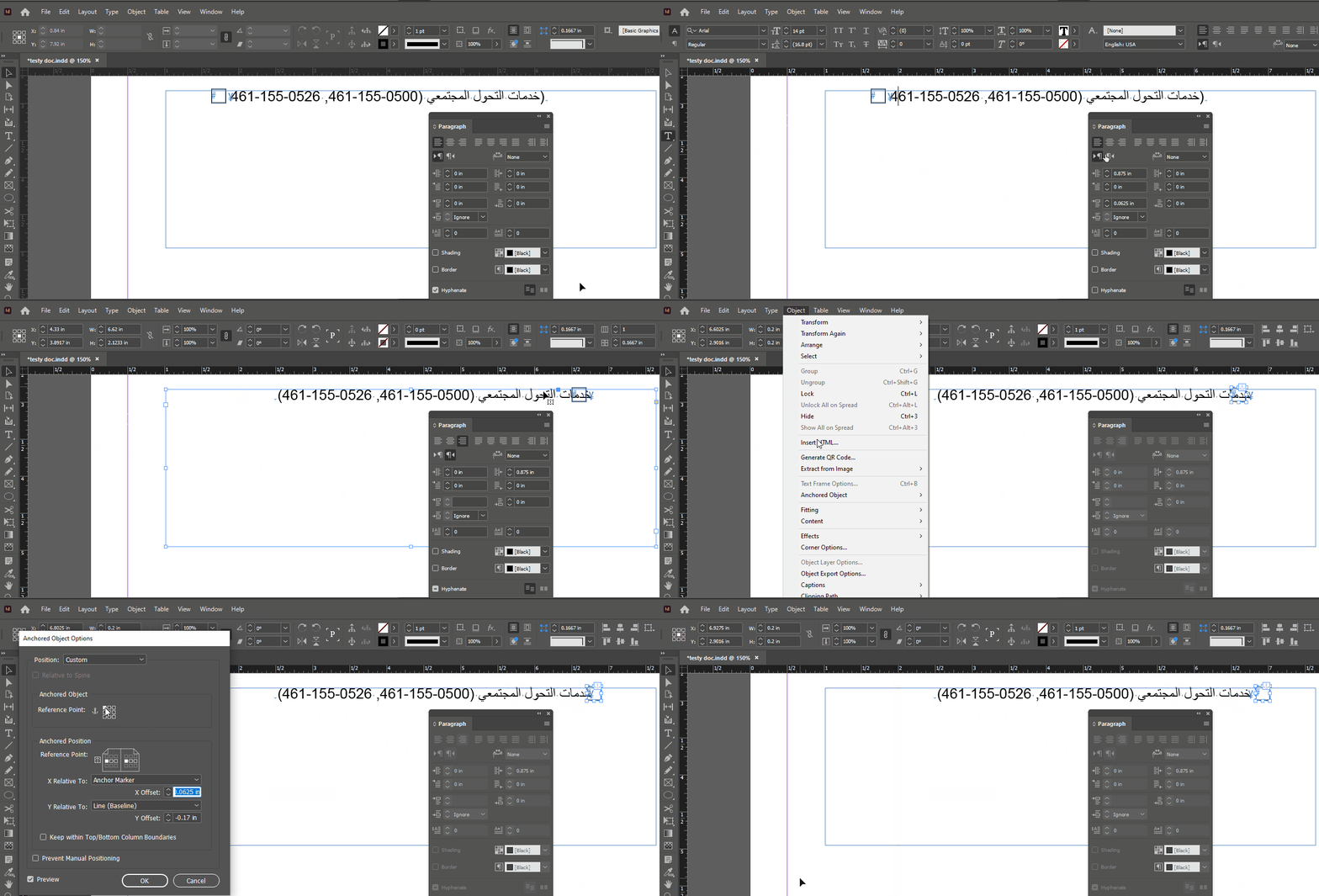
In my script, I can get at the "Anchored Object Reference Point" with
foundObjects[i].anchoredObjectSettings.anchorPoint = AnchorPoint.TOP_LEFT_ANCHOR;Eventually, instead of just setting 'em all to TOP LEFT, I will check the current anchor point on each object and do a lookup to pick the opposite, knowing that not all of my anchored objects will always start with a top right anchor like they do in this particular doc I'm working on.
BUT: for the life of me I can't find a way to affect the "Anchored Position Reference Point." Can any of you fine folks tell me if it's exposed to scripting or otherwise? I've looked at the object model and can't find any reference to it.
Also, all you wonderful helpful scripting folks: Please please please don't just write a complete script and post it! I mean, thanks! a lot!, but... I'm over here trying to boostrap myself out of being a cargo cult coder. Deliveries of cargo won't help me quit the cult.


 AdChoices