

dublove
Legend
July 2, 2024
Question

Is there a function: forcibly clear the "priority option" before the application style.

  • July 2, 2024
  • 3 replies
  • 250 views

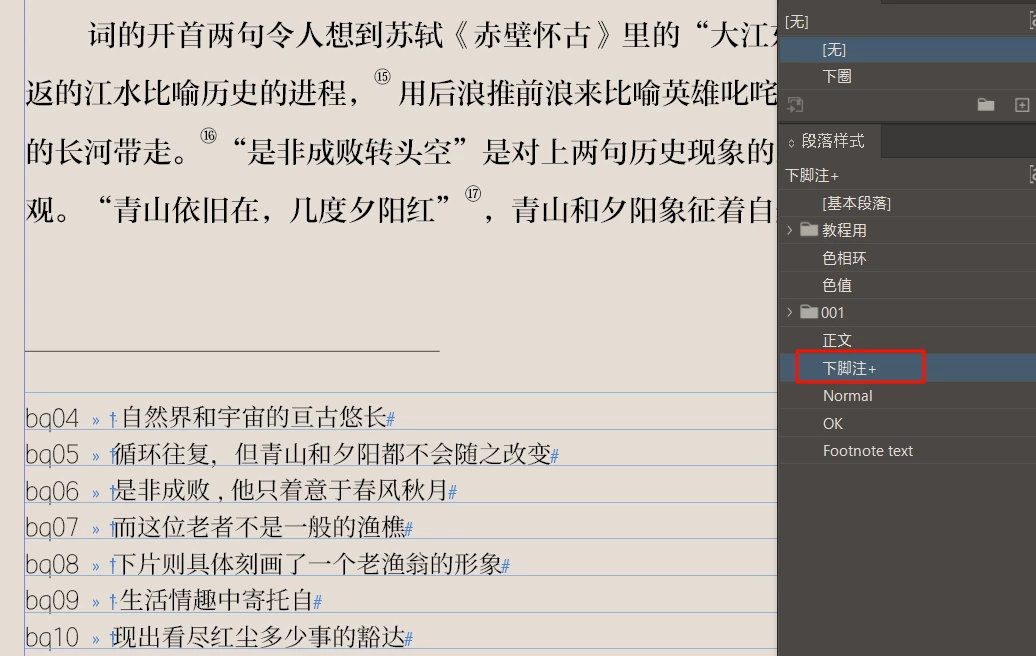
Is there a function: forcibly clear the "priority option" before the application style.
I set a footnote to use A font. Although the style was applied after importing, it still displayed "+", the font is still B font.
This topic has been closed for replies.

3 replies

pixxxelschubser
Community Expert
Community Expert
July 2, 2024

What the others have already said.


BTW: It would be better to delete the unnecessary indent to the here characters and the partially superfluous spaces. These are just annoying and are not needed at all.

James Gifford—NitroPress
Legend
July 2, 2024

This is common when importing from Word documents; a general solution is to NOT use any spot formatting in the source document, and thoroughly map all imported styles at the time of Place/import, using the Import Options menu.


It is rare not to need some style cleanup after an import unless the source document formatting is perfect and the import mapping is complete.

dublove
dubloveAuthor
Legend
July 3, 2024

The style mapping is a bit slow to operate.
There should be an option "Clear Priority Before Application Style".
I seem to have seen this option.

Robert at ID-Tasker
Legend
July 2, 2024

Alt + click on the style will clear all overrides - for the selected text / Paragraph. 


If you want to clear all overrides globally in the document - for a particular style - you need to perform Find&Change this style on itself - you leave Find / Change fields EMPTY - just style on itself.