dublove
Legend
October 2, 2026
Question

Is there a script that can package and collect composite fonts?

  • October 2, 2026
  • 2 replies
  • 29 views

Hello everyone.

This composite font is really confusing, I can't collect it, nor can I take it away.
There used to be a script that didn't seem to work with compound fonts. Has anyone really researched it?

https://community.adobe.com/questions-671/font-packaging-script-error-in-indesign-892434

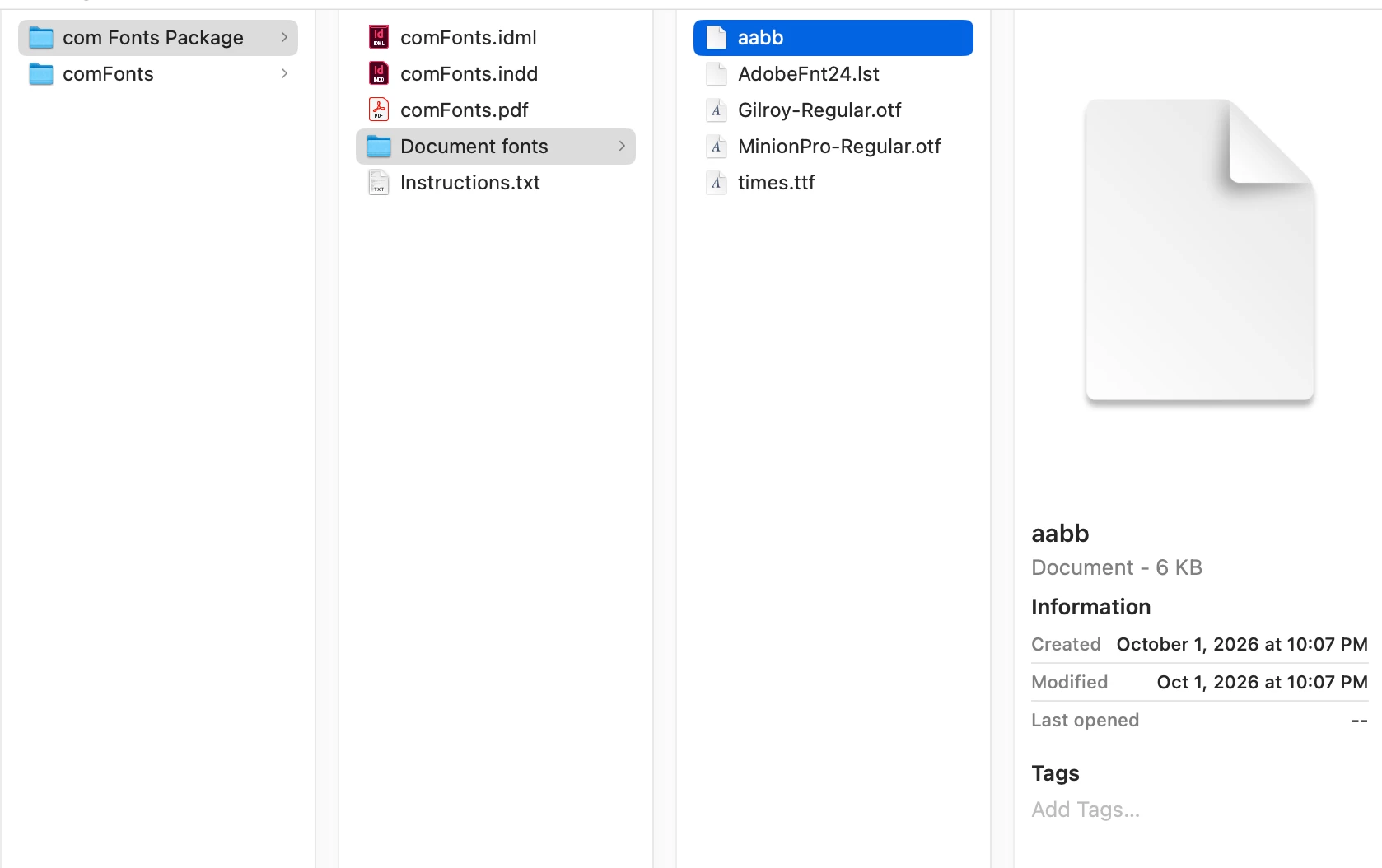
For example, can you collect the fonts in the document below into the Document fonts directory?
Sometimes packaging can be collected, but sometimes packaging is not ineffective for many fonts.

    2 replies

    Community Expert
    October 2, 2026

    Yes, but there's an important difference between a normal font and a composite font.

    A composite font isn't really a font file. It's a definition that tells InDesign which actual fonts to use for particular character ranges. So a script which simply loops through `doc.fonts` and copies each font's `.location`, like the script in the older thread, isn't really sufficient for composite fonts.

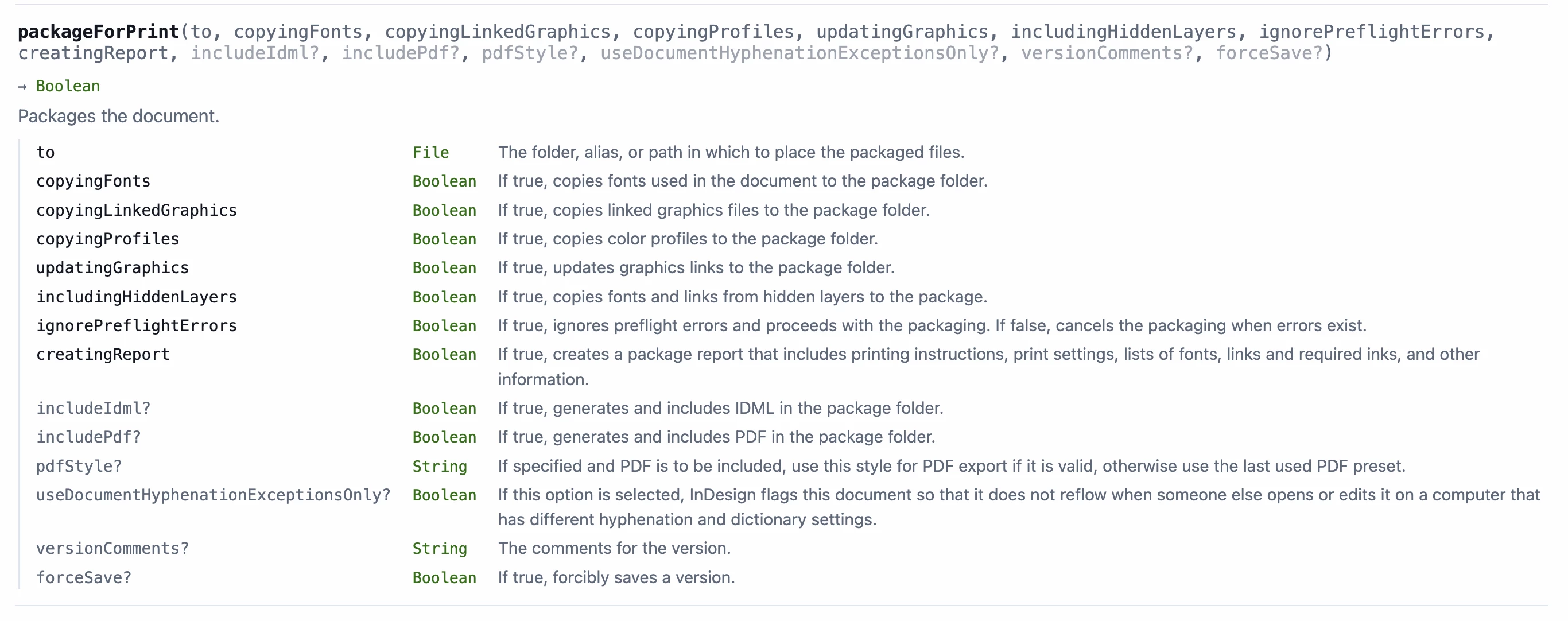
    InDesign does expose composite fonts to scripting through `document.compositeFonts`, and each composite font has `compositeFontEntries`. Each entry contains the applied font and font style, so in principle a script can walk through the composite font, find every component font, resolve the actual font file and copy those files.

    There is also now a Composite Fonts script by Peter Kahrel:

    https://creativepro.com/composite-fonts/

    Peter notes that when a document containing composite fonts is packaged, the composite fonts are included in the package.

    I'd therefore try InDesign's native Package command first rather than a script that manually copies `font.location`. A script can also call `document.packageForPrint()` with font copying enabled.

    The other thing to remember is that the composite-font definition itself is separate from the actual OpenType/TrueType font files. InDesign stores composite-font definitions in its `CompositeFont` preferences folder.

    So, if the requirement is to make a completely portable package, I think the safest approach would be:

    1. Let InDesign package the document normally.
    2. Check the component fonts referenced by each `compositeFontEntry`.
    3. Verify that every component font exists in Document Fonts.
    4. Also preserve the composite-font definition.

    Fonts which cannot legally or technically be copied may still be skipped, so no script should blindly assume that every `.location` can be copied.

    It would certainly be possible to write a script specifically for this which reports the composite font, all of its component fonts, their file locations, and whether each one was successfully collected.

    dublove
    dubloveAuthor
    Legend
    October 2, 2026

    Hi ​@Eugene Tyson .

    Is this script for packaging composite fonts or managing composite fonts?
    I tried it, but there seems to be no response.