

dublove
Legend
March 26, 2014
Question

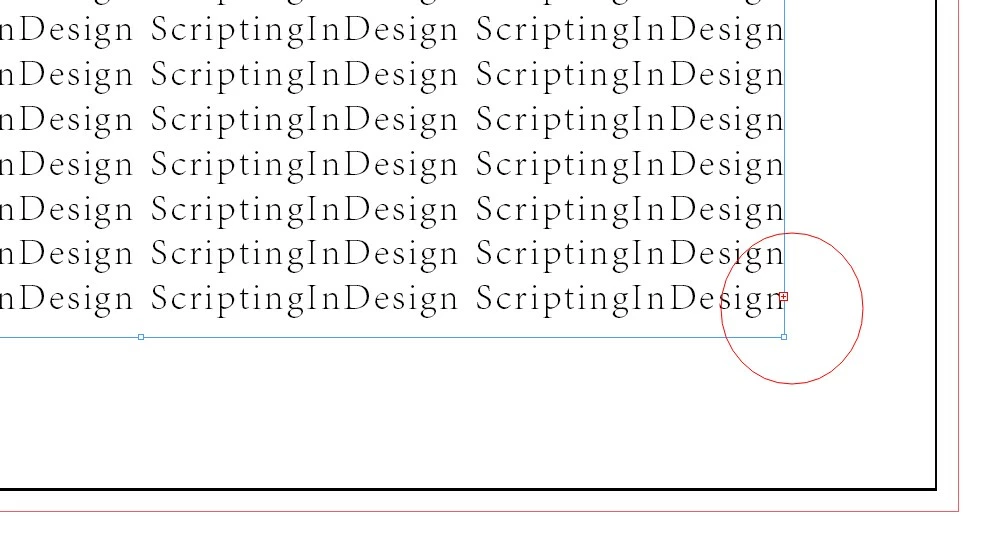
Is there a script that it can make Overflow text automatically routed Next?(Not the main text frame)

  • March 26, 2014
  • 2 replies
  • 1406 views

Is there a script that it can make Overflow text automatically routed Next?(Not the main text frame)

when I run the scrip,Overflow text can auto Typesetting to the next page?

thankS Supreme~
2 replies

Inspiring
April 7, 2014

Here's the script I use. Notice the complications getting the live area when other than rulers per spread is employed. The script automatically selects the final selection point in the story and moves to that page in the active window.

//DESCRIPTION: Autoflow selected overset story

(function(){

          if (app.documents.length > 0

                              && app.selection.length == 1

                              && app.selection[0].hasOwnProperty("parentStory")

                              && app.selection[0].parentStory.overflows) {

                    app.doScript(fixOverset, undefined, app.selection[0].parentStory, UndoModes.entireScript, "Fix Overset");

          } else {

                    alert("There must be a selection that identifies the overset story.");

          }

          function fixOverset(story) {

                    while (story.overflows) {

                              var aDoc = story.parent;

                              var lastTF = story.textContainers.pop();

                              var lastPage = lastTF.parentPage;

                              if (lastPage instanceof Page == false) {

                                        alert("Story ends on pasteboard; no action taken.");

                                        return;

                              }

                              var master = lastPage.appliedMaster;

                              var newPage = aDoc.pages.add(LocationOptions.after, lastPage);

                              newPage.appliedMaster = master; // may not be necessary

                              var liveArea = getLiveBounds(newPage);

                              var newTF = newPage.textFrames.add({geometricBounds : liveArea, layer : lastTF.itemLayer});

                              newTF.previousTextFrame = lastTF;

                              if (newTF.insertionPoints.length == 0

                                                  && lastTF.insertionPoints.length == 0) {

                                        // allows for paragraph style with startParagraph on specific page side

                                        alert("Story is permanently overset.");

                                        return;

                              }

                    }

                    selectIt(story.insertionPoints[-1]);

          }

          function getLiveBounds(page) {

                    var rO = page.parent.parent.viewPreferences.rulerOrigin;

                    var bounds = page.bounds;

                    if (rO == RulerOrigin.spreadOrigin) return returnBounds(page, bounds);

                    var width = bounds[3] - bounds[1];

                    if (rO == RulerOrigin.spineOrigin &&

                                        (page.side == PageSideOptions.leftHand ||

                                                  (page.side == PageSideOptions.rightHand &&

                                                            page.parent.pages.length > 1)) ||

                              (rO == RulerOrigin.pageOrigin &&

                                        page.side == PageSideOptions.rightHand &&

                                                  page.parent.pages.length > 1)) {

                                        bounds[1] = bounds[1] - width;

                                        bounds[3] = bounds[3] - width;

                    }

                    return returnBounds(page, bounds);

                    function returnBounds(page, bounds) {

                              return [

                                        page.marginPreferences.top,

                                        page.side == PageSideOptions.leftHand ?

                                                  bounds[1] + page.marginPreferences.right :

                                                  bounds[1] + page.marginPreferences.left,

                                        bounds[2] - page.marginPreferences.bottom,

                                        page.side == PageSideOptions.leftHand ?

                                                  bounds[3] - page.marginPreferences.left :

                                                  bounds[3] - page.marginPreferences.right

                              ] ;

                    }

          }

           function selectIt(theObj) {

                    var myZoom = app.activeWindow.zoomPercentage;

                    app.select(theObj);

                    app.activeWindow.zoom(ZoomOptions.fitPage);

                    app.activeWindow.zoomPercentage = myZoom;

           }

}())

dublove
dubloveAuthor
Legend
April 8, 2014

Hi Dave Saunders~

Thank you very much

Why are you so amazing~ very very great

It is very good,only, If there has been a blank page,Do not add a blank page

Luis_Fernando_Brito
Participating Frequently
March 28, 2014

The code below checks the frames with excess per page and the id of the frame.

var myDoc = app.documents[0];

var myPages = myDoc.pages;

for (var i = 0; i < myPages.length; i++) {

    var myPage = myDoc.pages.item(i) ;

    var myFrame= myPage.textFrames;

    for (var m = 0; m < myFrame.length; m++) {

        if ( myFrame.item(m).overflows ) {

            alert("Overflow TextFrame ID: " + myFrame.item(m).id + "\npage: " + myPage.name );

        }   

    };

};

dublove
dubloveAuthor
Legend
March 29, 2014

Hi  Luis Fernando Brito,thank you for Positiving reply.

But this is not my I I need,It  Should be able to Typesetting to the next page

Stefan Rakete
Inspiring
April 7, 2014

Have you looked into the feature "Smart Text Reflow" in the preferences panel ?

Thanks Stefan