
Participant
September 10, 2023
Question

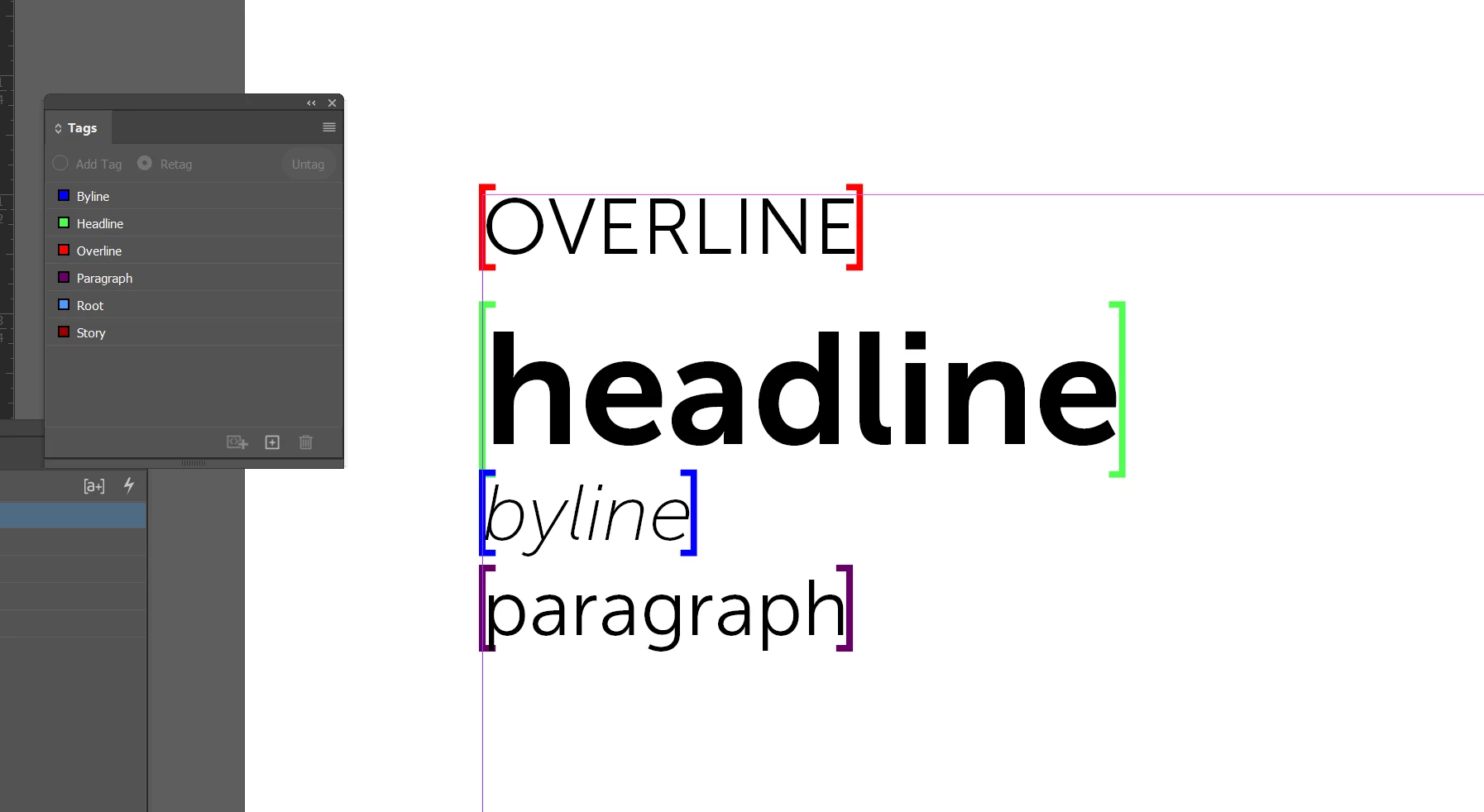
Is there a way to export a PDF that displays the invisible tags?

  • September 10, 2023
  • 3 replies
  • 266 views

See the below screenshot. 

I work in an industry that requires me to put temporary tags around URLs, telephone numbers, and dollar amounts that may change before the document is finalized. Currently, my team adds actual brackets around these items, which impacts the content itself (i.e., content re-rags, text no longer fits in a box or a line, etc.) As I am explore the built in Tags functionality, my hope is that I will be able to tag these elements, export and display them within the PDF for regulatory and compliance purposes, and then ditch the tags for final output (print). Is this possible? If not, are there any thoughts on how else I might 'tag' my content in a way that doesn't actually disrupt the content?
This topic has been closed for replies.

3 replies

Joel Cherney
Community Expert
Community Expert
September 11, 2023

I can see two possible hitches with using the Tags functionality for your purposes:


export and display them within the PDF for regulatory and compliance purposes


1) I'd be concerned about filling my PDF with tags (which I have only encountered in XML-driven workflows) if I worked in an industry where regulatory compliance was important. I mean, you haven't given us any really meaty clues about your industry, but I personally do a lot of PHI handling, as well as a bunch of accessibility remediation, and I would be quite concerned about my stray XML tags popping up in places where it conflicted with workflows downstream of my own workstation. 


2) Furthermore I don't think these tags will ever display onscreen in PDF. I've not tried at all to get 'em to display, but I think it'd be along the lines of getting hidden characters to display in PDF (impossible without some severe workaround, like a custom-made font)


In the past, I've used solutions not dissimilar to what Robert suggests, although I prefer to have my marker character styles be completely devoid of formatting. If I need to see all of the byline text while I'm working, I can temporarily change its character color, and then reset the style to base when I'm finished. 


Robert at ID-Tasker
Legend
September 10, 2023

CharStyle - with underline, strike through, stroke, different fill color, etc. 


James Gifford—NitroPress
Legend
September 10, 2023

Conditional text?


Use it to un/hide the brackets. Or, a bit trickier but perhaps simpler to implement and manage, use one condition to apply a tinted overlay, then switch that off. If the text is tagged as Unconditional or a special Keep tag as well, it would remain visible without the highlight. And you can create condition groups to make it a simple A/B change regardless of how many tags/colors you use.