Participant
March 20, 2019
Question

Is there a way to specify how scripts place images?

  • March 20, 2019
  • 1 reply
  • 278 views

I'm working on a new product that utilizes HP's Indigo Printer. Because the printer only uses one size of paper, if we can fit multiple projects on one sheet of paper we can print much more economically and save our clients a lot of money. I know how to use scripts to place multiple images on separate pages but as far as I know, there's no way to specify that they need to be placed differently on a left page as opposed to a right page.

I need a script that would allow me to, for example, specify left justification on a left page, and right justification on the right page. This way when the paper is printed on the opposite side the positioning

is correct.

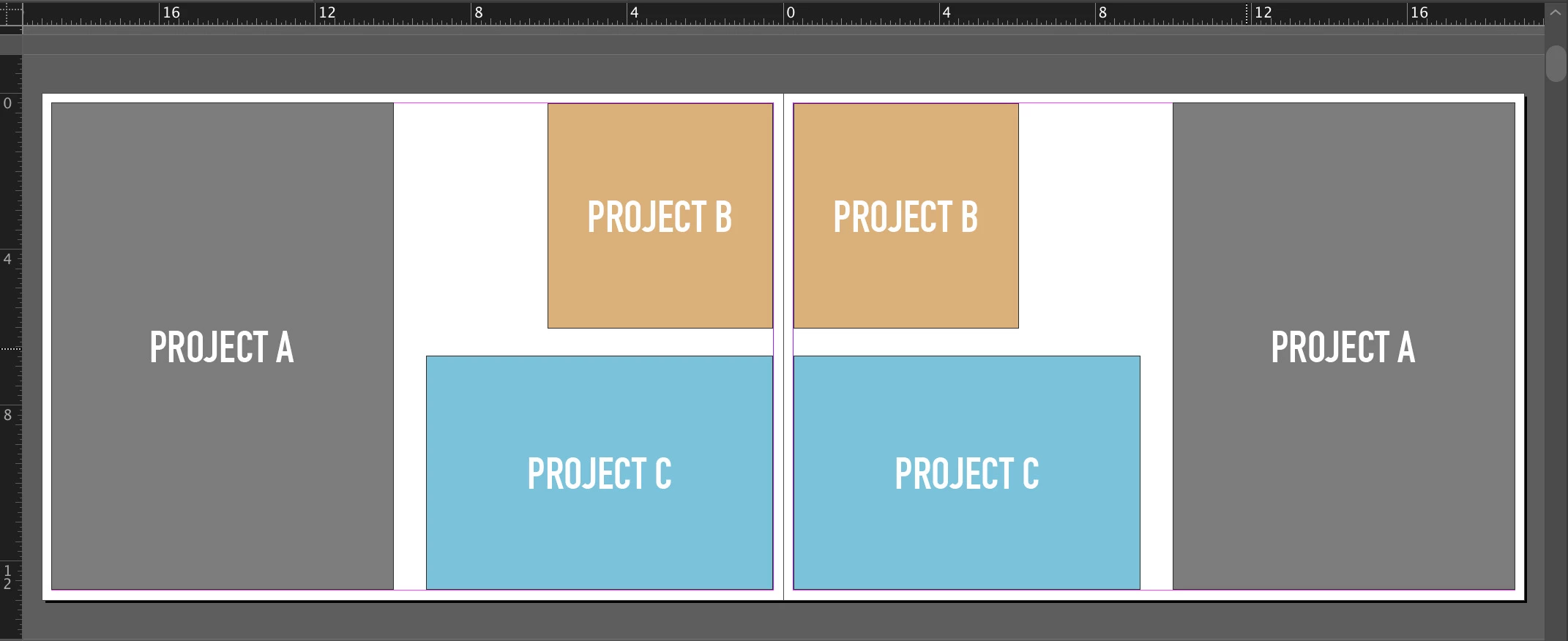
Ideally, I need a way to just specify an exact placement for each page, left and right, so that I can easily layout multiple projects on a page, like the image I attached.

Any help or direction would be greatly appreciated!
This topic has been closed for replies.

1 reply

rob day
Community Expert
Community Expert
March 20, 2019

You’ll get more answers in the Scripting forum InDesign Scripting

You can check what side of the spread a page is on with the side property:

for(i = 0; i < app.activeDocument.spreads.length; i++){

    var docSpread = app.activeDocument.spreads;


    for(j = 0; j < docSpread.pages.length; j++){


        //Page is to the right of the spine

        if (docSpread.pages.side == PageSideOptions.RIGHT_HAND){

            $.writeln("Page Number: " + (docSpread.pages.documentOffset + 1))

        }


        //Page is to the left of the spine

        if (docSpread.pages.side == PageSideOptions.LEFT_HAND){

            $.writeln("Page Number: " + (docSpread.pages.documentOffset + 1))

        }

    }

}

Participant
March 20, 2019

Thanks so much. New to the forum. I'll repost over there! I appreciate your help!