

kyriosity
Inspiring
June 9, 2020
Pregunta

Is there any other way of recovering this file?

  • June 9, 2020
  • 2 respuestas
  • 529 visualizaciones

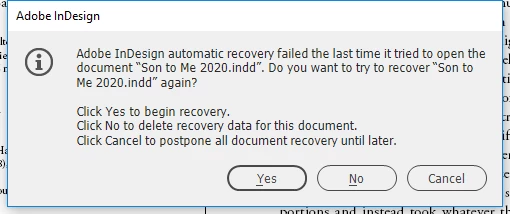
At about 7:30 this evening, InDesign froze solid enough that I had to power down my laptop to get out of it. Now it won't recover the file I was working on. The latest save timestamp on the file is 4:13 this afternoon. I'd sure rather not have to redo that three hours of work (or the hour I did earlier in the day, if the file is completely irrecoverable). Now every time I try to open ID, it opens up the old version of the file as an untitled document and freezes trying to recover this one. Anything else I can try?
 

Este tema ha sido cerrado para respuestas.

2 respuestas

Community Expert
June 9, 2020

Email the file to Adobe they will try an recover it

corrupt_indesign_docs@adobe.com

I am not sure how soon you will get a revert back from Adobe. If you need a paid service you can contact Markzware at the following

https://markzware.com/products/file-recovery-service/


-Manan

-Manan
kyriosity
Inspiring
June 9, 2020

I have the version from 4:13 this afternoon. Would that have the recovery data included in it?

Scott Falkner
Community Expert
Community Expert
June 9, 2020

Do you have a backup? If you use Backblaze there is a backup you can download. If you keep your WIP in Dropbox you can recover an older version there.

kyriosity
Inspiring
July 7, 2020

Good thought, but in this case it probably wouldn't help. This was a really old book file that I was asked to update, and any version of the file would have the same issues. For some reason it happens with almost every old ID file I work with.