



dublove
Legend
July 8, 2024
Question

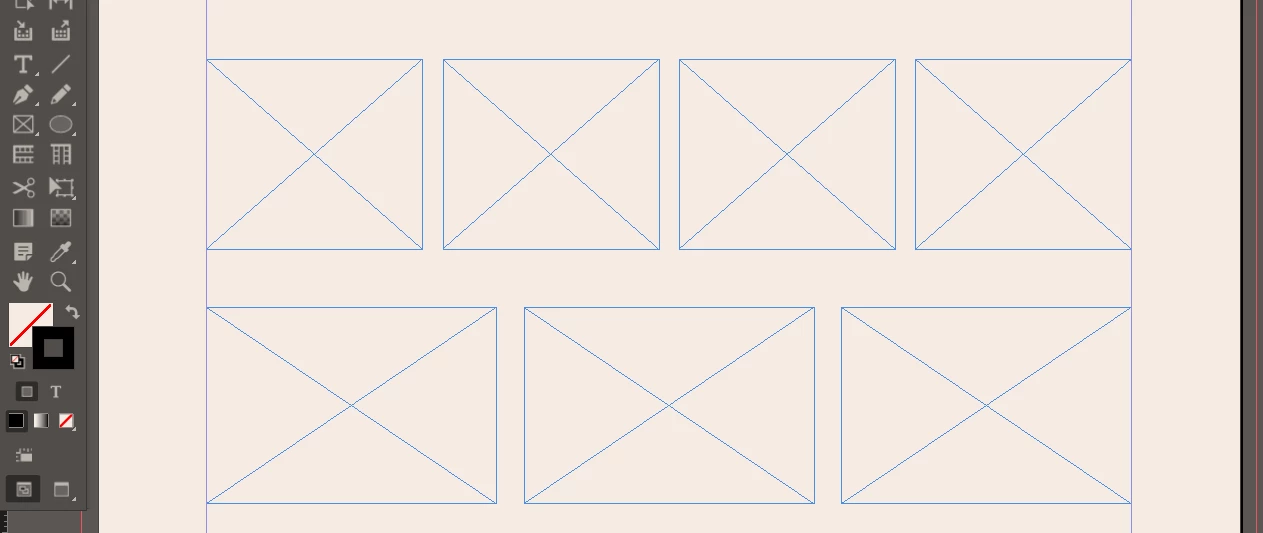
Is there any script that can quickly generate three or four text frameworks in the type area?

  • July 8, 2024
  • 4 replies
  • 1124 views

Is there any script that can quickly generate three or four text frameworks in the type area?

It is hoped that it is just full of the version of the heart, the spacing and height can be customized, and the width is determined by the quantity.

There are horizontal or vertical arrangements.
 

This topic has been closed for replies.

4 replies

m1b
Community Expert
Community Expert
July 11, 2024

Hi @dublove, I've written a script similar to what you want. I know it probably isn't exactly what you want but maybe it is still useful to you. Select some page items and run it and it will show a UI. Sorry it is long, but I wanted to experiment with some things so there are things you don't necessarily need. This can work with image frames or text frames—actually most DOM objects probably work with it. It can space them horizontally or vertically.

- Mark

/**
 * @file Arrange Items.js
 *
 * Arranges the selected items to space
 * them out across the page using margins
 * with an optional gap between.
 *
 * Notes:
 * - currently script only works in points.
 * - script will decide to space them
 *   horizontally or vertically based on the
 *   initial arrangement of the items.
 * - if `doNotScale` is used, then script
 *   will just space the items to the margins
 *   without scaling them.
 *
 * CAUTION: script is not well tested!
 *
 * @author m1b
 * @version 2024-07-12
 */
function main() {

    var settings = {
        gap: 15,
        doNotScale: false,
        showUI: true,
    };

    app.scriptPreferences.measurementUnit = MeasurementUnits.POINTS;

    var doc = app.activeDocument;
    settings.doc = doc;
    settings.items = doc.selection;

    if (
        !settings.items
        || 0 === settings.items.length
        || !settings.items[0].hasOwnProperty('parentPage')
    )
        return alert('Please select some items and try again.');

    // set margins to match page
    resetSettingsToPageMargins(settings);

    if (undefined == settings.isVertical)
        settings.isVertical = arrangementIsVertical(settings.items);

    if (settings.showUI) {

        var result = ui(settings);

        if (2 === result)
            // user cancelled
            return;

        if (undefined != settings.cleanup) {
            settings.cleanup();
            delete settings.cleanup;
        }

    }

    if (!settings)
        // user cancelled
        return;

    arrangeItems(settings);

};
app.doScript(main, ScriptLanguage.JAVASCRIPT, undefined, UndoModes.ENTIRE_SCRIPT, 'Arrange Items');

/**
 * Space items between margins.
 * @author m1b
 * @version 2024-07-11
 * @param {Object} options
 * @param {Array<PageItem>} options.items - an array of page items.
 * @param {Number} [gap] - distance in points, between each item (default: calculated gap, no scaling).
 * @param {Number} [top] - distance, in points, from top page edge (default: 0).
 * @param {Number} [left] - distance, in points, from left page edge (default: 0).
 * @param {Number} [bottom] - distance, in points, from bottom page edge (default: 0).
 * @param {Number} [right] - distance, in points, from right page edge (default: 0).
 */
function arrangeItems(options) {

    options = options || {};

    var items = options.items || [];

    if (items.length < 2)
        return;

    var gap = options.gap,
        page = items[0].parentPage;

    // absolute coordinates
    var top = page.bounds[0] + (options.top || 0),
        left = page.bounds[1] + (options.left || 0),
        bottom = page.bounds[2] - (options.bottom || 0),
        right = page.bounds[3] - (options.right || 0);

    // is the arrangement of items vertical?
    var isVertical = options.isVertical;

    if (undefined == isVertical)
        isVertical = arrangementIsVertical(items);

    var direction = isVertical ? 0 : 1;

    // sort items according to direction
    items.sort(
        isVertical
            ? function sortByTop(a, b) { return a.visibleBounds[0] - b.visibleBounds[0] }
            : function SortByLeft(a, b) { return a.visibleBounds[1] - b.visibleBounds[1] }
    );

    // choose dimensions based on direction
    var start = [top, left][direction],
        end = [bottom, right][direction],
        pos = Infinity,
        advance = 0,
        scaleFactor;

    // calculate metrics
    for (var i = 0, item, b; i < items.length; i++) {

        item = items[i];
        b = item.visibleBounds;

        // orthogonal alignment position
        pos = Math.min([b[1], b[0]][direction], pos);

        // advance by width of item
        advance += b[direction + 2] - b[direction];

    }

    if (undefined == gap) {

        // define gap according to space available
        gap = (end - start - advance) / (items.length - 1);

        // if no gap, then space out items with no scaling
        scaleFactor = 1;

    }

    else {
        scaleFactor = (end - start - gap * (items.length - 1)) / advance;
    }

    advance = start;

    for (var i = 0, item, b, currentPos, newPos; i < items.length; i++) {

        item = items[i];
        b = item.visibleBounds;

        // item's current position [x,y]
        currentPos = [b[1], b[0]];

        // move item to position [x,y]
        newPos = [pos, advance];

        if (1 === direction)
            newPos = [newPos[1], newPos[0]];

        // advance by new width of item plus gap
        advance += (b[direction + 2] - b[direction]) * scaleFactor + gap;

        // scale and position item
        item.transform(
            CoordinateSpaces.PARENT_COORDINATES,
            [[0, 0], BoundingBoxLimits.GEOMETRIC_PATH_BOUNDS, CoordinateSpaces.INNER_COORDINATES],
            app.transformationMatrices.add({
                horizontalTranslation: newPos[0] - currentPos[0],
                verticalTranslation: newPos[1] - currentPos[1],
                horizontalScaleFactor: scaleFactor,
                verticalScaleFactor: scaleFactor,
            }),
        );

    }

};

/**
 * Determines if the arrangement of items is vertical.
 * @author m1b
 * @version 2024-07-10
 * @param {Array<PageItem>} items - array of page items.
 * @returns {Boolean} - returns true if the arrangement is vertical.
 */
function arrangementIsVertical(items) {

    var minX = Infinity,
        maxX = -Infinity,
        minY = Infinity,
        maxY = -Infinity;

    for (var i = 0, b, cx, cy; i < items.length; i++) {

        b = items[i].visibleBounds;
        cx = (b[1] + b[3]) / 2;
        cy = (b[0] + b[2]) / 2;

        if (cx < minX) minX = cx;
        if (cx > maxX) maxX = cx;
        if (cy < minY) minY = cy;
        if (cy > maxY) maxY = cy;

    }

    // is vertical?
    return maxY - minY > maxX - minX;

};

/**
 * Sets properties of `obj` with margin values.
 * @param {Object} obj - the object to modify.
 */
function resetSettingsToPageMargins(obj) {
    obj.page = obj.items[0].parentPage;
    obj.top = obj.page.marginPreferences.top;
    obj.left = obj.page.marginPreferences.left;
    obj.bottom = obj.page.marginPreferences.bottom;
    obj.right = obj.page.marginPreferences.right;
};

/**
 * UI for Arrange Items script.
 * @author m1b
 * @version 2024-07-11
 * @param {Object} settings
 * @param {Array<String>} settings.before - the before array of strings.
 * @param {Array<String>} [settings.description] - a short description of what's going to happen (default: none).
 * @returns {1|2} - ScriptUI result code (1 = good, 2 = user cancelled).
 */
function ui(settings) {

    var key = 'ArrangeItems';

    loadDocumentLabel(settings.doc, key, settings);

    var w = new Window("dialog", 'Arrange Objects'),

        r1 = w.add("Group {orientation:'row', alignment:['center','top'] }"),
        r2 = w.add("Group {orientation:'row', alignment:['center','top'] }"),
        r3 = w.add("Group {orientation:'row', alignment:['center','top'] }"),

        topText = field('Top', 'top', r1),
        leftText = field('Left', 'left', r2),
        gapText = field('Gap', 'gap', r2),
        rightText = field('Right', 'right', r2),
        bottomText = field('Bottom', 'bottom', r3),

        extraControls = w.add("group {orientation:'column', alignChildren: ['left','center'] alignment:['fill','fill'] }"),
        doNotScaleCheckBox = extraControls.add("CheckBox { text: 'Do not scale' }"),
        saveInDocCheckBox = extraControls.add("CheckBox { text: 'Save settings in Document' }"),

        bottomUI = w.add("group {orientation:'row', alignment:['fill','top'], margins: [0,20,0,0] }"),
        attribution = bottomUI.add('statictext {preferredSize: [50,-1], text:"by m1b", justify: ["left","top"]}'),
        buttons = bottomUI.add("group {orientation:'row', alignment:['right','top'], alignChildren:'right' }"),
        cancelButton = buttons.add('button', undefined, 'Cancel', { name: 'cancel' }),
        marginsButton = buttons.add('button', undefined, 'Reset', { name: 'reset' }),
        okButton = buttons.add('button', undefined, 'Arrange', { name: 'ok' });

    saveInDocCheckBox.value = true === settings.saveInDoc;
    doNotScaleCheckBox.value = true === settings.doNotScale;

    doNotScaleCheckBox.onClick = updateUI;

    updateUI();

    marginsButton.onClick = function () {
        resetSettingsToPageMargins(settings);
        topText.text = settings.top;
        leftText.text = settings.left;
        rightText.text = settings.right;
        bottomText.text = settings.bottom;
    };

    /** Updates UI elements */
    function updateUI() {
        gapText.enabled = !doNotScaleCheckBox.value;
        gapText.text = doNotScaleCheckBox.value ? '' : '0';
        if (settings.isVertical) {
            leftText.parent.visible = false;
            rightText.parent.visible = false;
        }
        else {
            topText.parent.visible = false;
            bottomText.parent.visible = false;
        }
    };

    /** Update `settings` object and close window. */
    okButton.onClick = function () {
        settings.top = Number(topText.text || 0);
        settings.left = Number(leftText.text || 0);
        settings.right = Number(rightText.text || 0);
        settings.bottom = Number(bottomText.text || 0);
        settings.doNotScale = true == doNotScaleCheckBox.value;
        settings.saveInDoc = true == saveInDocCheckBox.value;

        if (
            '' === gapText.text
            || isNaN(Number(gapText.text))
        )
            settings.gap = undefined;
        else
            settings.gap = Number(gapText.text);

        if (settings.saveInDoc) {
            // cleanup function runs after model is closed
            settings.cleanup = function () {
                // save values in document
                var saveKeys = [
                    'top',
                    'left',
                    'right',
                    'bottom',
                    'gap',
                    'doNotScale',
                    'saveInDoc',
                ];
                saveDocumentLabel(settings.doc, key, saveKeys, settings);
            };
        }

        w.close(1);
    };

    w.center();
    return w.show();

    /**
     * Adds a text field with label.
     * @param {String} title - the label text.
     * @param {String} key - the settings key.
     * @param {Group|Window} container - the scriptUI container for the field.
     * @returns {EditText}
     */
    function field(title, key, container) {
        var fieldWidth = 60, labelWidth = 42;
        var group = container.add("group {orientation:'row', alignment:['right','top'], alignChildren:'right' }");
        group.add('statictext {preferredSize: [' + labelWidth + ',-1], text:"' + title + '", justify: "right"}');
        return group.add('edittext {preferredSize: [' + fieldWidth + ',-1], text:"' + settings[key] + '"}');
    };

};

/**
 * Stores keys in document label.
 * @author m1b
 * @version 2024-07-11
 * @param {Document} doc - an Indesign Document.
 * @param {String} key
 * @param {Array<String>} keys
 * @param {Object} obj - the object to container the values.
 */
function saveDocumentLabel(doc, key, keys, obj) {

    var payload = [],
        delimiter = '|';

    for (var i = 0; i < keys.length; i++) {

        var k = keys[i],
            v = obj[keys[i]];

        if (undefined == v) {
            payload.push([k, 'undefined', undefined].join(delimiter));
        }

        else if ('Number' === v.constructor.name) {
            payload.push([k, 'Number', v].join(delimiter));
        }

        else if ('Boolean' === v.constructor.name) {
            payload.push([k, 'Boolean', v].join(delimiter));
        }

        else if (
            v.hasOwnProperty('isValid')
            && v.isValid
        ) {
            payload.push([k, 'Specifier', v.toSpecifier()].join(delimiter));
        }

        else {
            payload.push([k, 'String', String(v)].join(delimiter));
        }

    }

    if (payload.length)
        doc.insertLabel(key, payload.join(delimiter));

};

/**
 * Parses values stored in document label `key`.
 * Expects values to be triplets of 'key|type|value'.
 * Valid Types are 'Number' and 'String'.
 * @author m1b
 * @version 2024-07-11
 * @param {Document} doc - an Indesign Document.
 * @param {String} key - the key, usually the script id.
 * @param {Object} obj - the settings object.
 */
function loadDocumentLabel(doc, key, obj) {

    var values = doc.extractLabel(key).split('|');

    while (values.length > 2) {

        var k = values.shift(),
            t = values.shift(),
            v = values.shift(),
            success = false;

        if ('Number' === t) {
            v = Number(v)
            success = !isNaN(v)
        }

        else if ('Boolean' === t) {
            v = Boolean(v);
            success = true;
        }

        else if ('undefined' === t) {
            v = undefined;
            success = true;
        }

        else if ('Specifier' === t) {
            v = resolve(v);
            success = v && v.isValid;
        }

        else if ('String' === t) {
            success = true;
        }

        if (success)
            obj[k] = v;

    }

};


dublove
dubloveAuthor
Legend
July 11, 2024

Hi @m1b

Thank you so much.
Super surprises. You are too great and exist like God.
But why is the unit point, in fact we prefer to use MM.

The initial picture is generally different size.
In addition, they should have the same frame height and width, so that it is meaningful, not just the average distribution

Robert at ID-Tasker
Legend
July 8, 2024

@dublove


Not sure about spacing - but you can use arrows when drawing an object to quickly split it into equal parts.


James Gifford—NitroPress
Legend
July 8, 2024

Use —

  • Text tool to draw text frame, use left-right arrows to create desired number;
  • Align set to desired margins;
  • Align pane | Distribute | check Use Spacing and set desired spacing value;
  • Click horizontal distribute icon.


Hard to see how this won't achieve the desired goal, with a little adaptation.

Mike Witherell
Community Expert
Community Expert
July 8, 2024

Default built-in to InDesign is the MakeGrid.jsx script. I have made a variation on it that features 1-undo on my website.

Mike Witherell
dublove
dubloveAuthor
Legend
July 9, 2024

Hello, what is your website?

Maybe, I just need to split the type area with 3 or 4 part.

 I seem to have found the "MakeGrid.jsx", my current version is 3.0.0 15 December 2009.


Robert at ID-Tasker
Legend
July 9, 2024
quote


By @dublove


That's completely different from your initial requirement... 


Colin Flashman
Community Expert
Community Expert
July 8, 2024

There is this script that was posted on the forums recently: https://github.com/Caroljpeg/gridWizard

That said, I don't know of many others, but if the frames are threaded, then making four frames at once in InDesign can be done using gridify - it's better explained here: https://creativepro.com/exactly-indesign-tool/

Another way would be to make the four frames as you like and then commit them either to a local library file or a CC library, then they could be dragged out at a moment's notice.

If the answer wasn't in my post, perhaps it might be on my blog at colecandoo!
dublove
dubloveAuthor
Legend
July 8, 2024

Thank you~

The complexity has exceeded manual.
Let me do it manually