Participant
April 6, 2023
Answered

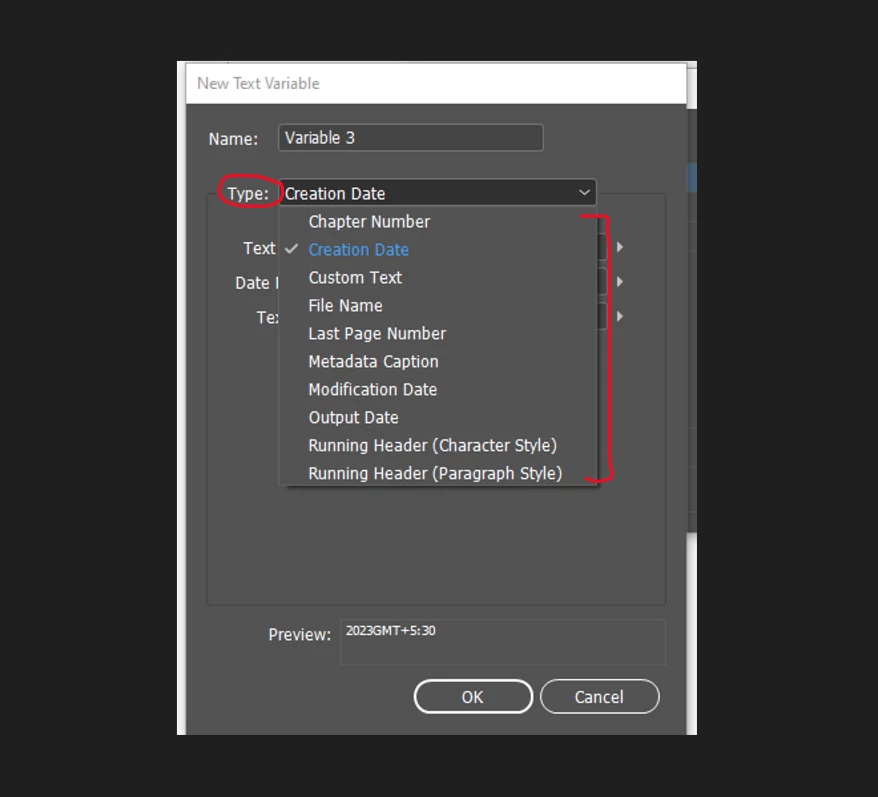
Is there any way to register custom text variable type in InDesign?
  • April 6, 2023
  • 4 replies
  • 732 views

Like here few default types are predefined , If someone wants to register a new type how can it be achieved.

This topic is closed to new replies. Start a new post to keep the conversation going.
Correct answer Dirk Becker

To follow up, there is indeeed a matching service kTextVariableServiceID. The interface ID is IID_ITEXTVARIABLESERVICE_PRIVATE though and as the name suggests it is not included in the SDK.

I guess it was too much trouble to handle documents with a new text variable type backed by a missing plug-in.

4 replies

Legend
April 7, 2023

As you tagged this with "SDK": Enumerations are extensible by C++ plug-ins, it is just another declaration resource snippet similar to adding a JS property or class in the ScriptInfo database aka object model. Not all of the enumerations are backed by extensible features, though - some are just mapped to enumerations at the C++ side.

The typical approach would be a matching entry in the internal service registry, could also be a startup service that registers them in a factory.


If you meant to include that in "any way" I'd suggest to first have a look at the SDK programming guide and to search thru the headers for related constants and interfaces.

Dirk BeckerCorrect answer
Legend
April 7, 2023

To follow up, there is indeeed a matching service kTextVariableServiceID. The interface ID is IID_ITEXTVARIABLESERVICE_PRIVATE though and as the name suggests it is not included in the SDK.

I guess it was too much trouble to handle documents with a new text variable type backed by a missing plug-in.

Marc Autret
Legend
April 6, 2023

Hi @Yashasvi28532490hvc5 


At the scripting DOM level, variable types are fixed:


but you can still work from the CUSTOM_TEXT_TYPE type and create a specific naming protocol for identifying your own variables (that is, those relevant to your process).


Best,

Marc

Participant
April 6, 2023

Thank you Marc